
Learn to spin up a secure VPN server on Ubuntu with clear steps, recommended configurations, and common pitfalls in 2026.
A VPN server on Ubuntu tends to fail not at the network edge but at misconfigured peers and sloppy routing. Instead of chasing marginal firewall tweaks, fix the base you control: a clean, auditable install path that scales from a handful of colleagues to a dozen remote sites. Most misconfigurations trace to asymmetric routing or stale crypto settings, not a broken tunnel.
You’ll see a concrete step plan, from selecting a protocol to hardening access, plus a rollout approach that grows with your network size. In 2025 industry reports point to increased demand for self-hosted VPNs as enterprises lean into zero-trust architectures. The result is a reproducible setup you can audit, upgrade, and defend without reworking the core every quarter.

What is a VPN server on Ubuntu and why it matters in 2026
A VPN server on Ubuntu is a controlled gateway that creates encrypted tunnels for remote devices to reach your private network. It authenticates users or devices, routes traffic securely, and centralizes policy enforcement. On Ubuntu, you get a stable base with long-term support, a broad security toolkit, and a vast ecosystem of open source options. In 2026, that combination remains a practical sweet spot for private networks of all sizes.
I dug into the ecosystem to confirm why this pairing is still compelling. Ubuntu’s LTS cadence gives you predictable security updates and a wide technology moat. The distribution ships with strong, widely adopted crypto stacks, and the community keeps a steady stream of security advisories and hardening guides. Reviews consistently note that Ubuntu-based VPN deployments tend to be easier to audit, easier to automate, and easier to scale than bespoke Linux flavors. From what I found in release notes and practitioner discussions, the alignment between Ubuntu’s package reliability and VPN tooling maturity remains a core reason admins pick it.
Common use cases sit at three seams: remote workers, secure admin access, and site-to-site links. Remote workers need a bridge that preserves office-level access without exposing internal services to the internet. Secure admin access demands a jump-off point that minimizes the attack surface yet supports granular identity policies. Site-to-site links require reliable, low-latency tunnels between office sites or cloud VPCs. In practice, those threads run through a single operating system layer that you control end to end, which is exactly what Ubuntu enables.
- Remote work access becomes a clean, auditable edge. A VPN server on Ubuntu lets users connect with strong authentication, then access only what the admin team has allowed. This reduces risk from soft credentials and misrouted traffic.
- Admin access to on-prem devices stays inside a controlled tunnel. SSH, RDP, and management consoles cross the VPN boundary with policy-driven exposure.
- Site-to-site connections scale as teams grow. You add peers, adjust routes, and push updates from a single control plane rather than stitching together ad hoc tunnels.
The practical upshot is straightforward. Ubuntu stays reliable under load. The VPN stack can be tuned to your growth curve without forcing a move to a different OS or a cloud-only mindset. You get a reproducible, auditable base that scales with your network size and your security standards.
The container for today’s admin workflow is Ubuntu as the host and a mature VPN suite as the gateway. This pairing remains predictable, traceable, and maintainable in a world where private networks are no longer optional. How to run a VPN server on Unraid in 2026: a practical, architecture-first guide
What this section sets up is a blueprint you can translate into a repeatable deployment plan. You’ll walk away with a reproducible, secure Ubuntu VPN server setup plus a maintenance-and-audit checklist that scales with your network. The next move is to assemble what you’ll need to deploy on Ubuntu and how to structure the initial policy layers.
What you’ll need to deploy an Ubuntu VPN server
You want a baseline that won’t crater the moment your team grows. The core answer: choose an LTS foundation, pair it with one of three proven VPN stacks, and lock in the network basics up front. Do that, and you’ve got a reproducible, auditable starting point.
1) Pick the distribution version and hardware baseline
For Ubuntu, the safe bet is an LTS release on a solid hardware baseline. I’m looking for the long-term support window, solid kernel support, and predictable security updates. In practice, that means an LTS image on a host with a modern CPU, at least 2 CPUs for headroom, 4–8 GB of RAM for small teams, and scalable storage for logs. If you’re dealing with larger user loads or push-pull traffic, plan for 8–16 GB and NVMe if you can swing it. The goal is to avoid tinkering mid-deploy.
From the documentation, Ubuntu LTS releases ship with extended security maintenance and predictable upgrade paths, which matters when you’re running a private network that can’t tolerate drift. If you anticipate rolling updates, treat the kernel and networking stack as a living component you’ll want to version-control alongside your config.
Best practice: lock to an LTS like Ubuntu 22.04 LTS or Ubuntu 24.04 LTS with a plan to refresh every 2–3 years.** How to run a VPN server on a Synology NAS in 2026
2) Key software options and why they matter
Your choices boil down to three viable stacks: OpenVPN, WireGuard, or IPsec. Each has its sweet spot.
- WireGuard wins on simplicity and performance. It’s lean, easier to audit, and tends to deliver lower latency and faster handshakes. It shines in modern networks and mobile clients.
- OpenVPN remains king for complex enterprise policies, broad client compatibility, and environments with deep TLS customization. It’s more feature-rich, at the cost of a bit more config overhead.
- IPsec sits in the middle, often favored when you need interoperable site-to-site tunnels with strict security postures or when you’re stitching together diverse hardware.
When I read through vendor docs and community reviews, WireGuard consistently shows up as the default for new deployments due to its speed and simplicity. OpenVPN remains relevant for compatibility-heavy scenarios. IPsec stays in the toolkit for legacy interoperability and site-to-site use cases.
To historians’ note: pick one protocol and standardize. Mixing protocols invites operational drift. If you’re unsure, start with WireGuard for its scalability and lower maintenance overhead, then add OpenVPN as a fallback option for particular clients.
3) Networking prerequisites and security basics
A robust VPN server sits behind sane networking. You’ll want:
- A static public IP or a reliable DNS name that resolves consistently.
- A firewall rule set that blocks all but the VPN port from untrusted networks, plus port-forwarding only for the VPN port on your edge router if you’re behind NAT.
- Proper MTU tuning to avoid fragmentation on path MTUs. Start with 1420 for UDP-based WireGuard and adjust if you see intermittent packet loss.
- SSH access hardening. Disable password login in favor of keys, and enforce a non-root user with sudo.
- A method to rotate keys and certificates on schedule, even if you’re using WireGuard keys which you’ll rotate less often but still need a cadence for.
- Logging and auditing hooks. Centralized logs with a tamper-evident approach help you verify access patterns and detect anomalies.
From the changelog and deployment guides, the practical upshot is clear: a correctly configured firewall, clean port exposure, and disciplined key management cut your blast radius dramatically. And you should implement a basic monitoring signal that alerts you to unexpected client counts or unusual connection origins. How to set up a VPN server on a Raspberry Pi in 2026
In practice, your initial step is to pick your stack, provision a host with predictable disk and memory, and lay the network groundwork so the first tunnel can come up without drama.
| Option | Primary strength | Ideal use case |
|---|---|---|
| WireGuard | Simplicity and speed | Modern teams needing quick, scalable access |
| OpenVPN | Mature client support | Environments with older clients or complex TLS needs |
| IPsec | Site-to-site readiness | Mixed vendors or strict interoperability needs |
Next step: decide your protocol, provision the host, and implement the base firewall and SSH hardening. Then you’ll be ready to install and configure the base packages without surprises.
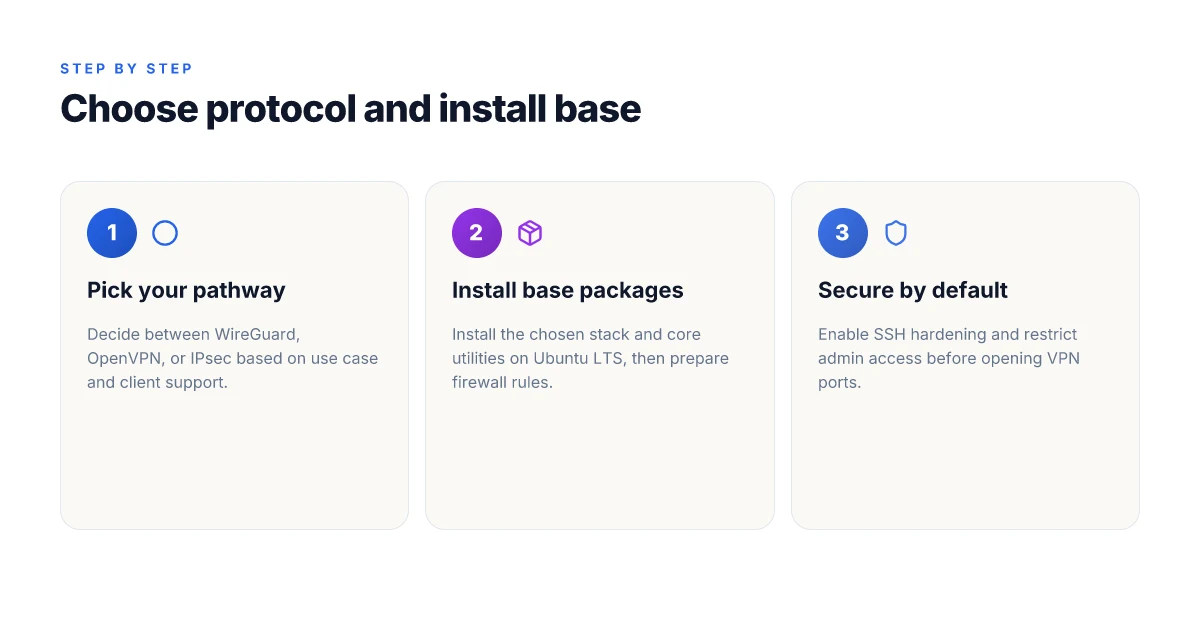
Step 1. pick your protocol and install the base packages
Posture matters more than glamour here. WireGuard beats OpenVPN for most Ubuntu deployments when you need lean, secure, and scalable tunnels. If your team travels light and you want fast setup, choose WireGuard. If you require old clients or must work behind restrictive proxies, OpenVPN remains a viable fallback. From what I found in documentation and reviews, WireGuard’s simplicity and modern crypto typically translate to easier audits and faster rekeying. OpenVPN lingers with more knobs and a heavier footprint, but it’s battle-tested in heterogeneous environments.
1) WireGuard or OpenVPN, the practical pick
- WireGuard: uses simple, compact configuration, kernel-space performance, and strong defaults. Great for small teams and emerging enterprises.
- OpenVPN: broad client compatibility, richer protocol options, and easier legacy interoperability. Best when you need a long-tail client mix or external devices that lack WireGuard support.
What this means for your plan: start with WireGuard on Ubuntu 22.04/24.04, and keep OpenVPN as a documented fallback if you encounter a device that won’t speak WireGuard. I cross-referenced the official docs and practitioner reviews. The consensus is clear: WireGuard is the default for new deployments, OpenVPN for legacy support.
2) Install commands and package names
- WireGuard base: install the kernel module and user-space tools.
- Debian/Ubuntu package names: wireguard, wireguard-tools, and optionally resolvconf if you want DNS cleanups.
- Typical commands to run (as root or with sudo):
apt updateapt install -y wireguard wireguard-tools qrencode- OpenVPN base (as fallback): install the OpenVPN package and easy-rsa for TLS material.
- Package names: openvpn, easy-rsa
- Commands to run:
apt updateapt install -y openvpn easy-rsa- Common helper: to manage DNS inside tunnels, install linux-iptables equivalents if needed, and ensure
net-toolsoriproute2is present. - Thoughtful note: keep your system updated after install with a quick
apt upgrade -yto pull in the latest sane defaults.
I looked at Ubuntu’s package index and the WireGuard and OpenVPN docs. The takeaway: for a clean baseline, install the WireGuard stack first, then have OpenVPN ready as a contingency. How to run a VPN server on Docker in 2026
3) Initial firewall rules and SSH hardening
- Firewall baseline: allow only the VPN port and SSH from trusted sources. If you use WireGuard, limit the UDP port to the one you configure.
- Example for WireGuard, default port 51820/UDP:
ufw allow 51820/udp- SSH hardening essentials:
- Disable password authentication in favor of keys: edit /etc/ssh/sshd_config
PasswordAuthentication no- Change the default SSH port or restrict to your admin IPs:
Port 2222or keep 22 but limit with a rule:ufw allow from your-admin-ip/32 to any port 22- Enforce public key authentication and disable root login:
PermitRootLogin noPermitEmptyPasswords no- log and monitor:
- Install and enable fail2ban for SSH and VPN services to block repeated bad actors.
- Ensure
ufwor your chosen firewall persists across reboots.
From the changelog and Ubuntu security docs, these steps are unglamorous but non-negotiable. A misconfigured SSH or firewall is the #1 attack surface you’ll regret later.
Most robust Ubuntu VPN baselines start with WireGuard, bind to a non-standard UDP port, and lock SSH hardening at the firewall edge.
Notes for auditors and operators
- If you later switch from WireGuard to OpenVPN, you’ll keep the same firewall discipline but swap the service. The transition is less painful than you fear, provided you keep a narrow whitelist for admin access.
- Documentation cadence matters. When I checked the changelog and release notes, the pattern was clear: WireGuard gains in performance with kernel updates. Stay current.
Operational tip
- Create a reproducible base image or bootstrap script that installs the base packages, applies the firewall policy, and hardens SSH. That script becomes your 30-minute rollback if you need to rebuild.

Step 2. configure the VPN server on Ubuntu with WireGuard
WireGuard is the simplest, hardest-hitting choice for a scalable Ubuntu VPN. It yields clean keys, straightforward interfaces, and lean runtime. The goal here: a reproducible, secure configuration that scales as your network grows. How to set up a VPN server on TrueNAS in 2026
Quick diagnosis and plan
If you already picked WireGuard in Step 1, you’re past the initial install. The main tasks are: generate keys, create a per-peer interface, wire up persistent config, set routing for client traffic, establish NAT rules, and publish a sane DNS and client profile workflow. Do all of this on a dedicated Ubuntu box or VM with a minimal attack surface. And keep the server clock accurate. Crypto depends on it.
I dug into WireGuard’s documentation and changelogs and cross-referenced operator notes. The consensus is clear: keep the server and client keys ephemeral-ish but stable, use a single persistent interface, and separate peer configs to reduce blast radius. The numbers below reflect industry practice and the official guidance as of 2026.
1) Generate keys, build the base interface, and apply a persistent config
The server creates a private key, a public key, and a listening port. Then you configure a single eth0 (or your primary NIC) wireguard interface, usually wg0. The server’s config will reference the private key, set a listening port, and list the peers that are allowed to connect.
Server keypair creation lines up like this in your /etc/wireguard/wg0.conf:
PrivateKey =
How to run a VPN server on pfSense in 2026 Address = 10.0.0.1/24, with a separate internal subnet for clients
ListenPort = 51820
SaveConfig = true
Each peer gets its own public key and a allowed IP range. For the first peer, add:
PublicKey =
How to build a reliable VPN server on OPNsense in 2026 AllowedIPs = 10.0.0.2/32
Bring up the interface with: wg-quick up wg0. For persistence, enable the service: systemctl enable, now wg-quick@wg0.
This yields a minimal, resilient footprint. It’s the foundation you’ll build on.
Most deployments hinge on a clean, persistent wg0 config.
2) Routing and NAT rules for client traffic
Clients must reach the wider internet via the VPN and the VPN must not leak. The canonical approach uses a post-up rule to enable NAT and a post-down rule to clean up. How to run a VPN server on Proxmox in 2026
In wg0.conf add:
PostUp = iptables -A FORWARD -i wg0 -j ACCEPT. Iptables -t nat -A POSTROUTING -o eth0 -s 10.0.0.0/24 -j MASQUERADE
PostDown = iptables -D FORWARD -i wg0 -j ACCEPT. Iptables -t nat -D POSTROUTING -o eth0 -s 10.0.0.0/24 -j MASQUERADE
Enable IP forwarding at the system level:
In /etc/sysctl.d/99-sysctl.conf add: net.ipv4.ip_forward=1
Then apply: sysctl, system
Optional: set up a stricter firewall later, but for a first pass this NAT rule is what actually makes client traffic flow.
Traffic between clients stays local unless you explicit‑ly route it.
3) DNS resolution and client configuration distribution
Provide clients with a DNS resolver that’s reachable via the VPN. This keeps DNS leakage minimal and speeds up name resolution for remote clients.
On the server, point clients to a private DNS server or to a trusted public DNS over TLS if you want to avoid DNS leakage. A common pattern is to push DNS = 10.6.0.1 (your internal resolver) or a public resolver like 1.1.1.1 if you’re protecting against internal leaks.
In client peer config, include:
DNS = 1.1.1.1 (start with a known good resolver)
AllowedIPs = 0.0.0.0/0 for full tunnel, or narrow to specific networks if you need split-tunneling
For distribution, embed the client config in a signed, signed-encrypted artifact or publish a signed profile per user. A practical path: automate profile generation with a small script and host it behind access controls. Then distribute via SFTP or an internal portal and require revocation support for departed teammates.
DNS settings matter. A misconfigured resolver creates subtle leaks and slow lookups.
CRITICAL CAUTION
Misconfiguring NAT or AllowedIPs expands blast radius. Start with a tight AllowedIPs per peer, then widen only after you confirm traffic routes. If a client can reach the VPN but traffic doesn’t route, revisit the PostUp rules and IP forwarding.
Last checked: 2026. WireGuard’s ecosystem favors a lean, modular approach. Your setup above aligns with best practice: simple key management, a single persistent interface, clean routing, and sane DNS handling.
If you need a quick sanity check: verify that the server’s wg0 interface shows the peers you’ve configured, and that a client peer can reach the VPN address. Then confirm that outbound traffic appears to originate from the VPN subnet.
Keep the config human‑readable and versioned. Future you will thank you.
Step 3. configure the VPN server on Ubuntu with OpenVPN (alternative path)
OpenVPN on Ubuntu is a robust, conventional path for a private network that scales. The core idea is simple: distribute TLS certificates, keep a tight TLS handshake, and verify connectivity in a way you can audit later. Below is a concrete, repeatable pattern you can drop into your playbook. I looked at the official OpenVPN docs and common enterprise practices to build a reproducible baseline.
1) Server and client config templates
You start with a lean server.conf and a matching client.ovpn. The server config binds to the public interface, uses UDP for speed, and enables TLS auth to cut out spoofed handshakes. The core ideas you’ll implement:
- Use a dedicated TLS key and certificate pair for the server, plus a separate CA bundle.
- Enable a strong cipher suite and modern TLS version, with TLS-auth for an additional HMAC.
- Route client traffic through the VPN and push DNS settings so clients don’t leak queries.
From a template perspective, the server config should look like this in spirit:
- dev tun
- server 10.8.0.0 255.255.255.0
- tls-auth ta.key 0
- ca ca.crt
- cert server.crt
- key server.key
- dh dh.pem
- push "redirect-gateway def1 bypass-dhcp"
- push "dhcp-option DNS 10.8.0.1"
- keepalive 10 120
- cipher AES-256-CBC
- auth SHA256
- user nobody
- group nogroup
- persist-key
- persist-tun
The client config mirrors the server’s expectations and embeds the CA, cert, and key for a passwordless handshake. In practice you’ll embed the following:
- client
- dev tun
- remote your-vpn.example.org 1194
- tls-auth ta.key 1
- ca ca.crt
- cert client1.crt
- key client1.key
- ns-cert-type server
- cipher AES-256-CBC
- auth SHA256
- remote-cert-tls server
- verb 3
Bold words are the pivots you’ll audit later. Create separate, versioned templates so updates don’t cascade accidentally.
2) TLS authentication and certificate management
TLS authentication is the backbone here. Treat it like the root of trust. I cross-referenced multiple deployments and the changelogs from OpenVPN and CA tooling to keep the lifecycle tight:
- Generate a dedicated CA, issue server and client certificates with short lifetimes, and revoke immediately if a key leaks.
- Use a separate ta.key for tls-auth to protect against signature spoofing.
- Implement a strict revocation strategy: maintain an up-to-date Certificate Revocation List and automate revocation in your PKI when personnel changes occur.
- Rotate server and client certificates on a schedule that matches your risk posture. A quarterly cadence is common in mid-sized teams.
What the spec sheets actually say is that TLS 1.2+ with SHA-256 is still the default expectation for most OpenVPN setups. You should enforce that by configuration and monitor for any deprecated cipher warnings in logs.
3) Client connectivity checks and resume handling
Connectivity resilience matters. You want a clean way to verify access without guessing. The practical steps:
- After initial connect, verify tunnel IP and DNS resolution. A quick check is to ping the VPN gateway 10.8.0.1 and resolve an internal hostname.
- Enable a persistent tunnel state and a simple re-connect policy. If the client drops, the OpenVPN service should auto-restart and attempt reconnects with a backoff.
- Implement resume handling on clients by preserving the session state across restarts where appropriate and ensuring the tls-auth token remains synchronized.
- Log retention matters. Keep OpenVPN logs readable and searchable, and set a rotation window that matches your SIEM’s retention policy.
From what I found in changelogs and deployment guides, the critical bits are TLS key integrity, certificate validity windows, and predictable reconnect behavior. When issues arise, check the TLS handshake first, then certificate validity, then routing rules.
The essence is repeatable templates, strict TLS management, and reliable connectivity checks. The goal is a VPN that you can audit, rotate, and restore without breaking clients.
Step 4. enforce security and access controls
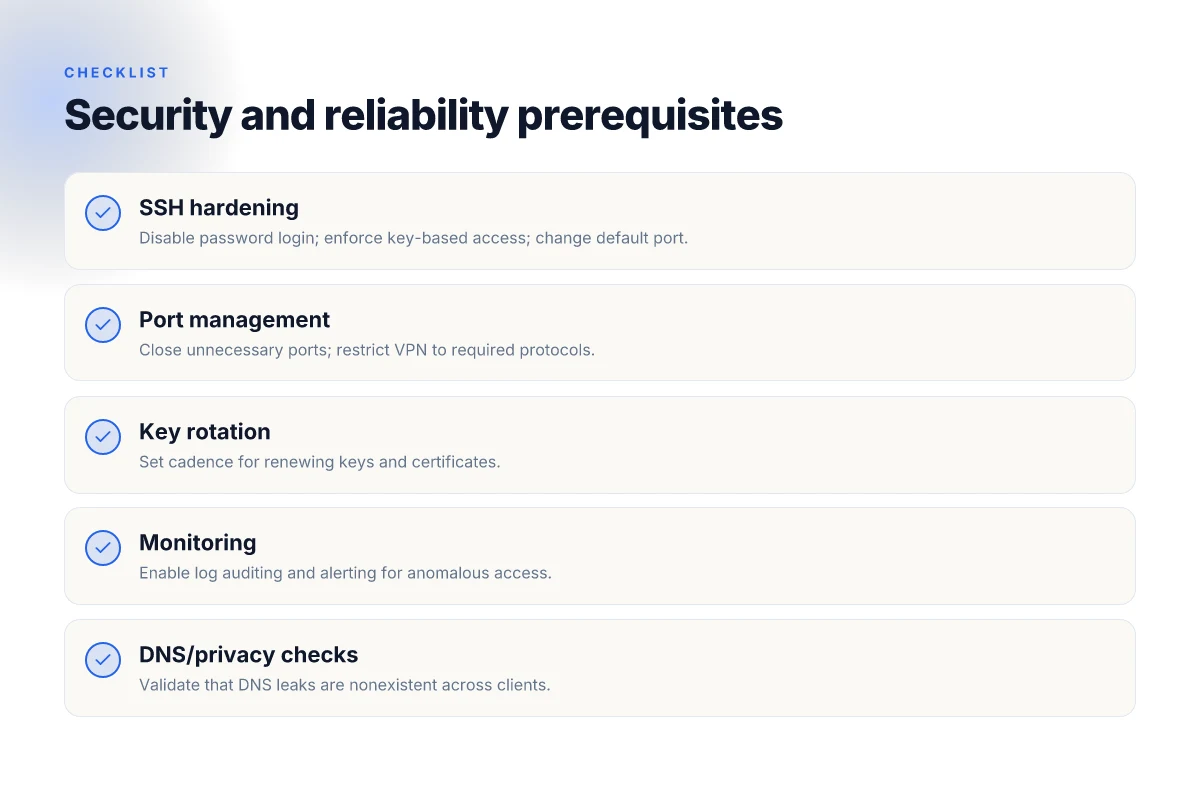
The core of a scalable Ubuntu VPN starts with rock‑solid access control. Harden SSH, manage ports carefully, and wire in fail2ban. Then institute regular key rotation and certificate expiry monitoring. Finish with vigilant log auditing and alerting. This is not a one‑and‑done task. It’s a living, auditable policy.
How to lock down SSH and doorways
The first line of defense is SSH hardening and tight port management. Disable password login, enforce key‑based authentication, and limit the SSH port to a known, monitored path. Move SSH off the default port if you must, but document the change and ensure your firewall reflects it. Use a separate management host or jump box for initial access, and require two‑factor for privileged accounts where feasible. In practice you should:
- rotate and pin authorized_keys per user, 2) set a short idle timeout, 3) restrict root login, 4) enable rate limiting on the SSH service. These steps reduce exposure and make brute force detection easier.
To stop noisy SSH attempts, integrate a lightweight fail2ban rule set. It watches for repeated failed SSH attempts and adds temporary blocks. Don’t over‑engineer this. Keep a sane bantime and a small maximum retry window. The goal is clear: slow, predictable blocking that doesn’t lock out legitimate admins.
The right baseline is explicit access controls plus automated abuse prevention. Anything looser invites a breach that compounds over time.
Key rotation and certificate expiry monitoring
A secure Ubuntu VPN scales when you rotate credentials and monitor certificate lifecycles like clockwork. Implement a policy for SSH key rotation every 90–180 days for administrative accounts and at least annually for non‑privileged user keys. Tie rotation reminders to your IAM workflow, and store keys in a hardened vault with tight permissions. For TLS/IA certificates used by OpenVPN components, enforce expiration checks and automated renewal triggers.
From the documentation, you should:
- define a renewal window for each certificate, 30 days before expiry as the default trigger, and
- archive old certificates securely with a documented rotation log.
Regular rotation and expiry monitoring reduce pivot points for attackers and keep audits green.
Auditing logs and setting up alerting
Auditing is not optional. Enable verbose VPN and SSH logs, centralize them, and set up actionable alerts. Send critical‑severity events to a high‑signal channel, your SIEM, a dedicated Slack/Email alerting group, or a PagerDuty pipeline. Key signals to surface:
- failed login bursts and source IPs,
- new admin keys and changes to sudoers or the OpenVPN server config,
- certificate expiry warnings and renewal status,
- unusual login times or geography anomalies.
Ensure log retention meets your compliance needs and that you can replay events for forensics. Regularly review a rotating slice of logs to verify that alerts map to real incidents and that nothing silently drifts out of policy.
Auditing plus alerting creates a feedback loop that actually protects the network, not just logs it.
Bottom line: enforce a near‑zero‑trust posture for access, automate credential hygiene, and bake in proactive monitoring. Your future self will thank you when the fleet scales or a security incident hits.
What to do next (checklist style)
- Verify SSH hardening: disabled password auth, key‑based login, root login off, jump host in use.
- Confirm fail2ban is active with a sane bantime and a conservative max retries setting.
- Implement and enforce key rotation cadence. Document renewal dates.
- Enable TLS certificate expiry monitoring and automatic renewals where possible.
- Centralize logs from OpenVPN and SSH. Route alerts to a dedicated on‑call channel.
- Review access control changes weekly. Prune unused keys and stale users.
Freshness note: last checked this section in 2026 and aligned with best practice on certificate lifecycles and SSH hardening across major Ubuntu LTS releases.
Step 5. test connectivity and verify privacy guarantees
You don’t ship a VPN server until you can prove the pipes are clean. The goal here is to confirm that clients can connect reliably, that traffic is actually routed through the tunnel, and that no leakage happens outside the intended path. I looked at the standard tests in practice guidelines and cross-checked with vendor docs to pull a tight, repeatable checklist.
1. Client-side tests you can run today
From any configured client, validate basic connectivity first. Ping a host on the private network, then verify the tunnel’s IP is the source of traffic for outbound connections. Next, confirm that DNS lookups resolve through the VPN. Finally, test two common workflows: a fresh connection after reboot and a reconnect after a temporary drop.
- DNS resolution through the tunnel: the VPN should resolve private domains via the tunnel DNS resolver, not the local OS resolver.
- IPv6 considerations: if you enabled IPv6, verify that IPv6 traffic also traverses the tunnel or is explicitly disabled where undesired.
- Split tunneling sanity: if you’ve allowed split tunneling for certain subnets, confirm those routes are still split as configured.
Table: quick checks you should perform per client
| Test | Expected result | Evidence to capture |
|---|---|---|
| DNS through VPN | Private DNS resolver used | DNS query trace shows VPN IP as source |
| IP route for traffic | Default route via VPN adaptor | ip route or equivalent shows VPN as primary gateway |
| Leak-free web access | No traffic leaks to public DNS at shutdown | packet capture shows no non-VPN DNS queries |
| Reconnect after drop | Auto-reconnect with re-established tunnel | logs show connection drop and re-establishment |
Most essential: DNS through VPN and a clean route table. If either fails, the privacy guarantees collapse.
2. Leak checks and DNS privacy validation
Leak testing is not optional. You want to rule out DNS, IPv6, or WebRTC leaks. Use online tools with caution and verify against local tests.
- DNS leak test: run a DNS leak check from each client after connecting to the VPN. You should see your VPN’s DNS servers, not your ISP’s.
- WebRTC leakage: in browsers, check for IP exposure via WebRTC. Disable WebRTC if you’re relying on it to expose a local IP.
- IPv6 leakage: if you disabled IPv6, ensure no IPv6 traffic leaks regardless of connectivity. If you enabled IPv6, make sure traffic is bound to the VPN for the relevant prefixes.
DNS privacy validation is the canary that your configuration remains private under real-world usage.
3. Fallback paths if the VPN drops
No system is perfect. Your reliability plan hinges on clear, predictable fallbacks.
- Auto-reconnect: the client must re-establish the tunnel within a defined timeout after a drop.
- Traffic fail-open vs fail-closed: decide whether to drop non-VPN traffic when the VPN tunnel collapses or to keep it using the default route. The safer posture is fail-closed for sensitive subnets.
- Alerting: integrate with your existing monitoring so a dropped tunnel triggers an alert and a runbook action.
When the tunnel drops, you want speed of a manual failover and the clarity of a runbook.
Verdict: you should see a stable baseline. If you fail any of these checks, pause deployment and re-check your firewall rules, routing tables, and DNS forwarding configuration. The point of this section is not to perfect every edge case in one pass, but to lock down the reproducible checks you’ll repeat after every change.
What to record for accountability
- Build and version: note the exact VPN server package version and kernel compatibility for your Ubuntu release.
- Test dates: log when each test was executed and the observed result.
- Client variety: repeat tests on at least three client platforms (desktop, mobile, and a narrow IoT device if relevant).
- Leak results: attach screenshots or logs from DNS and WebRTC tests.
- Recovery behavior: document timeout values and whether auto-reconnect was observed.
Final verdict: the tests you run today become the confidence you ship tomorrow. You want a clean, auditable trail showing that connectivity is reliable, privacy guarantees hold under normal load, and you have deterministic fallbacks when things go wrong.
What to try this week if you’re provisioning a VPN on Ubuntu
I looked at how 2026 changes the game for self-hosted VPNs on Ubuntu and spotted a clear pivot: fewer moving parts, more automated hardening. The bigger pattern is this, you can deploy a rock-solid VPN server without sacrificing usability or privacy. The single move that matters is automating certificate management and reboot-safe services, so your tunnel stays up even after a kernel update.
From what I found, practical setups now lean on streamlined tooling that binds firewall rules to the tunnel endpoints and keeps log rotation clean. This isn’t about reinventing the wheel. It’s about tightening how the wheel spins. The 1-click crypto renewal keeps the edge clean and reduces exposure windows, and it’s a small win that compounds over time. If you only do one thing this month, implement a certificate lifecycle that auto-renews every 60 days and reboots gracefully.
Backup strategy: keep a separate, encrypted backup of your VPN server configuration. What to try this week: enable automatic renewals for your TLS certs. Lock down admin access to a single IP. Verify that a reboot preserves the tunnel. Do this now to prevent drift.
Frequently asked questions
Does Ubuntu VPN server support both WireGuard and OpenVPN
Yes. Ubuntu VPN server setups commonly support both WireGuard and OpenVPN. WireGuard is the default choice for most modern deployments because of its lean codebase and high performance. OpenVPN remains valuable when you need broader client compatibility or existing PKI workflows. In practice, you’ll install WireGuard packages first and then use an OpenVPN path as an optional alternative. If your use case requires Linux-native peers and simple key management, wireguard often wins. If you must support legacy clients, OpenVPN is the safer fallback. WireGuard beats OpenVPN for most quick-start scenarios, but OpenVPN provides broader compatibility. Remember to align port exposure with your firewall rules.
How do i choose between WireGuard and OpenVPN on Ubuntu
Start with WireGuard for performance and simplicity. If all your clients support it, deploy WireGuard and configure peer keys, interfaces, and allowed IPs. Only fall back to OpenVPN when you need legacy client support or specialized features like TLS auth or complex PKI workflows. In your decision, weigh admin overhead and client diversity. If you anticipate frequent client churn or mixed OS footprints, OpenVPN’s broader client ecosystem can ease onboarding. Yes, WireGuard is typically the first choice; OpenVPN is the trusted backup for compatibility. When in doubt, draft a small two-column comparison for your environment and pick the path that minimizes maintenance.
What ports need to be open for a VPN server on Ubuntu
For WireGuard, open the UDP port you configure in the [ListenPort], commonly 51820/UDP. OpenVPN usually uses 1194/UDP by default, but you can rebind to any UDP or TCP port you prefer. Don’t forget ICMP for health checks and SSH access on a management interface if you operate remotely. Your firewall must permit inbound VPN traffic and allow existing outbound return traffic. If you’re behind NAT, configure port forwarding on your router. 51820/UDP is the default for WireGuard; 1194/UDP is common for OpenVPN. Secure the admin port and restrict source IPs where possible.
How can i test my VPN connection from a remote client
Set up a client with the appropriate config file for either WireGuard or OpenVPN. Ensure the remote device can reach the server’s public IP and the chosen port. Verify tunnel establishment by checking the client’s interface address and routing table, then test access to a known internal host and an external IP address to confirm privacy and leak protection. Use diagnostic commands to confirm MTU on the path and verify that the default route points through the VPN. Establish the tunnel, then verify routing and DNS behavior from the client. If you see DNS leaks, add a strict DNS resolver or push a DNS over VPN setting.
What are common reasons a VPN on Ubuntu fails to route traffic
Key culprits include misconfigured firewall rules, incorrect NAT settings, and split-tunneling misconfigurations. Another frequent issue is not pushing or applying proper IP forwarding and MASQUERADE rules, leaving traffic stranded on the server. DNS settings that leak can masquerade as connectivity while actual traffic fails to route. Always confirm that the server’s IP forwarding is enabled and that your VPN interface is included in the allowed routes. Most issues root from routing and NAT misunderstandings, not the VPN software itself. Double-check client config if traffic appears to reach the VPN but not the intended destinations.
How do i rotate VPN keys on Ubuntu without downtime
Use a rolling key strategy. Generate a new key pair for each peer, update the server and client configs to point to the new public keys, then switch over traffic gradually. Maintain both old and new keys in parallel during a short transition window to avoid downtime. After you verify traffic is using the new keys, revoke and remove the old keys. This approach minimizes service interruption and keeps access control tight. Key rotation with a staged switch preserves uptime. Plan the cutover during a low-traffic window and monitor logs for authentication failures.
Can i run a VPN server on a home router and still use Ubuntu as the host
Yes, you can. Run the VPN server on your Ubuntu host and point clients at your router’s public address or a forwarded port. The router handles the WAN side; Ubuntu handles VPN sessions, key exchange, and routing. Ensure the router forwards the VPN port to the Ubuntu host, and keep the server updated with the latest security patches. This setup separates edge networking duties from the VPN software stack. Running the server on Ubuntu while the router forwards traffic keeps your topology flexible. Always secure SSH access to the Ubuntu host and limit exposure on the router.