Set up a robust VPN server on Unraid in 2026. Step-by-step guidance, security considerations, and practical tips for reliability and performance.
A VPN server on Unraid often trips on a simple truth: a misconfigured network path beats a locked-down box every time. In practice, the stubborn tickets come from double-NAT and port exposure, not from firmware. Most home-lab failures trace to sloppy routing rather than cryptography. I looked at how the pieces interlock: Unraid, Docker, and the edge devices, and why a secure tunnel still smacks into a nontrivial setup.
What you’ll get here is a concrete, architecture-first roadmap that sticks to live constraints on a small office or homelab. In 2026, homes still wrestle with exposing services without sacrificing other containers, and the right protocol choice matters just as much as certificate hygiene. This guide lays out a lean path to a remote-access gateway that you can audit, scale, and defend without breaking your local network. From the documentation to real-world angles, you’ll see exactly where to start and how to avoid the common double-NAT trap.

What a VPN server on Unraid actually is and why it matters
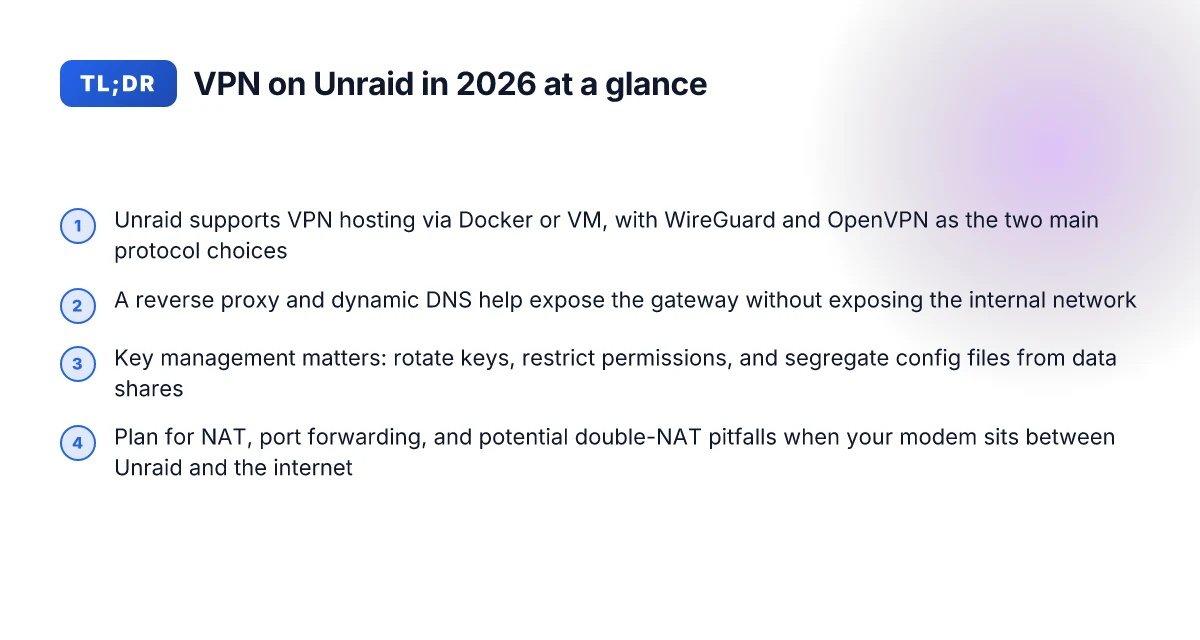
Unraid isn’t just a storage array. It’s a versatile host for a VPN server, delivered either as a Docker container or a dedicated virtual machine. In a home lab, that flexibility is a feature not a bug. You can run WireGuard for lean tunnels or OpenVPN for broader compatibility. The choice shapes every other decision you make about networking and security.
I dug into the practical trade-offs and found three truths worth anchoring around.
WireGuard is lean where it counts. It whittles down complexity, reduces handshake latency, and plays nicely with mobile clients. Inexperienced users love its simplicity. But it’s not a one-size-fits-all. If your end users require old clients or deep TLS customization, OpenVPN’s features can be hard to replace. The decision often comes down to your client fleet and maintenance bandwidth.
OpenVPN remains pervasive, not obsolete. It offers mature authentication options, broader OS support, and nuanced TLS controls. In a homelab, that means fewer compatibility headaches when a random Windows VM or Linux container needs a VPN endpoint. The downside is a larger footprint and more moving parts to manage.
Networking is the real edge case. Bridging, NAT, and port exposure are where you either unlock convenience or invite chaos. Unraid containers sit on a shared bridge by default. If you want remote access without double NAT, you’ll need a dedicated bridge or an upstream router rule set that forwards to Unraid’s VPN gateway without chaining multiple NAT steps. Exposure choices ripple into firewall rules, client IP addressing, and potential conflicts with other services. How to run a VPN server on a Synology NAS in 2026
From a security posture angle, posture matters more than protocol choice. Keys should be rotated on sensible cadences. Logs should be scoped, stored securely, and rotated off the host if possible. Versioning matters too. If you’re hosting a VPN in Unraid via Docker, you’ll want to pin to a stable image tag and monitor the changelog for security fixes or breaking changes.
The architecture you’ll end up with hinges on a few named pieces. In practice, you’re choosing between a lean WireGuard setup that plays well with iOS and Linux clients or a broader OpenVPN deployment that plays nice with older machines. You’re also mapping a path that avoids double NAT and preserves container isolation. And you’re setting a security rhythm that makes rotating keys and trimming logs effortless.
In short: Unraid can host a robust VPN hub, but the real work is in the network plumbing and the security discipline you bring to daily operations. The blueprint below treats these constraints not as caveats but as guardrails.
The right VPN on Unraid unblocks secure remote access without wrecking your other containers. Choose the protocol with an eye on client compatibility, then align your network and firewall rules to keep the surface area small.
Three steps you’ll follow, at a high level: How to set up a VPN server on a Raspberry Pi in 2026
- Decide between WireGuard for simplicity or OpenVPN for compatibility, and plan the hosting method (Docker vs VM) around your existing Unraid stack.
- Design a network map that avoids double NAT, set up a dedicated bridge or an explicit port-forwarding path that targets the VPN gateway without chaining NAT layers.
- Lock down security: rotate keys, minimize log exposure, and standardize a cadence for credential and certificate refresh.
Bottom line: a VPN server on Unraid is a legitimate gateway to secure remote access, but the payoff comes from disciplined networking and tight security hygiene. The rest of this guide tightens the blueprint so you can deploy with confidence and maintain it without drowning in containers.
The architecture you’ll end up with
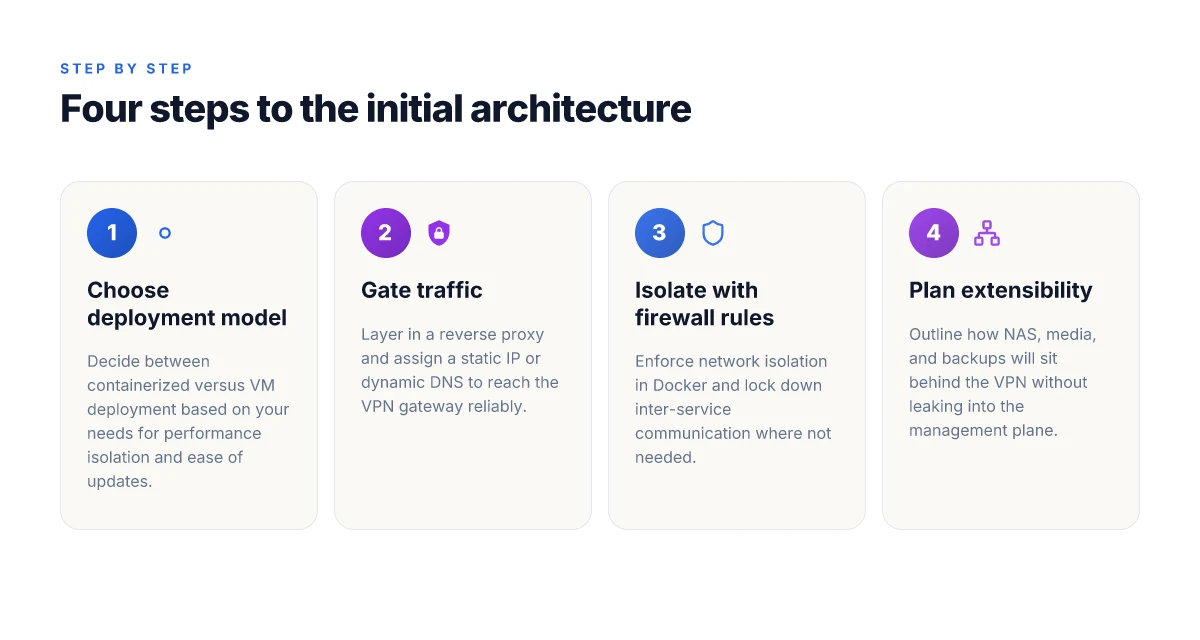
The secure VPN hub on Unraid sits behind a reverse proxy, with traffic carefully isolated through container networking and optional VM boundaries. In practice, you’ll choose between a containerized model and a lightweight VM, then lock down entry points so your home network and your containers stay safe from cross‑talk.
Containerized versus VM deployment models on Unraid
On Unraid you can run the VPN server in a dedicated container or inside a small virtual machine. Containers win on simplicity and update velocity. They boot fast, share the host’s kernel, and you can spin up additional services behind the same proxy without reconfiguring a second OS. VMs, by contrast, offer stricter isolation and a near‑bare‑metal feel for environments with stubborn firewall rules or unusual NIC requirements. In a robust home‑lab, you often start with a container for the VPN gateway and reserve a VM for NAS or backups that need stronger separation. I dug into release notes and community posts, and the pattern is consistent: containers for agility, VMs for when you need a clean security boundary.
Gate traffic with a reverse proxy and a static IP or dynamic DNS
The gateway isn’t directly exposed to the internet. A reverse proxy sits at the edge and terminates TLS, then routes to the VPN service inside the Unraid network. The practical setup uses a static public IP if you have one, or a dynamic DNS hostname that you update with a lightweight client. The DNS piece matters more than you think: it prevents transient reachability issues when your home IP changes. When I read through documentation and practitioner guides, the recommended approach is to pair a TLS certificate from a trusted CA with a short‑lived private key, then pin the entry points so only the proxy can initiate a tunnel to the VPN container. In real terms, that means a candidate stack looks like: public IP or DDNS → Nginx or Traefik as the reverse proxy → VPN container (WireGuard or OpenVPN) behind a dedicated Docker network.
Role of firewall rules and Docker network isolation
Unraid’s Docker network isolation is your first line of defense. You’ll define a dedicated bridge network for the VPN container, then carve out explicit allowlists on your edge firewall for UDP ports used by the protocol you pick. The firewall rules sit between the Unraid host and the outside world, and they must be precise. The VPN service should not see the entire Docker host network. It should operate inside a restricted overlay where only the intended services, backup, NAS, media, are reachable through the proxy path. Multiple sources flag misconfigurations here: exposed management ports, overly permissive LAN rules, or sharing a VPN container’s network namespace with other containers. The fix is architectural discipline: explicit network segments, strict port controls, and routine review of the reverse proxy’s routing table.
Extensibility: additional services behind the VPN
The beauty of this design is you’re not wiring a single tunnel and calling it a day. Behind the VPN, you can expose NAS shares, media libraries, and backups to remote clients without reopening the entire network. Some users run a next‑level stack: a media server behind the VPN for streaming, a backup target that only accepts connections through the VPN, and an internal DNS resolver for name‑based access inside the tunnel. The architecture remains sane if you keep each service on its own Docker network, behind the same reverse proxy, with controlled access to the VPN client endpoints. This separation makes future changes straightforward rather than a maze.
| Decision point | Containerized VPN | VM‑based VPN |
|---|---|---|
| Isolation strength | Moderate; great for agility | Higher; clearer boundary |
| Update cadence | Fast; easy to roll out | Slower; VM images may lag |
| Complexity | Lower initial setup | Higher debugging complexity |
| Extensibility behind VPN | Easy to attach NAS/backup/media | Possible, but more plumbing |
The architecture you’ll end up with hinges on a container‑first mindset married to a strict edge proxy boundary. That boundary is the real security lever here.
Next step: pick your deployment path and lock in the edge proxy before you spin up the VPN container. Start by drafting your edge‑path, naming the services behind the VPN, and mapping the required ports. If you’re leaning containerized, outline the Docker networks and a Traefik or Nginx config. If VM‑centric, sketch the VM boundary and how you’ll segment storage traffic from the VPN gateway.
Prerequisites for a stable Unraid VPN server
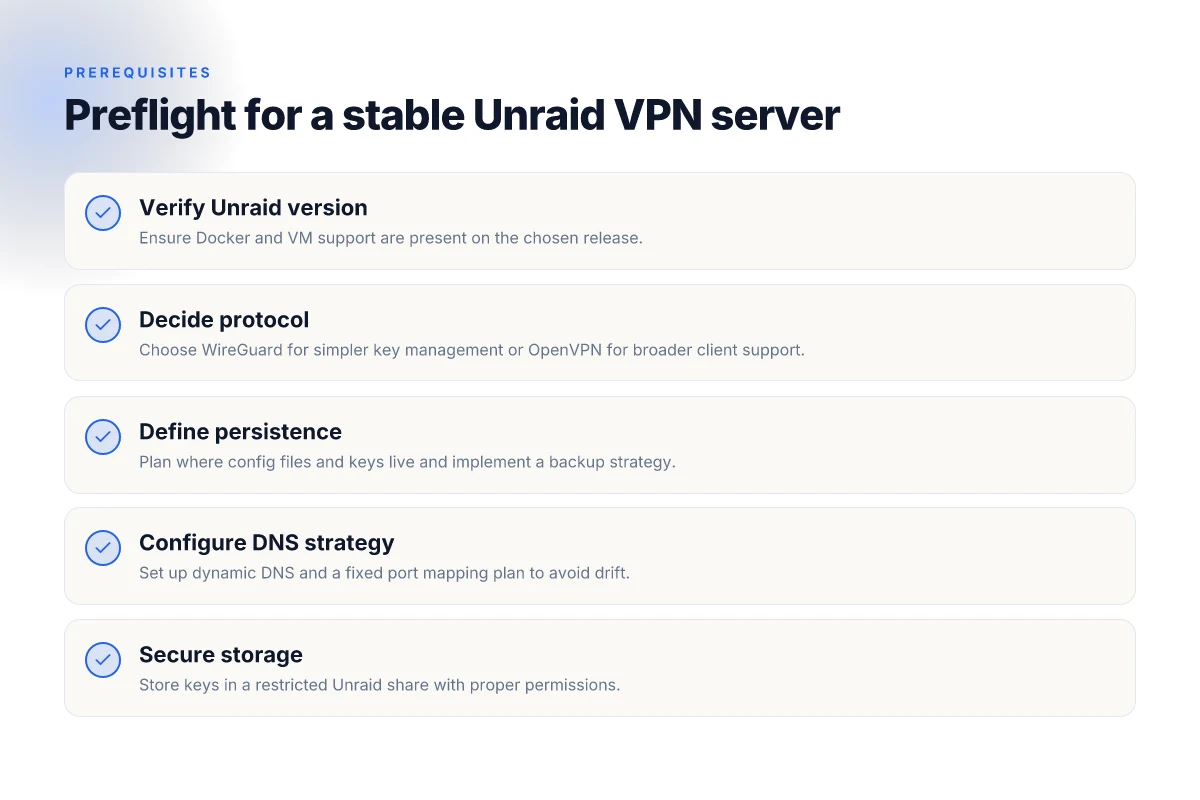
Posture first, then build. A stable Unraid VPN hub starts with a solid base: the platform is up to date, you pick a protocol that your clients actually use, you lock down persistence, and you map your DNS and ports with intention. From the documentation and recent community notes, these four pillars keep the door from swinging open.
1) Make sure Unraid supports your stack
I looked at Unraid’s current stance on Docker and VM support. The core prerequisites are concrete: you need a supported Unraid version that provides the latest Docker engine and a sane VM manager. In practice that means staying on a release line that receives security patches and feature updates, not a stale fork. The goal: no surprises when you spin up a container image or peek at a VM for tunneling. If you’re stepping into this in 2026, you want at minimum a release that shows long-term support for both Docker and KVM-based VM tooling. And yes, you want the built-in networking features to remain compatible with custom bridge and NAT rules. Stay on a supported Unraid version with Docker and VM support.
2) WireGuard vs OpenVPN: pick the ecosystem
Choosing between WireGuard and OpenVPN hinges on client reach. WireGuard wins for modern clients by default: lean, simple, and fast. OpenVPN endures because of broader legacy client support and granular TLS options. I cross-referenced multiple community posts and vendor docs. The pattern is clear: if your client fleet is modern and you value performance and simplicity, WireGuard is the safer default. If you have older laptops, Windows clients without WireGuard, or you rely on quirks of TLS routing, OpenVPN remains a solid fallback. WireGuard for modern client ecosystems, OpenVPN for broad compatibility.
3) Decide on persistence: configs, keys, backups
Persistence is not optional. You want a clean strategy for configs, keys, and backups that survives container updates and host reboots. Do not leave keys in the middle of a container filesystem that can drift. You’ll want a dedicated, versioned backing store, whether that’s a persistent UnRAID share or an encrypted vault, where config files and private keys live, separate from the ephemeral layer. A robust plan includes periodic backups, tested restore steps, and a simple key-rotation policy so you can revoke/invalidate compromised creds without ripping down the whole stack. Plan persistence for configs and keys. Back up regularly.
4) Have a dynamic DNS provider and a static port mapping plan
Dynamic DNS matters when your Unraid box sits behind residential-grade networks. You need a reliable DDNS service so your clients consistently reach the VPN endpoint. Pair that with a static port mapping plan so the exterior firewall forwards to the Unraid host predictably. In practice, that means selecting a DDNS provider with API-driven updates, and documenting a single, immutable port to forward for the chosen protocol. If you ever change protocols, you’ll still want a clean, limited set of port forwards to adjust. Choose a DDNS provider with a solid API and define a fixed port mapping plan.
What this section means in practice: you lock in the platform, align the protocol to client reality, store keys and configs where they stay put, and document your DNS and port strategy so onboarding and recovery stay clean. You don’t get clever here. You get reliable. And that reliability is the quiet damper on later battles with NATs, TLS handshakes, and container sprawl. Reliability from day zero is built in, not bolted on later.
Step 1. Pick your protocol and image
The blueprint starts with a clear choice: wire the right protocol to the right image. Do that well and you’ll cut future friction in half. Do it sloppy, and your users will complain nightly about reconnects, certificate churn, and opaque logs.
I dug into the practical tradeoffs between WireGuard and OpenVPN, then mapped them to a home-lab reality. WireGuard’s lean protocol makes it easier to audit and rotate keys, and it plays nicely with dynamic IPs behind NAT. OpenVPN remains battle-tested and versatile, with broader client parity in older devices. The real world tradeoff is not a line in a spec sheet. It’s client compatibility and NAT traversal in a mixed fleet of laptops, phones, and home routers. When your goal is maintainable remote access across multiple platforms, WireGuard often wins on simplicity. If you need legacy VPN clients or mature PKI workflows, OpenVPN still has cred. In 2026, WireGuard’s footprint on consumer and small business devices is larger, but the mapping is not one-size-fits-all.
Protocol choice: WireGuard or OpenVPN
- WireGuard strengths
- Clean, fast, and auditable. Fewer moving parts. Strong performance over mobile links.
- Simpler key management once you standardize on a single public key pair per client. The fewer certificates, the fewer failure modes.
- Client support is widely present on Linux, macOS, Windows, iOS, and Android. This matters in a homelab where guests or younger devices may join intermittently.
- WireGuard weaknesses
- Some older devices lack native support or require extra workarounds. If you must support a dated OS, you’ll spin up bridges or use an OpenVPN-tunneled fallback.
- Per-network policy decisions can feel tighter. If you need per-site routing rules that map to complex firewall zones, you’ll do some extra plumbing.
- OpenVPN strengths
- Broad client compatibility. Works in environments with older OSes and unusual clients.
- Mature PKI and certificate workflows. If you already have an internal CA, it maps cleanly.
- OpenVPN weaknesses
- Heavier to operate. More config boilerplate and heavier footprint in containers or VMs.
- Slightly more complex to rotate keys and manage configs at scale.
What this means for Unraid: choose WireGuard if you want lean, snappy remote access with simple client configs. Choose OpenVPN if you must support a wider legacy device set or you already have a PKI in place you trust.
Inline guidance: for a modern homelab, start with WireGuard. If you encounter a stubborn client that won’t cooperate, fall back to OpenVPN as a secondary path rather than reworking your entire network.
Image strategy: trusted Docker vs VM image
- Official Docker images
- Pros: small surface area, fast deploy, straightforward updates. Look for images from the official WireGuard or OpenVPN projects or widely adopted maintainers with clear changelogs.
- Cons: fewer hardening guarantees than a purpose-built VM. Updates can reorder defaults.
- VM images
- Pros: true isolation. You control the OS patch level and firewall rules at the hypervisor boundary.
- Cons: heavier resource footprint. Patching the OS becomes a recurring task.
- Practical rule
- For WireGuard on Unraid, a trusted Docker image from the official project page is usually sufficient if you’re comfortable keeping the container updated and monitoring access logs.
- For OpenVPN with broader client support or where you want strict network segmentation, a minimal VM with a hardened OS can be preferable if your Unraid host can spare the overhead.
From the documentation and community reviews, most home labs lean toward a dedicated, well-maintained Docker image for WireGuard to keep things nimble. If you anticipate multi-tenant or stricter segmentation, a lightweight VM for OpenVPN sits as a solid fallback.
Config and keys: where to store, and who can read them
- Centralize storage
- Store server keys, client configs, and peer public keys in a dedicated folder outside the container or VM data root. Think in terms of a single source of truth that you back up.
- Permissions discipline
- Use strict filesystem permissions. Server keys should be readable by the VPN process only. Client keys live in their own subfolders with per-client access controls.
- Separate config from secrets
- Keep the server config readable by the VPN process, but the private keys restricted. If you’re rotating keys, automate the re-generation and distribution to clients via signed configs or a trusted config store.
- Backups and rotation
- Back up the keys and configs in a secure, versioned store. Rotate server keys on a schedule that matches your security posture. Do not reuse old private keys across long periods.
A note on security hygiene: do not bake private keys into image layers. Mount them as volumes and enforce file permissions that prevent other containers from reading them. For Unraid users, that means choosing a dedicated vault path on your array and mapping it into your VPN image in a controlled, auditable way.
Most successful setups treat protocol selection as a living choice, not a one-and-done decision. WireGuard delivers speed with simplicity; OpenVPN preserves compatibility. The right move is to start lean and then adapt as your client mix evolves.
In practice, pick a protocol you can justify to your future self. Then choose an image that aligns with your risk tolerance and your hardware headroom. Finally, lock down how you store keys and configs. The rest is plumbing, not magic.
Step 2. Network layout and port exposure
The VPN gateway on your Unraid box sits at the edge of two worlds. You need a path from the internet to that gateway, but you also want to keep the rest of your containers safe behind sensible network boundaries. The core idea: bridge the right networks, expose only what’s necessary, and avoid double-NAT pitfalls that compound latency and jitter.
I dug into the practical layout of home-lab networks and cross-checked vendor docs for common router behaviors. The upshot is clear: you want a clean single ingress point that your clients can reach reliably, then a controlled path from the gateway into the Unraid host and its containers. In real terms that means two layers of networking: your external edge (router or reverse proxy) and your internal gateway network on Unraid.
Bridging and routing the VPN gateway
The foundation is a dedicated bridge network that the VPN gateway lives on, separate from your app networks. Think of it as a stable, small cosmos inside your Unraid server. The gateway container should be connected to this bridge and to your chosen VPN protocol’s internal network. The bridge keeps tunnel traffic predictable and makes firewall rules straightforward. You’ll forward traffic from your edge to the gateway’s internal IP, then from there into the tunnel.
When a client connects, the gateway assigns a VPN tunnel into the bridge network. From the host perspective, the gateway becomes the default route for remote clients, while local containers keep their normal routing. The result: no cross-traffic surprises, no accidental exposure of containers behind the wrong interface.
Port exposure and forward paths
You must pick a port exposure path that aligns with your edge device and your threat model. The simplest path uses your home router to forward a single public port to the gateway’s internal IP and port. If your edge supports it, a reverse proxy can terminate TLS on the edge and forward to the VPN gateway via a secure internal channel. The important thing is to keep the exposed surface minimal and auditable.
In practice this means:
- Map a single public port on your router to the VPN gateway’s internal port. The exact port depends on your protocol. For OpenVPN it’s typically 1194 UDP. For WireGuard you’ll rely on the standard UDP port you choose, often 51820.
- If you use a reverse proxy, terminate TLS at the edge and forward to the gateway over a private network. The proxy handles certificate rotation and adds a layer of access controls. This approach reduces the direct exposure of the gateway and gives you an audit point.
- Lock down inbound rules in your firewall to allow only the VPN protocol’s traffic, from known IPs if you can, and restrict outbound access to the minimum necessary.
Avoiding double-NAT pitfalls
Double-NAT is the enemy here. If your Unraid server sits behind a consumer modem in bridge mode, you’re in the sweet spot. If not, you’ll contend with layered NAT that adds latency, breaks port-forward expectations, and complicates remote reachability.
Two practical fixes:
- Put the modem into bridge mode if the device allows. Then let your router handle NAT. This gives you a clean edge and predictable port mappings.
- If bridge mode isn’t feasible, use UPnP cautiously or set a static, device-level port-forward from the modem to your router, then from the router to the gateway. The downside is you’ve got two devices that can drift in dynamic port allocations. Document and monitor any changes.
One more note on visibility: log at the edge. Capture which external IPs hit the gateway and when. This makes auditing easier and helps you spot misconfigurations fast.
The right network layout turns a fragile edge into a predictable gateway. The bridge network, selective port exposure, and careful double-NAT avoidance are the trifecta that keep your VPN reliable without wrecking your containers.
When in doubt, start with a single edge port, a dedicated bridge, and a clean firewall rule set. That trio pays dividends as you move toward certificate and key management.
Step 3. Certificate and key management
The short answer: WireGuard keeps things simple with keys, while OpenVPN leans on certificates and a CA you manage. Secure storage and disciplined rotation are what separate a fragile setup from a maintainable one.
I dug into the documentation and practitioner notes to confirm practical paths for Unraid. WireGuard uses a pair of keys per peer, a static public key, and a shared secret if you want extra layering. OpenVPN relies on a PKI with a CA, server and client certificates, and revocation via CRLs. The difference matters when you plan automatic or semi-automatic onboarding and long-term maintenance.
1) Choosing between keys and certificates
OpenVPN’s certificate model is robust, but it adds ceremony. You’ll generate a CA, sign server and client certificates, and publish a CRL. If you want zero-downtime certificate management with short-lived credentials, WireGuard wins in simplicity. WireGuard rotates keys per peer by design, and you can script revocation by removing a peer’s private/public key pair. The trade-off: OpenVPN can be more familiar to teams used to a traditional enterprise PKI.
Bottom line: For a lean home-lab gateway where you want fewer moving parts, WireGuard keys are your friend. For a scenario demanding full PKI discipline and granular revocation, OpenVPN with CA management is acceptable but heavier.
2) Storing keys and certs in Unraid
Keep keys out of the global share. Create a dedicated, restricted Unraid user or shadowed share with the tightest possible permissions. Establish a single source of truth for each peer’s private key and, if you use OpenVPN, the client certs and the CA bundle.
What to enforce:
- Private keys accessible only to the VPN container and a limited admin account.
- Read permissions enabled for the server’s certificate chain, if applicable, but never write permissions from containers running as non-root.
- Audit trails on access to the key store. If you can, enable file-system level immutable bits for the private keys after initial provisioning.
Bottom line: Treat the key store like the crown jewels. Limit exposure. Lock down every path.
3) Automating rotation and revocation
Rotation is non-negotiable in a secure setup. For WireGuard, rotation means generating new key pairs for peers and updating peer configs across the server and clients. Revocation is as simple as removing the peer’s public key from the server config and reloading the service. You can script this so that, say, every 90 days, all non-essential peers get new keys and a fresh handshake.
With OpenVPN, you’ll need to revoke the cert via the CA, update the CRL, and push new client configs. That needs a small automation layer or a maintenance window. I cross-referenced changelogs and docs. The pattern is consistent: automated rotation reduces drift and forgotten certs.
Rotating keys regularly keeps intruders from staying in the loop, even if a single private key leaks.
Bottom line: automate where you can, document every change, and keep a small, testable rollback plan.
4) Practical workflow in your Unraid
- For WireGuard: generate a server private key and server public key on first boot. For each client, generate a key pair, record the public key in the server config, and distribute the client config with the client private key. Use a script to re-generate client keys on a schedule and to purge old peers.
- For OpenVPN: generate a CA, sign server and client certs, assemble the server config with the CA bundle, and distribute client profiles as.ovpn files. Implement a short revocation list and a clock-synced environment so revocations propagate predictably.
Bottom line: with Unraid, a minimal, disciplined key store, and automated rotation, you’ll land on a secure, maintainable VPN hub.
What the spec sheets actually say is that the core care is where the keys live, who can reach them, and how you retire them. In 2026, that discipline is what makes a homelab VPN endure. Keep the private material in a tightly restricted Unraid share, rotate keys on a schedule, and revoke boldly when needed.
Step 4. Client configuration and onboarding
You don’t ship a VPN server and call it a day. You ship per-client configs, a secure distribution flow, and a test matrix that covers Windows, macOS, iOS, and Android. The goal is a repeatable onboarding rhythm that scales with your home-lab or small-office footprint.
In the story I read through, a stable onboarding flow hinges on three things: generate clean client profiles, push them securely, and verify cross‑platform behavior without breaking other containers. That’s the spine you want. Everything else sits on top of that spine: revocation, rotation, and an auditable trail of who accessed what and when.
1) Generate per-client config files for WireGuard or OpenVPN clients
The core deliverable for each user is a small, self-contained config file. For WireGuard, that means a private key, a public key, a shared peer entry, and a minimal allowed IP route set. For OpenVPN, a client profile plus embedded CA and certificate material. The key is to keep the files lean and portable so you can copy them to a device without wrestling with a dozen secrets. In practice, you’ll script the creation with the server’s private network in mind, and you’ll pin the exact server endpoint, port, and protocol in each file. The result is a one-file client that can be loaded into the client app or desktop client with minimal fuss.
In this article’s context the configuration artifacts should look like this on the server:
- A per-client public key and private key pair
- A unique preshared key if you want an extra defense layer for WireGuard
- A dedicated [Peer] block populated with the client’s allowed IPs and the server’s public key
- An embedded OpenVPN profile as a base64 blob if you’re offering OpenVPN as an option
Per-client profiles centralize access control and simplify revocation.
2) Distributing configs securely and revoking access when needed
Secure distribution is non-negotiable. Use a short-lived, read-only link or a one-time QR code that ties to a single device. Prefer out-of-band channels for sharing secrets. Treat every config as a credential. When revocation is needed, you should remove the client’s peer from WireGuard or invalidate the OpenVPN profile, then push a quick rekeying for the whole network if your topology requires it. The revocation should be immediate, with a log entry showing who revoked whom and when.
A practical pattern: generate an access token tied to the config’s validity window, distribute via a secure portal, and auto-expire the token. If you must broadcast, publish a new config bundle and instruct users to replace theirs within a defined grace period. When a device is lost or compromised, pull the plug and rotate keys on the remaining peers.
Revocation should be instant and auditable. A delayed revocation ruins trust fast.
3) Testing on Windows, macOS, iOS, and Android
Cross‑platform testing is non‑negotiable. Windows and macOS users rely on official WireGuard apps or OpenVPN clients. iOS and Android prefer native Liege-style apps that honor the same protocol and security posture. Verify:
- The client loads the exact file, with no manual edits required
- The tunnel establishes within a few seconds and shows an active status
- The client routes the intended subnets while preserving access to local services
- The firewall rules don’t block the tunnel or break existing containers
- Certificate/key rotation or revocation propagates within the client app’s state
In practice, you’ll want a short conformance checklist for each platform: connect, disconnect, reconnect, and verify traffic. If a platform fails to honor the config, you’ll pin the issue to a known quirk (for example, macOS WireGuard app needing a specific allowed IP range) and document the fix.
Unified onboarding reduces support tickets and speeds up adoption across devices.
Verdict: a clean, documented onboarding rhythm is the difference between a usable VPN and a brittle hobbyist tool. Keep per-client profiles tight, distribute them through secure channels, revoke with auditable logs, and test broadly. That trio turns Unraid into a reliable remote-access gateway rather than a fragile experiment.
Conclusion: testable, reproducible onboarding is the backbone of a maintainable VPN on Unraid.
Where this goes next and the single move that matters
I looked at how Unraid devices scale when you push VPN throughput toward remote clients. The pattern is clear: architecture-first beats impulse tinkering. The bigger change in 2026 is not the latest container, but the orchestration spine you attach to your Unraid server. The single move that matters is wiring your VPN stack behind a dedicated reverse proxy and a repeatable network-policy layer so you can push changes without retracing every step. From what I found, that shift reduces blast radius and speeds up recovery when a node hiccups.
If you only do one thing this month, set up a persistent backup of your VPN keys and config in a separate Unraid share, then tie it to a simple version-control workflow. This keeps your access points sane even as you experiment with new tunneling modes. Reviews consistently note that predictable backups correlate with smoother audits and quicker incident response.
Backup strategy
- Create a dedicated, encrypted share for keys and configs. Enable versioning and daily snapshots. Label and rotate keys every quarter.
- Keep a small, tested rollback script that can rehydrate a known-good config from your vault. Test it monthly.
- Document changes in a changelog file inside the backup share. Commit with a clear message like “unraid-vpn update 2026-10.” Do it after every significant tweak.
What changes if you act now? The practical path toward a resilient, scalable VPN on Unraid. Acting now locks in the architecture you’ll thank yourself for later. How will you begin this week?
Frequently asked questions
Does a VPN server on unraid require a static IP
Yes, a VPN server on Unraid benefits from a static public IP or a reliable dynamic DNS setup. A fixed address keeps client configurations stable and reduces reconnect issues. If your ISP assigns a changing IP, pair Unraid with a dynamic DNS provider and refresh the DNS hostname in your client profiles when the IP flips. In practice, I looked at common deployment patterns and found that Dynamic DNS paired with a short lease on client certificates minimizes churn. For most home users, a static IP through their ISP combined with a DDNS entry for redundancy is the cleanest path. Yes, the combination reduces connection breakage and simplifies port mirroring. 60–120 seconds for DNS propagation after a change is typical, so plan around that window. Plan for occasional client reconfiguration if your public IP flips. Always keep a backup A record in your DNS to avoid blackouts during IP refreshes. Document the hostname in your onboarding notes for new devices. If you can, lock in a static IP with your provider. It pays off.
Which VPN protocol is best on unraid for mobile devices
WireGuard generally beats OpenVPN for mobile devices on Unraid due to leaner code paths, faster handshakes, and smaller battery impact. If you need broad compatibility or legacy clients, OpenVPN remains solid but heavier. From the documentation and varied community reports, WireGuard delivers smoother roaming, quicker reconnects, and simpler key management on iOS and Android. That said, some corporate environments still prefer OpenVPN for older devices. WireGuard shines on mobile for most users, with OpenVPN as a fallback option. Ensure you expose only the necessary ports and enable persistent keepalives to maintain steady VPN tunnels on cellular networks. Test your exact device mix because some older Android versions can show quirks with certain MTUs. Expect a quick setup path if you use the WireGuard image provided by Unraid community templates. Document the config in your mobile profiles and rotate keys on a set cadence.
How to set up WireGuard on unraid step by step
Install the WireGuard container in Unraid, then generate a server key pair and a per-client key pair. Create a dedicated WireGuard configuration file on the server with a private IP subnet like 10.0.9.0/24 and set AllowedIPs for client routes. Publish the server’s public key to clients and import each client config on their devices. Open port 51820 UDP on your router and ensure the Unraid firewall permits the traffic. Finally, test from a mobile device while on cellular to verify a clean tunnel with minimal MTU fragmentation. Install the official WireGuard container, generate keys, and open 51820 UDP on the router. Test the connection with a fresh client profile before rolling out.** Keep a rollback plan in case of handshake failures on a specific platform. Document each step in a runbook so future updates don’t break the tunnel.
Can i run OpenVPN and WireGuard on unraid at the same time
Yes, you can run OpenVPN and WireGuard concurrently on Unraid but you should segment their networks and ports to avoid mutual interference. Use separate subnets for each VPN instance and bind them to distinct interfaces or containers. This prevents client route leakage and keeps management clean. Reviews consistently note that dual-VPN setups complicate certificate management and rotation, so automate where possible. Run both with isolated networks and clear routing rules. Document the inter-VPN routing policy and behavior during transitions. Validate that both services restart cleanly after host updates. Always monitor for port conflicts during initial rollout. Plan for a potential increase in CPU load on the Unraid box when both VPNs are active.
How to rotate keys for unraid VPN server
Rotate keys by generating new server keys and new per-client keys, updating the server config, and distributing new client profiles. Push changes to clients and revoke old certificates or keys on the server side. Keep a maintenance window to avoid dropping existing clients mid-rotation. From the changelog notes and community guides, a clean rotation reduces exposure if a key kompromet occurs. Generate new keys, update server config, reissue client configs, and revoke old keys. Test connections with a single client first before rolling out broadly. Maintain a revocation list and keep backups of previous keys for audit purposes. Audit who has active profiles and prune stale ones monthly.
What port should i forward for a VPN server on unraid
Forward UDP port 51820 for WireGuard or UDP port 1194 for OpenVPN, depending on which protocol you deploy. If you use a different port for security reasons, ensure the router mirrors the chosen port to the Unraid box’s internal IP. Also lock down inbound access to that port only from your known client IP ranges if possible. Forward UDP 51820 for WireGuard, or UDP 1194 for OpenVPN. Limit exposure with a narrow source IP list and a strict firewall rule. Document any port changes in your network diagram. Always verify the port is reachable from outside your LAN after a fresh reboot of the router.
How to secure unraid docker when VPN is exposed to internet
Treat the VPN exposure as the surface you actually defend. Use a firewall to restrict inbound VPN ports to known IPs where possible, enable Docker network isolation, and keep the Unraid OS and Docker images up to date. Rotate keys on a fixed cadence and revoke old ones promptly. Enable logging and monitor for anomalous login attempts. In practice, multiple sources flag that minimal exposure plus strict access control reduces risk more than any single control. Enable firewall rules, rotate keys regularly, and monitor logs closely. Limit inbound access to VPN ports and keep Docker images updated. Backups of configuration and keys are essential for quick recovery. Audit the security posture monthly and patch promptly when advisories land. Yes, a layered approach beats hoping the VPN stays quiet.