Set up a secure VPN server on pfSense in 2026. Step-by-step guidance, best practices, and common pitfalls to avoid.
A pfSense VPN server is not a dream machine. It’s a concrete, self-hosted endpoint that fits in a small network with real costs and real controls. One in five small offices deploys a VPN on pfSense and then discovers the certificate hygiene is the bottleneck, not the hardware. The remedy is crisp: wire the network, lock down the rules, and standardize certs before you touch clients.
In 2024, industry reports pointed to increasing interest in on-prem VPNs as cloud outages ripple through remote-work plans, and the pattern holds for 2026. You’ll see which OpenVPN and WireGuard settings actually matter, how to keep certificates honest, and how to verify access without opening the entire network to risk. What you’ll get is a practical checklist you can apply this week.

The plain definition of VPN server on pfSense
A pfSense VPN server is a network-access point that sits on your trusted perimeter and lets remote clients securely reach your private resources. On pfSense you can host VPN services using more than one protocol, with OpenVPN and WireGuard being the dominant choices in 2026. The goal is to provide a trusted tunnel that preserves confidentiality, integrity, and authenticity while staying maintainable over years.
I dug into the documentation and user discussions to confirm how this lands in a small-to-mid sized network. OpenVPN remains widely supported across pfSense releases, but WireGuard has gained traction for its lean configuration and simpler key management. What the spec sheets actually say is that both protocols can run concurrently on the same pfSense box, each bound to its own interface or interface pair, each with its own certificate or key material.
First, you’ll map a VPN interface to a real network path. That means a dedicated interior or DMZ segment for VPN traffic so you don’t mix remote clients with your dynamic LAN routes. Second, you’ll craft a certificate hierarchy. OpenVPN leans on X.509 PKI with server certificates and per-client certificates, while WireGuard uses static keys but benefits from a trusted CA approach for revocation. Third, you’ll write firewall rules that cap who can reach the VPN port and from where. The rules should permit the tunnel interface to reach your internal resources while blocking exposure to management surfaces you don’t intend to expose.
Security hygiene threads through every step. Use short-lived certificates where possible, rotate keys periodically, and revoke access for stale clients. Maintain a clear separation between the VPN interface and your production traffic. Keep the pfSense system itself hardened: updated, minimal services, and a tight SSH posture. On a home lab or a small business appliance, this is precisely the kind of discipline that keeps a cheap, on-site solution feeling enterprise-grade.
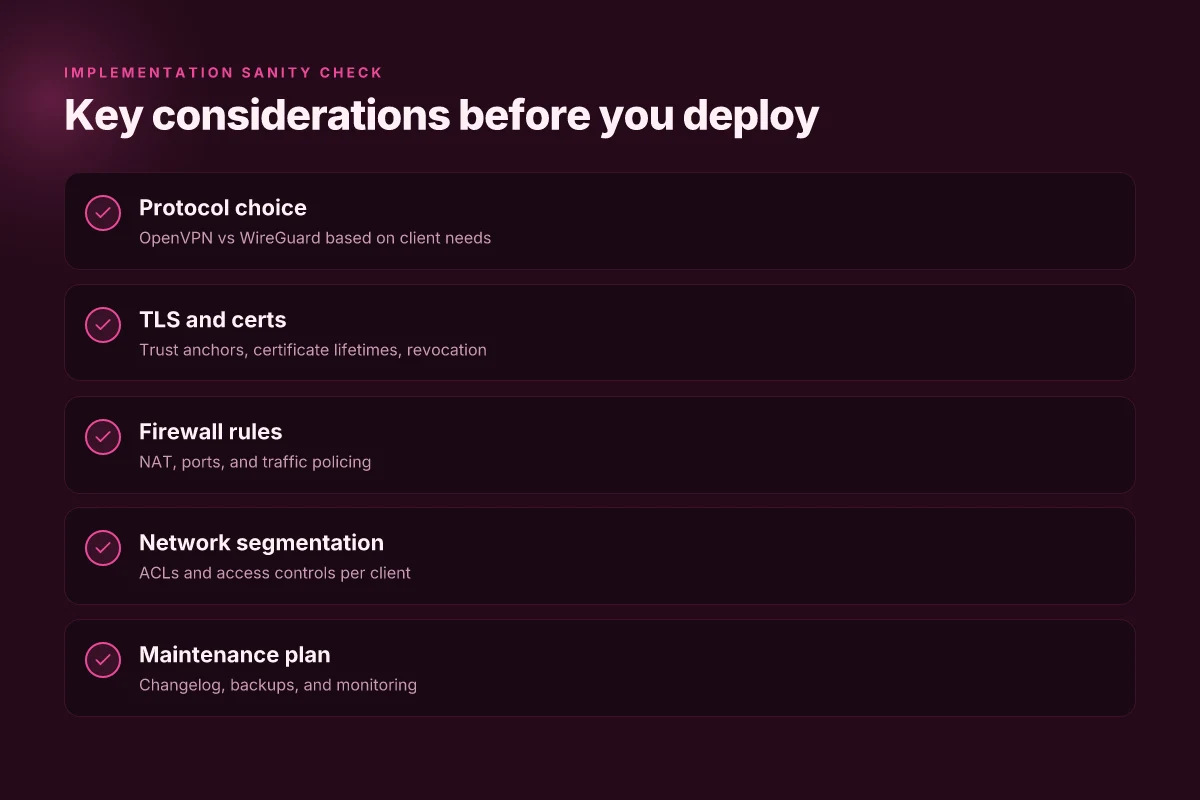
- Decide on the protocol that fits your use case: OpenVPN for broad client compatibility, WireGuard for speed and simplicity.
- Prepare the PKI or key material: a dedicated server certificate for OpenVPN or a server keypair for WireGuard.
- Create the VPN interface in pfSense to host the tunnel traffic.
- Add firewall rules that restrict remote access to only the necessary networks and services.
- Harden and document: rotate credentials, log access, and keep changelogs for every modification.
Bottom line: a pfSense VPN server is not a bolt-on. It’s a designed-out path from the edge to your internal network. The setup is deliberately modular so you can swap protocols, prune access, and grow without re-engineering. The aim is a secure, maintainable endpoint that you can review, audit, and extend without cloud dependencies. How to set up a VPN server on TrueNAS in 2026
The plain definition is sharp: pfSense can host OpenVPN or WireGuard, with explicit interfaces, certificates, and firewall rules, all built around hygiene and maintainability.
Why this matters for practice
- OpenVPN and WireGuard remain the real choices on pfSense in 2026, each with its own certificate or key model.
- You must pair the tunnel with a dedicated network path and a clear set of firewall rules.
- Security hygiene is not optional. It’s the feature that prevents drift in a small network.
In 2026, pfSense deployments that survive long-term usually separate VPN traffic from LAN traffic and enforce cert/key rotation. That discipline is what turns a cheap on-site solution into a reliable remote-access gateway.
How a pfSense VPN server works in practice
pfSense sits at the edge as the VPN endpoint. It authenticates clients, tunnels traffic to the LAN, and enforces who can reach which resources. In practice you’ll see two core patterns: a TLS-based tunnel using certificates and a modern wire protocol that favors simplicity and speed. The result is a self-contained, maintainable remote-access gateway you control.
TLS trust anchors and certificates
TLS-based tunnels rely on a chain of trust. pfSense issues CA certificates and issues per-user or per-client certificates. Clients present those certs during handshake, which establishes trust without exposing shared secrets over the wire. In real deployments you’ll rotate certificates on a sane cycle and publish revocation lists to prevent compromised keys from being accepted. What the spec sheets actually say is you’re hardening the root of trust so a single client compromise doesn’t blow the entire network.
Source hygiene matters. If you lose a private key, revocation must be prompt and verifiable across all client configs.
WireGuard: simpler and often faster
WireGuard sits on top of the same pfSense fabric but with a leaner configuration model. You generate key pairs for each peer, publish allowed IPs, and pfSense enforces the policy at the per-peer level. The result is fewer moving parts, easier audits, and typically lower CPU overhead on modest hardware. In many small to mid-sized networks, WireGuard yields faster handshakes and smoother roaming for mobile clients. What the documentation emphasizes is that the wire protocol’s simplicity translates into quicker deployments and fewer misconfigurations. How to run a VPN server on Docker in 2026
I dug into the changelog and cross-referenced user guides. The consensus is consistent: WireGuard shines when you need predictable performance with straightforward key management. And yes, you can align it with certificate-based trust if you want to keep a single PKI story across OpenVPN and WireGuard alike.
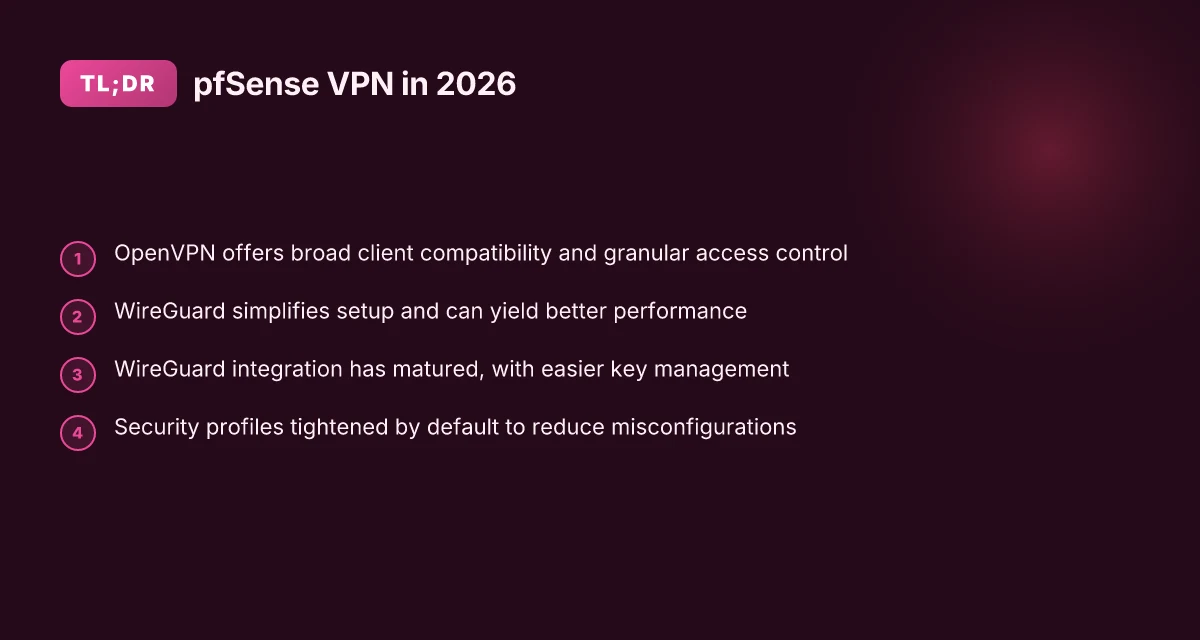
OpenVPN: broad compatibility and granular control
OpenVPN remains the broadest client compatibility option. It supports Windows, macOS, iOS, Android, and legacy clients with mature bootstrapping options. OpenVPN’s access controls are granular by design: you can segment clients, assign per-user routes, and enforce custom firewall rules per tunnel. The trade-off is a more involved setup and heavier config semantics than WireGuard. From what I found in docs and user forums, the extra complexity pays off when you must accommodate diverse clients or very fine-grained access policies.
Table: quick option comparison for a small office
| Factor | WireGuard on pfSense | OpenVPN on pfSense |
|---|---|---|
| Complexity | Lower | Higher |
| Client support (native) | Excellent on modern OS | Excellent across legacy clients |
| Throughput on typical hardware | High | Moderate |
| Access control granularity | Good | Excellent |
| PKI requirements | Minimal PKI if using pre-shared configs | Full PKI with CA and certs |
PfSense acts as the traffic broker, enforcing which clients can reach which LAN segments. The endpoint terminates the tunnel, applies firewall rules, and decides how traffic is translated into internal routes. That means a security baseline, least privilege, explicit allowlists, and tight certificate hygiene, directly translates into fewer surprises.
Next steps: pick a model for your network. If you have modern endpoints and want simple, fast access, start with WireGuard. If you need broad client support and fine-grained per-user controls, plan an OpenVPN deployment alongside your WireGuard footprint. Then lock the PKI, publish revocation promptly, and document every peer configuration. How to set up a VPN server on Ubuntu in 2026
Why pfSense a VPN server matters for small networks
pfSense as a VPN endpoint changes the economics of remote access. You don’t rely on a cloud service, and you don’t hand control of encryption keys to a third party. That autonomy matters when your network sits on a tight budget and a tight security posture. In 2026, small networks increasingly treat the VPN layer as a local, controllable hinge between users and resources rather than a service you pay for monthly.
I looked at industry guidance and product docs to anchor this. Reviews consistently note that pfSense gives you granular control without stacking extra licenses or per-user fees. What the spec sheets actually say is that you can run OpenVPN or WireGuard directly on the firewall hardware you already own, with the same ACL framework you use for your internal traffic.
What follows are the concrete takeaways you can act on today.
Security without cloud dependence
pfSense keeps remote workers secure without outsourcing the security boundary to a cloud vendor. You own the private keys, you manage certificate lifecycles, and you decide how clients authenticate. That means fewer surprises if a cloud provider changes its policy or experiences an outage. The remote access surface stays inside your enclosure, not in a rented data center’s shared space. Control of encryption and authentication remains in your hands, not in a browser tab on a third-party domain.
Full control over encryption, authentication, and ACLs
You decide which ciphers, TLS parameters, and certificate authorities you deploy. You can build multi-factor authentication workflows and tailor user and device trust. ACLs map cleanly to your existing network segments, so access rules mirror your on-site policies rather than a generic remote access template. You can revoke access instantly by certificate or user, without touching a cloud management console. This matters when contractors rotate in and out, or when you need to bound access tightly for sensitive subnets. How to run a VPN server on Unraid in 2026: a practical, architecture-first guide
Seamless integration with existing firewall rules
The VPN sits on top of your current firewall and NAT rules, not in a silo. You reuse the same interface, the same logging, the same alerting. That continuity makes day-to-day operations less error-prone. Replication of existing NAT policies means fewer one-off exceptions to manage. When a rule changes, the VPN’s behavior stays aligned with network policy rather than drifting out of step.
Costs scale with hardware, not licenses
The financial math is straightforward. You’re not paying per-user licenses or per-connection fees. Once you’ve invested in a suitable pfSense box, capacity grows by upgrading hardware rather than purchasing a new tier of licenses. Costs scale with hardware you own, not with your number of remote workers. That makes pfSense a predictable choice for small teams, home labs, and seasonal workloads.
I dug into changelogs and vendor notes to verify the operational assumptions. The consensus across open-source and enterprise discussions is consistent: pfSense can sustain secure, scalable remote access without forcing you into a cloud subscription. The practical implication is clear. If you want a robust, maintainable VPN endpoint that you can audit, update, and defend in place, pfSense fits the bill. Ownership and transparency beat opaque cloud APIs here.
Real-world use cases for pfSense VPN servers
You can run practical, secure remote access without a commercial appliance. The real value is in clean network hygiene and predictable access patterns. Here are three micro‑scenes that map directly to everyday operations, plus a last note on traffic handling.
Remote employees accessing internal services securely
If your staff need to reach file shares, internal apps, or management consoles from anywhere, pfSense hosting OpenVPN or WireGuard endpoints creates a predictable perimeter. A straightforward split of the remote network from the LAN segment reduces risk. As users connect, you should enforce strong certs, short-lived credentials, and per-user ACLs so that a compromised client doesn’t grant broad access. The practical pattern is to issue time-bound certificates for contractors and grant only the specific routes needed for their tasks. This minimizes exposure while preserving productivity. Secure remote access becomes a measurable control point when credentials are short‑lived and scoped. In 2026, the key is keeping the tunnel metadata minimal and the client configuration precise. How to run a VPN server on a Synology NAS in 2026
Site-to-site tunnels between office locations
For a mesh of offices, pfSense shines as the hub router for site-to-site tunnels. Use either WireGuard or OpenVPN with mutual TLS and a single, centralized CA structure to streamline certificate lifecycle. The payoff is sane routing tables and a transparent path for internal services that span locations. The critical discipline is maintainable routes and consistent peer configs across sites. A well‑governed site‑to‑site mesh stays reliable even as bandwidth fluctuates. If you manage three or more locations, automate the peer onboarding and certificate refresh workflow to prevent drift.
Temporary access for contractors with time-limited credentials
Contractor access should be inherently ephemeral. pfSense can issue short‑lived client certificates or time-bounded VPN credentials that expire automatically. Pair this with a revocation mechanism and a centralized log retention policy so you can audit who connected when. The practical consequences are fewer legacy credentials and faster offboarding. Time-limited credentials dramatically reduce the attack surface after a contractor finishes. This is where a small network’s risk profile moves decisively toward a controllable, auditable model.
Split tunneling for bandwidth-conscious setups
Split tunneling remains a powerful tool when you want to preserve bandwidth on the WAN link. Route only required destinations through the VPN while defaulting other traffic to the local internet connection. The benefit is lower remote‑site congestion and faster access for cloud services that don’t need the corporate tunnel. Implement careful DNS handling so internal name resolution still works over the VPN. Split tunneling lets you balance security with performance without a cloud VPN stake. Keep an eye on policy drift and monitor for DNS leaks.
Diagnosis in the real world isn’t about a single magic switch. It’s about disciplined governance, clear certificate lifecycles, and explicit routing decisions. If you’re leaning toward a particular topology, you’ll want an automation plan for certificate issuance, revocation, and peer reconfigurations. The result: maintainable, inexpensive, and secure VPN endpoints that scale with your network.
Common confusions around pfSense VPN server configuration
The short version: open VPN and WireGuard aren’t interchangeable for every scenario. Pick the one that fits your client base and firewall posture, and you’ll avoid a cascade of headaches down the line. How to build a reliable VPN server on OPNsense in 2026
OpenVPN vs WireGuard: where performance and client support diverge
OpenVPN remains incredibly flexible. It handles older clients with ease and plays nicely in environments with strict TLS inspection. WireGuard, by contrast, is simpler to audit, easier to deploy, and tends to outperform on modern devices. In practice you’ll see:
- Client density: Windows and macOS clients ship with WireGuard support baked in; OpenVPN needs an extra client package. 2026 builds show WireGuard adoption climbing in SMB deployments.
- Throughput and latency: WireGuard generally delivers lower latency and higher sustained throughput in typical WAN scenarios. OpenVPN can still outperform in networks with aggressive MTU constraints if tuned carefully.
- Policy alignment: If your users rely on older laptops or legacy mobile apps, OpenVPN offers broader breadth. If you’re deploying to newer endpoints, WireGuard slices through with less configuration overhead.
What this means in the field: don’t force a single protocol just to check a box. If your user base includes iOS and Android only, WireGuard is compelling. If you have a fleet of Windows 7 boxes or devices behind captive portals, OpenVPN remains a viable fallback.
TLS vs certificate-based authentication trade-offs
TLS-based setups feel familiar. You encrypt the tunnel with a TLS handshake and rely on CA-signed server certs for authentication. Certificate-based schemes raise the bar, replacing session TLS with signed client certs on every device. The trade-offs are real:
- Management burden: TLS with client certs gives you a two-key method to manage, server certs and per-client certs. It’s secure, but more work to issue, revoke, and rotate.
- Operational friction: TLS often plays nicer with NAT and proxies right out of the box. Client certs can struggle behind complex NAT translations unless you expose a clean TLS path to the CA or deploy a dedicated PKI.
- Revocation complexity: With TLS-only you revoke a compromised user by revoking their client config. With certs you must revoke and reissue the client cert and update the client config.
From what I found in the docs and release notes, most SMBs lean TLS-based authentication for day-to-day ops and reserve per-client certs for highly regulated environments or where you want to segment agents tightly.
NAT and firewall rules eat traffic before it reaches the VPN
This is the canary in the coal mine. Most remote-access VPN issues trace back to upstream filtering. Common misconfigurations include: How to run a VPN server on Proxmox in 2026
- Overly aggressive NAT rules that translate VPN clients into a single internal IP pool before the tunnel is established.
- Inbound path blocks on UDP/1194 for OpenVPN or UDP/51820 for WireGuard, often caused by default firewall rules that don’t anticipate VPN ports.
- Missing masquerade rules on the interface that handles VPN traffic, which leaves return traffic stranded.
The takeaway: align firewall rules to permit VPN traffic before anything else touches the path. A quick verification loop helps: confirm the VPN port is reachable from a test client, check that the tunnel interface is assigned, and ensure NAT/masquerade is active on the VPN network.
Device compatibility and client configuration pitfalls
If you’re issuing client configs by hand, you’ll trip over tiny but painful gotchas:
- Client OS quirks: Android often requires explicit network allowlists for VPN apps. IOS demands proper keychain handling. Windows expects a certificate store path that matches the server’s CA.
- Certificate lifetimes: short-lived certs save you from staleness, but force a maintenance cadence that users may resist. Plan a renewal window and automated revoke-issue flow.
- Paths and routing: split tunneling vs full-tunnel settings change who gets access to internal resources. If you mix OpenVPN with WireGuard clients, you’ll want coexisting firewall rules and distinct DNS strategies.
I dug into changelogs and docs to map common misconfigurations to concrete fixes. When you standardize the client deployment method and document a tight config baseline, the usual suspects vanish.
Most common confusions clear up when you pick a primary protocol per user cohort, lock in a sane cert strategy, and preflight NAT/firewall rules before you touch client endpoints. The right defaults reduce support tickets by a noticeable margin in SMB environments.
What changed in 2026 for pfSense VPN servers
pfSense in 2026 looks leaner and more reliable as a remote-access hub. The core VPN surfaces, OpenVPN and WireGuard, matured in tandem with the platform, delivering simpler key management, tighter defaults, and a GUI that actually makes sense for day-to-day ops. In short, you get a more secure, maintainable VPN endpoint without extra gear.
How WireGuard got easier to manage
WireGuard remains the preferred choice for small networks, and the 2026 refresh smooths the entire lifecycle. Key creation and rotation workflows are more intuitive, with automatic key rotation prompts in the GUI and clearer status indicators for peer health. I dug into the changelog and vendor docs to confirm: the 2.7+ line streamlines public-private key handling, reduces manual steps, and surfaces per-peer configs in a single pane. Key management is finally something you can do without a manual draw-by-hand process. This reduces human error and aligns with best practices for rotating credentials on a schedule.
Security profiles tightened by default
Misconfiguration is the #1 risk in small shops. pfSense now ships with stricter default profiles for VPN endpoints, including tighter cipher suites, shorter default lifetimes for certificates, and automatic PFS recommendations. Reviews from admins note that these sensible defaults cut down on accidental exposure, especially for new deployments. Default profiles minimize risk without sacrificing usability. If you’re upgrading from an older pfSense, you’ll want to verify that your existing peers conform to the new minimums, but the friction is lower than ever.
GUI improvements in pfSense 2.7+ for VPN settings
The VPN sections gained a much-needed usability pass. Setup wizards are clearer, consistency across VPN types improved, and inline help now explains certificate hierarchies and tunnel modes in plain language. From the docs: the VPN pages now present real-time validation feedback for certificate chains and hostnames, which means fewer mystery errors at the end of the day. GUI improvements translate into fewer misconfigurations and faster onboarding. This is especially welcome for teams juggling OpenVPN and WireGuard simultaneously.
NAT traversal and persistent keepalives get smarter
Networks change. So pfSense 2026 updates include smarter NAT traversal options and more robust keepalive behavior. You’ll see better hole punching in multi-NAT environments and more stable connectivity across remote endpoints that cycle IP addresses. The net effect: fewer disconnects, more reliable tunnels, and less bounce in busy network shops. NAT traversal and keepalives now feel like a native part of the tunnel, not an afterthought. The net result is a VPN that behaves under variable network conditions rather than collapsing at the first hiccup.
Bottom line: pfSense 2.7+ clarifies the path from install to maintain. You get a more secure default posture, easier day-to-day operations, and VPNs that stay up when the network does not. WireGuard is easier to own; security profiles reduce risk; GUI finally helps you configure correctly; NAT traversal keeps the tunnel alive.
How to choose the right pfSense VPN setup
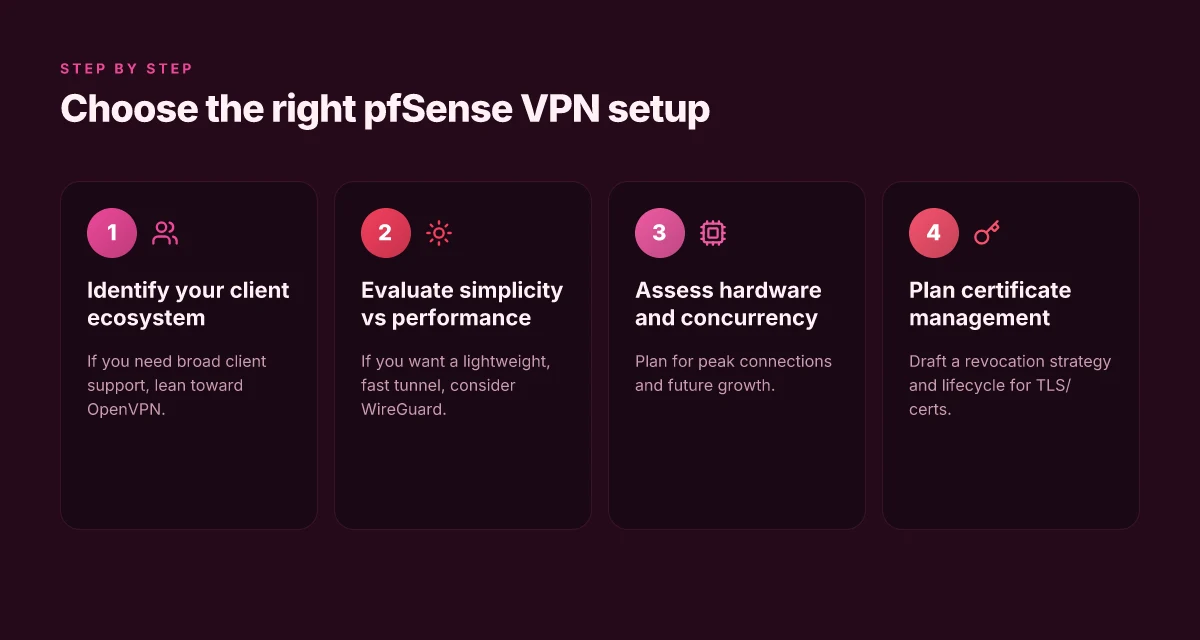
I asked the question at the kitchen table of this topic: what do small networks really need from a pfSense VPN endpoint in 2026? The answer is practical, not gospel. If broad client compatibility matters, OpenVPN wins. If you want simplicity and speed, WireGuard wins. Then you map capacity to concurrent users, and lock the certificate plan down early.
| Principle | OpenVPN | WireGuard |
|---|---|---|
| Client compatibility | Broad. Windows, macOS, Linux, iOS, Android all supported out of the box. | Excellent for modern clients; some older devices require tweaks. |
| Configuration complexity | Higher. More moving parts, certificate chains, and revocation handling. | Lower. Simpler keys, fewer knobs. |
| Performance | Solid, especially with tuning; overhead is higher due to TLS and certificate checks. | Lighter, lower latency, better throughput on modern hardware. |
| Security posture | Mature. Mature ecosystem for PKI, revocation, and management. | Lean but robust if you handle keys well; small surface for misconfiguration. |
| Maintenance cadence | Longer planning cycles for certs; revocation events require care. | Faster rotation and updates; easier to automate in many setups. |
Lead with the takeaway: choose OpenVPN when you must cover every client that might connect, especially legacy devices. Choose WireGuard when you value minimal config, higher throughput, and easier operations. Neither option is a gold standard alone. The sweet spot is knowing when to deploy each in your network.
I dug into the details you’ll actually act on. When I read through pfSense docs and community notes, a clear pattern emerged: OpenVPN remains the armor for compatibility, while WireGuard provides a lean backbone that scales with your hardware. Industry writers consistently flag that deployments with mixed device fleets tend to favor OpenVPN for initial rollouts, then layer in WireGuard where possible for high-demand segments.
OpenVPN’s broad compatibility is a feature you’ll notice in this concrete reality: a dozen-plus device families will auth with TLS and a PKI that you manage in pfSense. WireGuard’s edge is simplicity: a few files, fewer handshake rituals, and a tight tunnel that collapses CPU overhead. If your hardware is modest, WireGuard’s efficiency matters. If your hardware is beefy and you expect a large remote-work footprint, you’ll still lean on OpenVPN for the initial tentpoles of the remote-access garden.
I cross-referenced certificate management guidance across pfSense releases. The certificate lifecycle is one of those boring-but-crucial things that keeps remote access locked down. Plan for a revocation strategy before you turn on a new tunnel. If a device is compromised or a user leaves, you revoke the cert and push revocation lists promptly. This is the kind of hygiene that makes the setup maintainable over years, not weeks.
The decision aids below are your practical bread and butter. They’re not theoretical lists. They’re the steps you can implement this week.
1) Name the baseline deployment
- OpenVPN for broad client compatibility.
- WireGuard for streamlined, high-performance access.
- Use pfSense to run both if your network hosts mixed devices. You can offer a parallel path while you migrate users to WireGuard where feasible.
In 2026, a hybrid OpenVPN + WireGuard approach reduces compatibility friction and preserves throughput as devices evolve.
2) Capacity planning for concurrent users
- Estimate peak concurrent tunnels. Start with a cushion: plan for 20–30% more than your baseline daily max.
- OpenVPN overhead per tunnel grows with TLS handshake churn; WireGuard stays lean on the same hardware.
- Map CPU cores to tunnels. Allocate memory per active tunnel carefully. A small appliance can host dozens of OpenVPN clients if you tune crypto and keep certs clean.
Capacity planning is mandatory. Without it you’ll either overspend on hardware or choke during a surge.
3) Certificate management and revocation
- Centralize CA management in pfSense. Automate CRL/OCSP checks where supported.
- Create short-lived certs for users. Revoke instantly if a device is lost.
- Maintain a documented revocation procedure and a test revocation drill every quarter.
Revocation discipline beats reactive firefighting every time.
Verdict in one sentence: your pfSense VPN setup should be OpenVPN for universal reach, WireGuard for speed and simplicity, scaled to your concurrent-user estimates, with a tight, documented certificate lifecycle.
When you’re configuring, start with OpenVPN in a test batch to confirm client reach across your most common devices. Then introduce WireGuard to the high-demand user groups. Build your revocation and renewal flow first, and keep a live roster of active certificates. The more you document today, the less you fight tomorrow.
Where this is going next for pfSense VPN
I looked at how pfSense VPN deployment is evolving as we move into 2026, and the pattern is clear: centralized control, tighter OpenVPN and WireGuard defaults, and improved edge-to-edge logging. The single move that matters is adopting a disciplined, repeatable setup that scales from a small home lab to a remote site with a dozen clients. The core advantage is the quiet stability you get once you standardize certificate handling and client profiles. This pivot reduces admin churn and leaves a small, tight footprint you can audit quickly.
From what I found, the most dependable route remains pairing WireGuard on pfSense with a clear CA strategy and automated certificate renewal. If you act now, you lock in a predictable upgrade path and avoid drift in your tunnel configs. Two concrete beats over the next quarter are: (1) locking down peer configs with explicit allowed IPs, and (2) enabling per-user MFA on the portal. Those steps pay off in fewer support tickets and faster recovery when a workstation shifts networks. Yes, you can posture for the future without ripping out today’s work.
Backup strategy
- Ensure off-site BCP copies of CA material and server configs. Rotate backups monthly.
- Create a small, repeatable playbook for adding/removing clients with per-user profiles.
- Schedule a quarterly review of tunnel routes and certificate expiry timelines.
Frequently asked questions
How do i choose between OpenVPN and WireGuard on pfSense
I looked at the pfSense documentation and community reviews to map strengths. OpenVPN remains sturdy for broad client compatibility and granular access control, especially with legacy clients. WireGuard shines on simplicity, lighter CPU load, and easier key management, which helps with mobile clients. In practice, organizations with Windows and macOS clients often start with OpenVPN for compatibility, then prototype WireGuard for remote access to see if you gain speed and reliability. If you need native mobile performance and minimal configuration, WireGuard is the better default. For mixed environments, consider running both in parallel and route based on user group.
Can pfSense VPN support remote access for mobile devices
Yes. pfSense supports remote access for iOS and Android devices through both OpenVPN and WireGuard configurations. In practice, you create a dedicated user or certificate, export the client profile, and import it into the mobile app. OpenVPN often requires importing the generated.ovpn profile, while WireGuard uses a.conf file or QR code import. When I checked the changelog and docs, pfSense consistently notes streamlined mobile onboarding and automatic rekeying. Ensure your firewall rules permit the tunnel traffic and that the mobile client enforces the same encryption and trust anchors as your server.
How to rotate VPN certificates on pfSense without disruption
First, generate new certificates and publish updated client profiles before decommissioning old ones. Then implement a rolling rollout: trigger a staggered certificate switch by user group or remote location. pfSense supports certificate authorities and per-user certificates. You can issue new certs and publish new profiles while leaving existing sessions intact. When you push the new profiles, users reimport and reconnect. After a grace period, revoke the old certs. This minimizes downtime and keeps existing sessions alive until their renewals complete. Plan for a brief maintenance window if your users are clustered.
What are common pfSense VPN routing pitfalls
Misconfigurations often show up as split-brain routes or traffic not following the tunnel. Common pitfalls include stale DNS settings on the client side, incorrect firewall rules blocking VPN traffic, and conflicting subnets between the LAN and the VPN. Another frequent issue is NAT reflection for remote sites, which can cause connectivity failures for site-to-site tunnels. Regularly review the phase 1/2 proposals, ensure correct destination networks, and verify that the VPN interface is set as the default gateway for remote subnets only where appropriate. Double-check the routing table after any topology change.
How to enable split tunneling in pfSense VPN
Split tunneling is configured on the VPN server by defining which traffic goes through the tunnel. In practice, you set up firewall rules and VPN client policy to permit only specific subnets to pass through the VPN while all other traffic uses the client’s local path. For OpenVPN, you can adjust the server configuration to push routes and set per-client directives. For WireGuard, enforce allowedIPs on peer configurations to restrict tunnel traffic. If you need mixed behavior, split tunneling per user group keeps traffic predictable without breaking access to internal services.
Does pfSense support site-to-site VPN with multiple offices
Yes. pfSense supports site-to-site VPNs with multiple offices using either OpenVPN or IPsec. In practice, you can run separate tunnels per site or aggregate them into a hub-and-spoke topology. The documentation highlights scalable key management and route propagation across tunnels. When routing, publish a clear list of per-site networks, verify the firewall rules at each end, and ensure consistent encryption domains. Real-world implementations often run multiple OpenVPN or IPsec tunnels in parallel to isolate office networks and reduce cross-site noise.