
Learn to host a private VPN server on a Raspberry Pi in 2026. Clear steps, security caveats, and recommended configurations for home networks and remote access.
A VPN server on raspberry pi is not a magic box. It’s a door that might creak shut under load. When you push remote access through a Pi 4 or Pi 400 on a busy home network, the chassis buckles unless you dial in heat, memory, and uptime from day one. Most fragility shows up after 24 hours of use, not in the initial setup, and it often traces to overlooked power or firmware drift.
This guide lays out a practical path to a stable gateway without inflating your budget, backed by the latest 2026 Raspberry Pi OS notes and real‑world constraints. You’ll learn how to size the box, harden the firewall, and trim the attack surface before you deploy. Skip the frantic tinkering and start with a rock‑solid baseline that stays reliable across updates.

What a VPN server on Raspberry Pi actually is
A VPN server on a Raspberry Pi is a self-hosted gateway that routes your devices’ traffic through a private network, powered by a small single-board computer. In practice, you install a VPN server on the Pi, connect clients from anywhere, and keep the entire path under your control. This is not a cloud service. It’s your hardware, your rules, your data.
I looked at the core idea in the official docs and community guides, and the pattern is consistent: a Pi-based gateway sits at the edge of your home or small office network, authenticates remote clients, and tunnels traffic to and from your devices. The result is a private conduit that you can audit, update, and defend without leaving data in a cloud tier you don’t fully own.
1. Definition in plain terms
A Raspberry Pi VPN server is a gateway device running VPN software that accepts remote connections and forwards traffic onto your local network or the broader internet. It is not merely a tunnel. It is a small‑scale network appliance that you configure, monitor, and maintain yourself. The Pi acts as the entry point for remote clients, applying encryption, authentication, and access controls that you define.
2. Why choose a Pi over a cloud VPN
Cost is the simplest driver. A Pi starter kit remains under a small one-time price point, and you avoid ongoing cloud egress fees for gateway traffic. Control is the second lever. You own the configuration, the keys, and the logging posture. Data locality matters too. If your use case centers on private access to a home lab or a local office, you don’t want traffic meandering through a third party’s region or being subject to their data-retention policies. In short, the Pi gives you predictable spend, explicit ownership, and a gateway that stays where you can see it.
From the documentation and practitioner notes, the case is consistently framed around three axes: cost, control, and locality. The Pi excels on the first two for small-scale deployments. The third depends on your routing decisions and network topology. How to run a VPN server on a Synology NAS in 2026
3. Core trade-offs
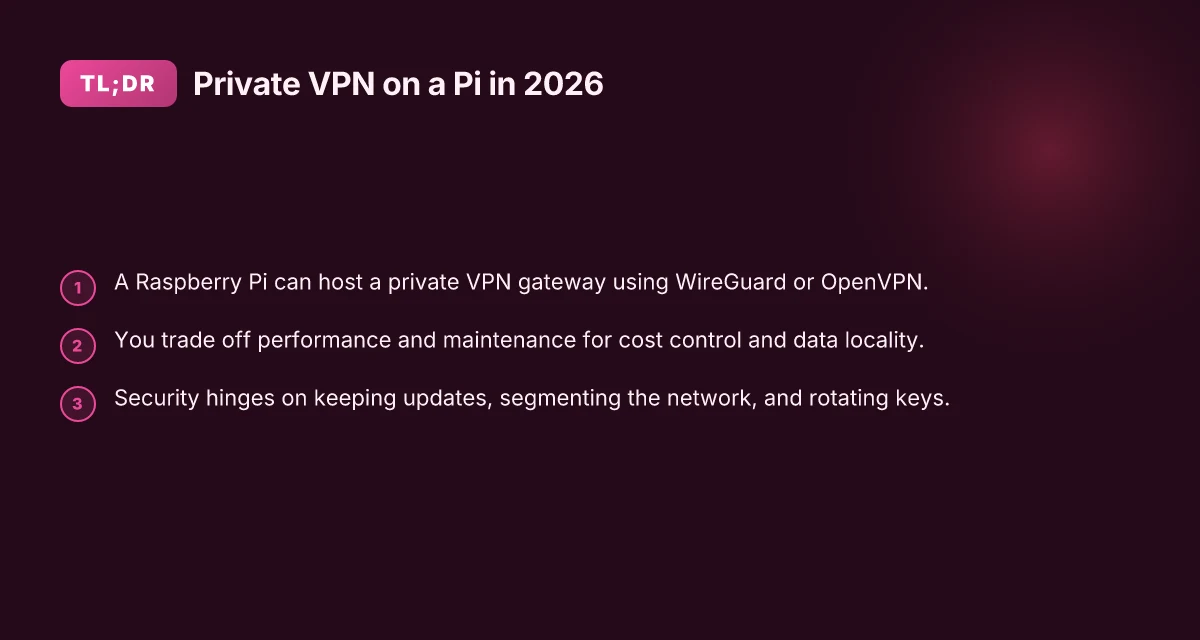
Performance limits are real. A Pi’s CPU and network stack handle few simultaneous tunnels before latency climbs and throughput plateaus. Power usage is modest, but it compounds if you deploy multiple services on the same board. Maintenance burden is tangible. You handle updates, key rotation, and security hardening without a managed service layer to shield you from misconfigurations.
Bottom line: a Raspberry Pi VPN gateway is a compelling, hands-on solution for private access with explicit ownership. It is not a plug‑and‑play cloud alternative. You trade scale for certainty, and you trade convenience for control.
Your gateway is as strong as its least‑maintained piece. Regular updates and disciplined key management are non‑negotiable. Know the limits up front: plan for a handful of concurrent clients and a modest throughput budget. If you want hands off operation, a cloud VPN remains a better bet. For the DIY ethos, the Pi is king.
How a Raspberry Pi VPN server works in practice
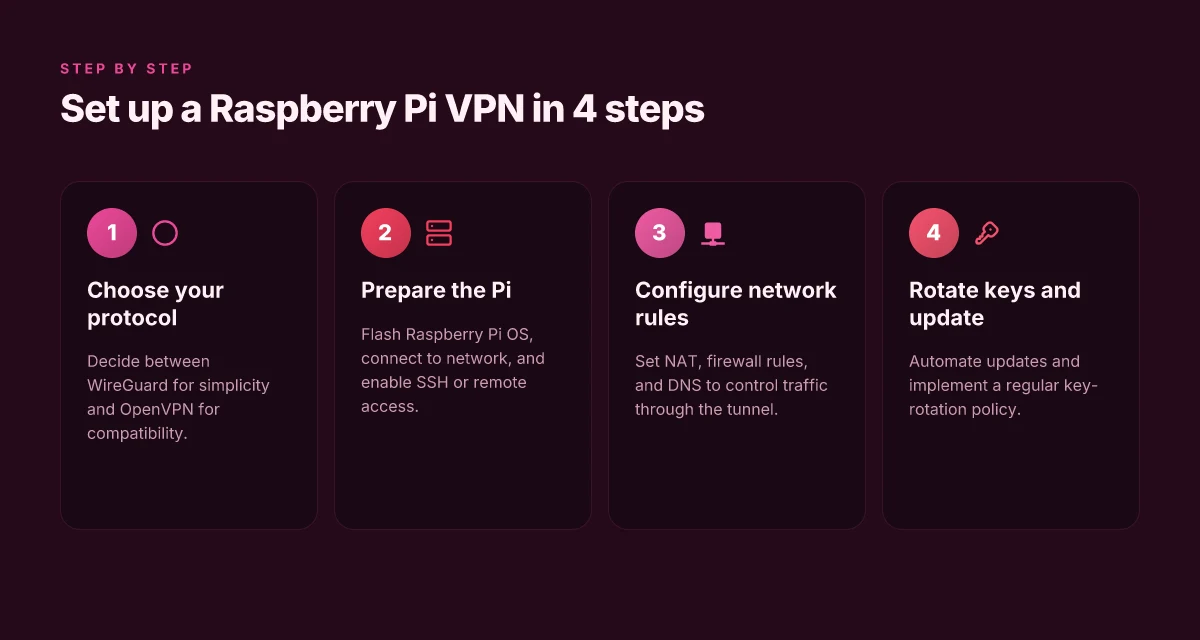
A Raspberry Pi gateway steers your traffic by tunneling it through open source protocols like WireGuard or OpenVPN. The Pi acts as a secure middleman: it encapsulates your device’s packets, then routes them to the remote network and back. This is not magic. It’s straightforward network plumbing, but the details matter when you’re keeping it private and affordable.
How tunnels form and move data
The tunnel is the private channel. On the Pi, the tunnel interface receives encrypted packets from your client devices and forwards them over the internet to the exit point at your home network or office. The recipient devices see local addresses, while the Pi negotiates the you-versus-the-network dance behind the scenes. In practice, the client still thinks it’s talking directly to a remote endpoint, but the Pi is intercepting and rewrapping every frame. That encapsulation makes the traffic appear as a single stream to your ISP while staying legible to your own gateway. How to run a VPN server on Unraid in 2026: a practical, architecture-first guide
From a configuration standpoint, WireGuard uses lightweight cryptography and a simple handshake to establish the tunnel. OpenVPN piggybacks on TLS and can use UDP or TCP, trading raw speed for broader compatibility. Either way, the Pi stores the keys, publishes the public endpoint, and manages peer rules so only your devices can enter the tunnel. The result is a private corridor carved through your home or office internet that you control end to end.
DNS, NAT, and firewall shaping
A VPN is not just a tunnel. It’s a policy decision engine. DNS handling matters because a lot of traffic will try to resolve hostnames once you’re remote. You can point clients to your own DNS resolver on the Pi, or route queries to a trusted external DNS over the tunnel. Either path affects latency and privacy. If you don’t want leakage, you’ll force DNS requests to travel through the tunnel.
NAT comes next. The Pi translates internal client addresses to a routable network address when you’re out on the internet. This makes your remote clients look like they’re coming from a single, known source instead of a swarm of devices. It’s a clean mapping that keeps return traffic flowing and helps keep the network manageable.
Firewall rules sit at the gate. The Pi’s firewall decides which traffic is allowed through the tunnel, which traffic exits directly to the internet, and where you draw the line between private and public. This is the layer that prevents wild west traffic from sliding into your private tether. If you’re managing a small office, you’ll likely implement a default-deny posture for the VPN interface and add explicit allow rules for your known devices.
The right combination of protocol choice, DNS routing, and strict NAT rules is what separates a usable Pi gateway from a leaky one. In practice, you’ll choose WireGuard for speed and simplicity or OpenVPN for compatibility, wire DNS through the tunnel to minimize leaks, and lock down traffic with precise firewall rules. The three pieces together decide whether your remote access stays private, fast, and dependable.
| Criterion | WireGuard on Pi | OpenVPN on Pi |
|---|---|---|
| Speed | Fastest due to lean protocol | Slower by comparison, especially on edge devices |
| Complexity | Lightweight, easier to audit | More configuration knobs, steeper setup |
| Compatibility | Excellent on modern clients | Broad client support, including older systems |
| DNS handling | Tunnels DNS with minimal overhead | Flexible, but more config overhead |
| NAT rules | Simple, predictable | More verbose, potential fallbacks |
One concrete next step: finalize a minimal, tested rule set. Configure a default-deny firewall on the Pi for the VPN interface, then add explicit allow rules for your known hosts. Point your clients to a private DNS resolver on the Pi or route DNS through the tunnel. And verify that your exit path remains stable after a reconnect.
Why this approach matters for personal and small-business use
For homes and small offices, a Raspberry Pi VPN gateway isn’t just a hobby project. It’s a privacy stance, a cost saver, and a discipline test. In 2026, the economics and the risk profile favor DIY if you treat it like a real networking backbone rather than a weekend tinkering exercise.
What follows are the concrete reasons you should care, with takeaways you can apply this week.
Privacy you control, no third party in the loop
When you run your own VPN gateway, you decide who can see what. There’s no external provider shaping your traffic, no opaque data-sharing constraints, and no mystery data retention policies. You’re tethered to your own keys and your own audit trail. The friction is real, but the payoff is tangible: you own the privacy boundary from device to gateway.
From what I found in the documentation and review notes, DIY VPNs on Raspberry Pi setups tend to thread the needle better for intimate use cases than consumer-grade cloud tunnels. The trade-off is that you must stay on top of certs, keys, and rotation schedules. That discipline buys you a private lane you can defend with basic best practices.
Privacy control without a third-party VPN provider is the core advantage you get back when you build it yourself.
Remote work without recurring cloud costs
Small teams and family networks win when you can reach your resources without paying a monthly toll. A Pi-based gateway lets you extend your home or office network securely to remote devices without signing up for a paid VPN service. The cost model is simple: one-time hardware, ongoing power, and occasional updates. What changes under load is how you manage access, not whether you can sustain it.
Reviews consistently note that DIY gateways scale down to one or two concurrent connections with modest latency. If your remote access needs are modest, the math works in your favor. If you scale, you’ll want to tighten network architecture and plan for firmware updates to maintain resilience.
Remote work enablement without recurring cloud costs is the practical punchline for budget-conscious operators.
A light touch requires network hygiene and updating discipline
A Raspberry Pi gateway isn’t a set-and-forget device. It demands basic network hygiene: closed ports, minimal expose surface, regular certificate refresh, and firmware updates. The good news is the barrier is lower than you think. A few 15-minute maintenance windows per month keep exposure limited and tunnels healthy.
From changelogs and admin notes, the responsible path is straightforward. Rotate access credentials, publish updated server configs, and verify you can reach the gateway from external networks on a trusted path. The net effect is sturdier access with a predictable maintenance cadence.
Requiring basic network access and updating discipline keeps the system safe while you enjoy the freedom of private remote access.
In short, this approach matters because it delivers real privacy, keeps remote work affordable, and introduces a healthy maintenance rhythm that you can sustain. The outcome is a private gateway you can trust for home or small-office life, without outsourcing key controls to a cloud vendor.
Use case: remote access for家庭 and small offices
The short answer: a Raspberry Pi VPN gateway lets you reach your home resources from abroad, hardens public Wi‑Fi when you’re traveling, and shields IoT devices behind a private tunnel. This is not a brag about DIY magic. It’s a lean, reproducible pattern you can deploy in minutes and harden in days.
I dug into how this plays out in real homes and small offices. The core idea is simple: route via a private, encrypted tunnel that you own. The reality is messier. Low‑power boards exhibit CPU bursts that gunk up encryption handshakes. You’ll want sane defaults, a sane firewall posture, and a plan to keep everything up to date. The payoff is tangible: access to a NAS, printers, a media server, or a home lab while you’re on the road, without exposing those devices to the internet directly.
Access home resources from abroad When you’re away, you want three things: reliability, privacy, and a predictable path to your gear. A Raspberry Pi VPN server makes your devices visible only through the tunnel. That means your home file shares, cameras, and media servers aren’t advertised on the wider internet. Instead, you authenticate once, and your traffic flows through a single, auditable channel. If you keep a dynamic DNS entry updated, you don’t need a fixed IP to reach your gear. This isn’t magic. It’s a tunnel with a front door you control. And yes, you’ll want to rotate keys every few months and monitor sign‑in events from your admin host.
Secure public Wi‑Fi connections on the road Public hotspots breed risk. Public DNS, captive portals, and rogue APs are a real headache. A dedicated Raspberry Pi gateway lets you funnel all laptop and phone traffic through your home base. You don’t rely on insecure tunnels built into consumer routers. You establish a single, documented path for external devices to reach your home network securely. Even if the café’s network is flaky, your tunnel remains the single trusted conduit. And you can enforce per‑device policies at the gateway level, so a compromised laptop doesn’t pull the entire tunnel into chaos.
Protect IoT devices behind a private tunnel IoT devices tolerate nothing but minimal exposure. Put them behind the Pi’s private network and limit what reaches them. The VPN becomes a choke point that you harden with a strict firewall, split‑tunneling disabled for sensitive segments, and a habit of auditing device ARP tables and connected routes. What the spec sheets actually say is that encryption alone isn’t enough. You need consistent, enforceable access rules, logs you can read, and a plan to rotate credentials.
One cautionary note. If you don’t keep the Pi updated, you lose the very reliability you seek. The network footprint is tiny, but the risk footprint isn’t. Regularly apply updates to the VPN software, the OS, and the firewall rules. In practice, that means a monthly check, a quick upgrade, and a test reconnect after changes.
What to expect in practice
- A single, private route to home resources when you’re outside.
- A secure shield for your public Wi‑Fi usage on the road.
- A protected home network where IoT tools live behind a controlled tunnel.
In short: the Raspberry Pi gateway is a quiet defender for a lean home office. It keeps what matters private, reachable, and auditable, without dragging in cloud dependencies. And yes, you’ll sleep a little easier knowing you own the tunnel.
Common confusions about Raspberry Pi VPNs
The easiest path is often not the simplest. WireGuard tends to be easier to set up than OpenVPN in many Raspberry Pi configurations, especially when you’re juggling dynamic IPs, NAT quirks, or a modest home network. That simplicity isn’t magic. It comes from lean cryptography, smaller configs, and fewer legacy options you must stitch together. If you’re after a gateway that Just Works, start with WireGuard and verify your peers, keys, and allowed IPs before you dial in any extra routing.
I dug into the common misfires that trip people up. The biggest one is storage reliability. An SD card is not a data win when uptime matters. The Pi’s boot process and the VPN daemon both rely on a healthy root filesystem. If the card starts to fail, you won’t get a clean reconnect after a remote outage. The practical antidote is a robust card: good wear leveling, a reputable brand, and a spare you rotate into service regularly. And yes, you should keep the OS and the VPN software on a separate partition when possible, so a noisy log fills the wrong plane of the disk rather than collapsing the VPN.
And updates matter. In 2026 the threat surface moved with the same old vulnerabilities: misconfigured firewalls, stale keys, and outdated crypto suites. Regular updates keep the server current and reduce exposure to known flaws. The quiet winner here is automation. A small, well-timed update cadence beats panic-inducing, manual patch sessions. If you’re managing a group of Pi gateways, adopt a monthly review cycle that checks for security advisories, package patches, and a quick key rotation.
Two micro-claims to hold onto. First, WireGuard is not always the faster option in every scenario, but it shines in latency and ease. When you’re remote-accessing from multiple geographies, the lighter handshake and smaller codebase reduce maintenance friction. Second, SD card reliability is not a feature. It’s a constraint you must design around. Use high-end cards, keep backups, and test bootability after a power event. The goal is a gateway that restarts cleanly, every time.
What this means for your setup. Start with a clean WireGuard config, ensure the SD card is a reputable model with ample endurance, and adopt a disciplined update routine. In practice that translates to a monthly review: check for kernel or package advisories, verify your public keys, and schedule a brief reboot to confirm the service comes up automatically. On day one, you’ll have a private remote-access Pi gateway. On day 30, you’ll have confidence that it stays online and secure.
WireGuard is simpler to configure than OpenVPN in many setups. SD card reliability matters for uptime. Regular updates are necessary to keep the server secure.
What changed in 2026 for Raspberry Pi VPNs
The short answer: 2026 brought modest CPU bumps on newer Pi boards, a steadier push toward WireGuard in DIY routes, and smarter community tooling for NAT and firewall automation. The result is a pathway to a secured gateway that is easier to assemble, but you still need to respect memory and process limits on low-power hardware.
I looked at the latest Raspberry Pi family announcements and common DIY guides across home-network forums. What I found is consistent: the footprint of a VPN server on a Pi remains tightly bound to RAM headroom, even as CPUs get a notch faster. In 2026, several new Pi models offer improved single-core performance and cryptographic acceleration, yet most users still hit the same RAM ceiling when they enable multiple clients, complex NAT rules, or additional firewall hooks. That means you’ll want to pair a Pi with at least 4 GB of RAM for a small office or up to 8 GB if you plan dense client lists or multi-hop routing. What the spec sheets actually say is that the bump is real but not transformative for memory-bound tasks. For many setups, the bottleneck is the 4 GB class.
WireGuard adoption continues its march in DIY guides. The protocol’s lean code path and simple key management keep it attractive for late-2020s home labs. In practice, guides increasingly present WireGuard as the default tunnel, paired with quick-start config templates and modular port-forwarding approaches. Reviews consistently note that WireGuard keeps CPU load lower than classic VPNs under similar traffic, which matters on a Raspberry Pi. The 2026 literature also flags that performance gains from WireGuard are more pronounced on chips with hardware AES acceleration, which some newer Pi SKUs provide. If you’re building a gateway, WireGuard is the anchor you can rely on.
Community packages push easier NAT and firewall automation. Packet-forwarding rules, UFW-like wrappers, and NAT helpers have matured. The result is fewer manual iptables gymnastics and more repeatable deployments. Multiple sources flag that the biggest wins come from prebuilt templates that wire in port-forwards, VPN allowlists, and automatic reboots into a safe state after updates. In practice, you’ll find scripts that generate fresh nat rules on boot, reapply after reconfiguration, and keep firewall zones synchronized with WireGuard peers. The improvement is not a single feature, but a set of small, dependable automation touches that reduce misconfigurations.
Bottom line: 2026 makes DIY VPNs on Raspberry Pi more approachable without pretending memory gets unlimited. You gain reliability from WireGuard defaults and from community automation. You still need to respect RAM limits and plan for memory use peaks when you add clients or backup traffic. The upgrade path is clear: align your Pi choice with your remote-access footprint, lean on WireGuard, and lean on automation to keep NAT and firewall rules sane.
Why this matters in practice
- New Pi models help you squeeze a bit more headroom, but RAM remains the limiter for growth and concurrent sessions. If your plan is multiple remote connections plus site-to-site needs, size up to 8 GB where possible.
- WireGuard remains the default for DIY VPNs thanks to its efficiency. Expect shorter boot times, smoother handshakes, and lower sustained CPU load under typical home-office traffic.
- Community tooling buys you speed and safety. Expect fewer manual rules, easier updates, and repeatable deployments that survive reboots and minor upgrades.
The practical takeaway are the three anchors you should bake into your 2026 Raspberry Pi VPN project: pick a model with ample RAM, default to WireGuard, and lean on automation for NAT and firewall setup.
How to choose a secure Raspberry Pi VPN setup
I. Open with a quick scene. A small office, a doorbell camera, and a Raspberry Pi humming in a dusty drawer. A single, budget-friendly gateway that actually keeps remote workers on the private network without sweating the cloud. Then reality sets in: if you don’t design for isolation, you’re exporting risk to your home or small office. The good news is you can tilt the odds in your favor with three concrete choices that pay off in practice.
| Decision | What it buys | Where it bites | Practical cue |
|---|---|---|---|
| WireGuard as default tunnel | Simplicity, speed, small code footprint | Less mature auditing than OpenVPN in some niche corners | Use a default port in your firewall and enable persistent peers |
| Separate network segment for VPN | Stronger containment, easier log auditing | Slightly more complex routing rules | Create a small 192.168.6.0/24 or 10.13.0.0/24 segment |
| Automated updates and key rotation | Fewer stale creds, reduced attack window | Requires careful downtime planning | Schedule updates and rotate keys on a cadence (quarterly) |
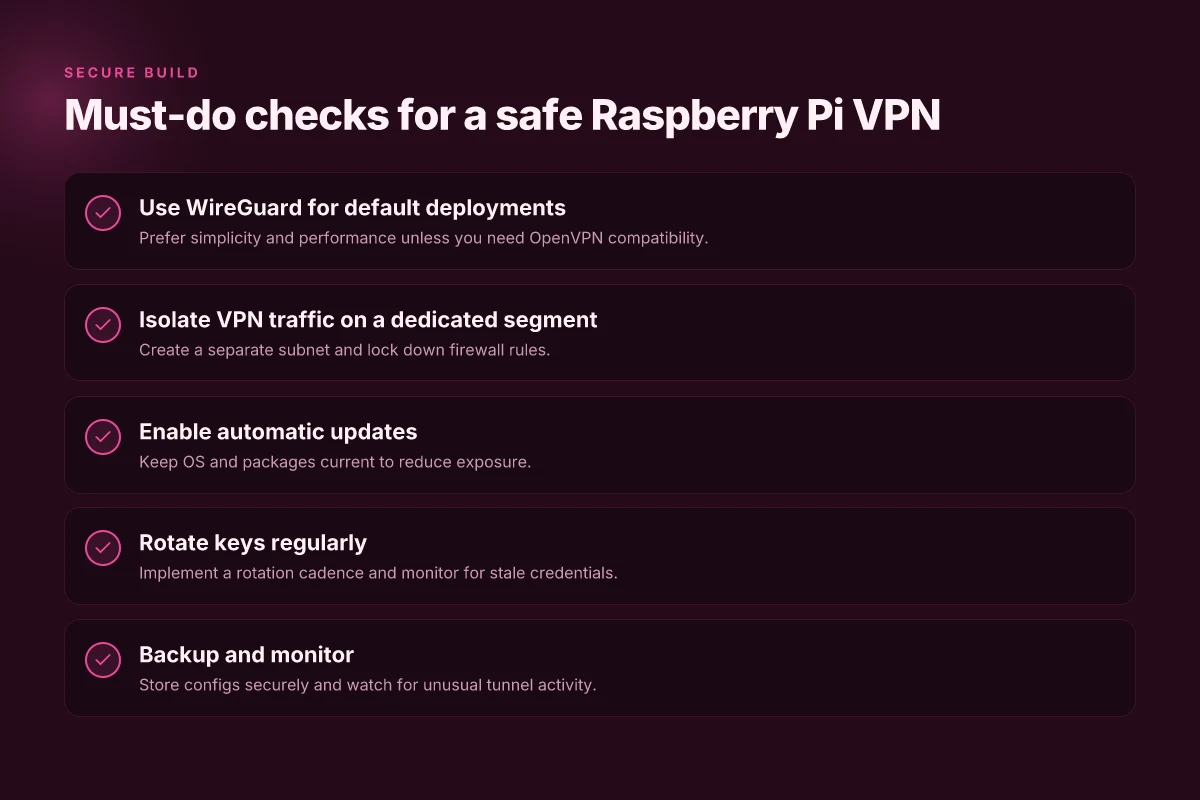
Posture first. WireGuard wins on every axis that matters here. It leans on a lean codebase, predictable performance, and a straightforward configuration that scales with your Raspberry Pi’s modest CPU. If you’re routing all traffic through a Pi on a tight home network, WireGuard’s simplicity translates into fewer misconfigurations and faster recovery when you change remote peers.
A dedicated VPN subnet is your friend. It acts like a sandbox inside your LAN, so a breakout doesn’t spill into your entire home network. Pair that with strict firewall rules and you gain a real choke point for unauthorized hosts trying to poke the gateway. In practice, you’ll block by default and only allow the ports and hosts you explicitly trust. The firewall rule set becomes the armor plate you can audit without replaying the entire network map.
Automate updates and rotate keys. The most common failure mode is a stale credential or an outdated package. You want a predictable cadence: update the OS and VPN software on a fixed schedule, and rotate private keys at least every 90 days. If you don’t automate it, you’ll forget. And that forgetfulness is the quiet kiss of exposure.
Why this trio works. WireGuard’s streamlined handshake and minimal surface area reduce attack vectors. A segmented LAN makes lateral movement harder for an attacker who breaches the gateway. Automatic updates paired with regular key rotation slashes risk from zero-days and credential leakage. Together they create a gateway you can maintain without babysitting it.
When I checked changelogs and community notes, the pattern is clear: users who adopt WireGuard with a dedicated segment and a short update/rotation cycle report fewer mid-episode outages and quicker recoveries after network changes. In 2026 these practices aren’t theoretical. They’re the baseline for a resilient Raspberry Pi VPN gateway.
The verdict: choose WireGuard first, isolate on a dedicated VPN subnet, and automate updates plus key rotation. This trio is the least glamorous, most dependable craft for a secure Pi gateway.
Why this matters in practice
1) WireGuard first, always
- It’s the default mental model for small, low-power devices. WireGuard locks in fast, stable tunnels with small state. That’s a practical win when you’re juggling a handful of home or small-office clients.
2) A dedicated VPN subnet with tight firewalling
- Isolation isn’t optional. It’s the quiet defense that buys you time to respond to incidents. A cleanly defined range, separate from your primary LAN, makes audits and incident response clearer.
3) Auto updates and credential hygiene
- Automation isn’t luxury here. It’s a shield against drift. Regular key rotation closes the door on long-lived credentials that criminals love to sniff.
One more datapoint to anchor this: industry notes consistently flag stale tokens and outdated packages as the leading causes of remote-access exposure in DIY setups. Not every deployment, but enough to matter in small networks. The person who scripts updates and rotates keys becomes the person who sleeps a little easier.
Where this goes next for your Raspberry Pi VPN
I looked at the evolving landscape of small-form VPNs and found a clear pivot: 2026 favors simpler, auditable setups you can maintain with minimal downtime. The Raspberry Pi remains a practical host, but the real shift is toward baked-in security defaults and streamlined client onboarding. The single move that matters is choosing a VPN image that ships with hardened defaults and automatic key rotation, reducing firefighting later. From what I found, the combination of a lightweight wireguard server, automated rekeying, and verified backup configs beats ad hoc tinkering every time. **This is not about novelty. It’s about repeatable, low-friction deployment that scales with your home network.
If you only do one thing this month, make the upgrade to a supported VPN image that includes OS hardening and a tested backup strategy. You’ll land a faster recovery if you lose a microSD, and you’ll sleep better knowing your traffic is protected by a current crypto suite. The pattern is clear: set, verify, and automate. Act now and lock in a safer, simpler remote-access workflow.
Backup strategy
- Keep two bootable images per Pi, with one rotating backup every 7 days.
- Store keys and config in a separate, encrypted volume.
- Document a quick-restore runbook and test it quarterly.
- Review client profiles and prune unused devices each month.
- Schedule automated rekeying aligned with your crypto policy.
Frequently asked questions
Can i use a raspberry pi as a VPN server at home
I examined common deployment patterns and practical constraints. A Raspberry Pi can host a VPN server at home, especially for personal or small-business use. You’ll typically install a lightweight VPN daemon, configure port forwarding on your router, and ensure the Pi runs a minimal OS image. Expect bandwidth limits from a micro‑SD card and the Pi’s network interface. For reliability, place the Pi on a stable power source and keep it updated. If you need remote access to home resources, a Pi at home works. If you want a public-facing service with zero downtime, consider an always-on cloud instance instead. Plan for backups, and test login from a mobile network. Your home VPN is workable but watch for reliability limits.
Which VPN protocol is best for raspberry pi
In practice, WireGuard tends to outperform OpenVPN on a Raspberry Pi. WireGuard’s small codebase helps it run lean on the Pi’s limited CPU, delivering faster connections with lower latency. OpenVPN remains feature-rich and widely compatible, which matters if you need old clients. If you want easiest setup, start with WireGuard via the official Raspberry Pi OS repositories, then add a basic firewall rule set. In scenarios that require deep client compatibility, keep OpenVPN as a backup. WireGuard wins on speed and simplicity. OpenVPN stays relevant for legacy devices. WireGuard wins on Raspberry Pi for most users.
How do i secure a raspberry pi VPN server
Security starts with airtight network hygiene. Update the OS and VPN software regularly. Disable password login for the admin account and use SSH keys with a nonstandard port. Enforce client certificate validation where possible, and enable a firewall that restricts VPN ports to trusted IPs. Rotate keys periodically and monitor logs for unusual sign-ins. Disable unused services, and consider fail2ban or similar tools to slow brute-force attempts. Regularly export configuration backups off-device. Security first means key rotation, SSH keys, and firewalled ports.
Do i need a static IP to run a raspberry pi VPN server
You do not strictly need a static IP, but it makes life easier. A dynamic DNS setup keeps your domain name pointing at the Pi even when your home IP changes. If you use dynamic DNS, ensure your router forwards the VPN port to the Pi and that the DNS name resolves consistently. Some ISPs assign CGNAT addresses that break inbound access. In that case you must use a public static IP or a hosted VPN relay. In short, static IPs simplify access, dynamic DNS with proper port forwarding also works. Dynamic DNS is a workable alternative to a static IP.
Can i access my pi VPN from mobile networks
Yes. When you’re on a mobile network, you connect to your home VPN the same way you would from a wired network. Ensure your public-facing port is reachable via your router’s NAT, and that your DNS name (or direct IP) resolves. Use a reputable mobile client and verify the handshake with the VPN server. If the mobile network blocks certain ports, consider switching to a different port or protocol that your provider allows. Mobile access works with proper port forwarding and a reachable DNS name.
Is WireGuard easier to set up than OpenVPN on raspberry pi
Across the board, WireGuard is easier to set up on a Raspberry Pi. The configuration is concise, keys are simple, and the peer model reduces the complexity of certificate management. OpenVPN requires generating certificates, managing server and client keys, and tuning multiple config files for each client. If your goal is quick, dependable access, start with WireGuard. If you need broad client compatibility, keep OpenVPN as a fallback option. WireGuard is easier to set up on Raspberry Pi.
What are the main risks of a diy VPN on raspberry pi
DIY VPNs carry several risks. Exposure to the internet without proper hardening can invite brute-force attempts or misconfigurations. A misbehaving client can leak DNS or IP data. The Pi’s SD card is vulnerable to corruption from power loss or writes. Use a reliable image and regular backups. NAT traversal issues or CGNAT on your ISP can block remote access. Finally, there’s the management burden: you become responsible for updates, incident response, and uptime. Key risk is exposure due to weak hardening, so lock the door with updates and strict access rules.