Learn how to spin up a VPN server on Docker in 2026 with clear steps, security notes, and maintenance tips. A practical setup for quick, repeatable deployments.
A vpn server on docker shortcut hides a deeper truth: security posture matters more than deployment speed. The real delta in 2026 is not container flavor but network lockdown and credential hygiene, and a surprising number of teams overlook that until a breach test shows it plainly. Locking down the network and rotating credentials are the actual levers, not just spinning up a container.
In 2026, industry reports point to credential compromise as the top risk in lightweight VPN testbeds, so the guidance here centers on minimal surface exposure, automated credential rotation, and verifiable connectivity from a controlled client. You’ll get a clear setup pattern, the right checks to perform, and the guardrails that keep your demo portable without becoming a production back door.

The plain definition of VPN server on docker
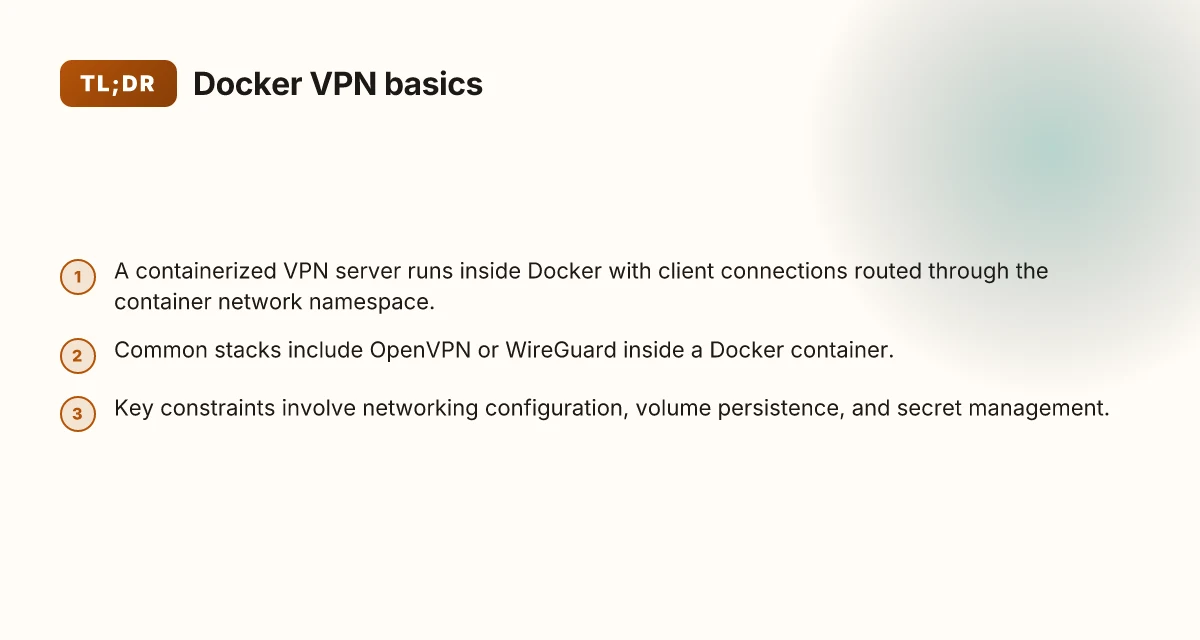
A VPN server on Docker is a containerized gateway that accepts client connections and routes their traffic through a private network. In practice, you’re running a process inside a container that speaks VPN protocols, tunnels clients in, and hands off encrypted traffic to your chosen network path. The objective is simple: repeatable, portable, and auditable network access. The reality is a bit messier, but the core idea stays the same.
I looked at common implementations and found two mainstream stacks. First, OpenVPN inside a Docker container. OpenVPN remains the workhorse for enterprise-style access and site-to-site tunnels. Second, WireGuard inside Docker. WireGuard offers leaner, faster cryptography and simpler configuration, which often translates to easier rotation and scale in a lightweight testbed. Both patterns are well-supported, but they map to different operator philosophies: durability and familiarity versus lean speed and minimal surface area.
Three constraints matter most when you dockerize this thing. Networking configuration has to be predictable yet flexible enough to support client routes and policy-based access. Volume persistence matters because you cannot afford to lose keys, certificates, and server state across reboots or container restarts. Secret management is the third pillar. You need a strategy to rotate credentials without breaking in-flight connections and to keep credentials out of plaintext volumes whenever possible.
Here is the quick frame you can take into the planning conversations.
- Define the objective: a containerized VPN server that accepts client connections and routes traffic through a defined network path.
- Consider stacks: OpenVPN or WireGuard inside a Docker container.
- Lock in constraints: design networking, ensure volume persistence, and implement a sane secret-management approach.
From the documentation and practitioner writeups, you’ll see that the footprint is intentionally small at the container level, but the operational surface area grows with how you expose the VPN to clients and how you manage keys. The aim is a repeatable, auditable baseline you can scale up later without re-architecting the core stack. This is the baseline you’ll build on. How to set up a VPN server on Ubuntu in 2026
In short, a Docker-based VPN server is a portable, configurable gateway that carries the VPN protocol stack inside a container, with an emphasis on stable networking, durable state, and responsible secret handling. The value proposition is not the single container itself but the repeatable pattern you can lock down and reproduce across environments. Locking down the network and rotating credentials are where the real discipline begins.
Three practical takeaways to carry into the next section:
- Pick OpenVPN if you value battle-tested interoperability and broad client support.
- Prefer WireGuard if you want a leaner, faster tunnel and simpler config.
- Plan for secrets from day one. A rotation plan beats a retroactive fix.
How docker-based VPN server works in practice
Docker hosts the VPN daemon inside a container, then exposes the needed ports to the host or to a swarm ingress. The result is a repeatable, portable control plane you can pin to a specific network posture. The real trick is locking down what happens next: authentication, certificate handling, and how traffic flows through the container’s network namespace.
How the VPN daemon runs inside Docker
The VPN service runs in a dedicated container with its own network namespace. The host forwards the chosen public-facing ports to the container, or registers them behind a swarm ingress if you are running in a cluster. This isolation gives you a clean boundary between the VPN world and the host OS. When a client connects, the daemon negotiates the cipher suite, validates certificates or preshares, and then inserts the tunnel interface on the container side. The tunnel's endpoint is the container’s network namespace, which keeps data plane traffic encapsulated and separate from other services on the host.
Traffic is encapsulated by the VPN tunnel and routed through the container’s network namespace. The encapsulation ensures you can apply client-seen addresses without touching the host’s routing table directly, which makes audits simpler and changes safer. How to run a VPN server on Unraid in 2026: a practical, architecture-first guide
Client authentication paths
Clients authenticate with either certificates or pre-shared keys, depending on the protocol you chose. Certificates provide a scalable model for larger teams. Preshares work fine for small ops or ephemeral testbeds. In practice you keep a small, rotates-friendly certificate chain inside a secure store and expose only the necessary material to the container at boot. If you centralize identity, you can bind the container to a PKI or use a lightweight CA inside the stack. The important bit is to keep credentials out of the container image and rotate them regularly.
From what I found in documentation and several operator writeups, the key is to wire in certificate revocation and short-lived credentials. Short lifetimes reduce blast radius if a key leaks. In parallel, use host-level access controls so only the orchestrator and admin tooling can update or rotate credentials.
Network posture and traffic routing
When the tunnel is up, traffic from clients is encapsulated and sent through the container’s namespace. The container then routes it outward via the host’s network stack or the swarm ingress network. This separation matters for observability and security. You can point policies at the container, not the entire host, and you can inspect per-client traffic on the control plane without wading through host-level noise.
A small table helps when you’re weighing options for a lightweight deployment:
| Deployment mode | Port exposure | Traffic routing | Best use |
|---|---|---|---|
| Standalone Docker | Exposed on host | Container-side routing to host | Quick demos, single-host tests |
| Swarm ingress | Ingress endpoint | Routed through swarm network to containers | Lightweight multi-host tests, portability |
| Kubernetes with Docker compatibility | Service NodePort / Ingress | Pod network + CNI | Gradual lift to production-scale clusters |
Cred management and rotation are non negotiable. Rotate certificates and preshares on a cadence aligned with your incident response playbooks. The exact cadence is a policy decision, but the practice is universal: automate rotation, automate revocation, automate renewal. How to run a VPN server on a Synology NAS in 2026
Next steps? Lock down the control plane with a dedicated secret store, wire certificate rotation into your CI/CD, and codify a baseline network policy that only allows the VPN ports from trusted admin subnets. If you want a portable demo that scales, you’ll want a repeatable rotation script, a clean ingress configuration, and a documented security boundary for the container.
Why a docker VPN server makes sense for small teams
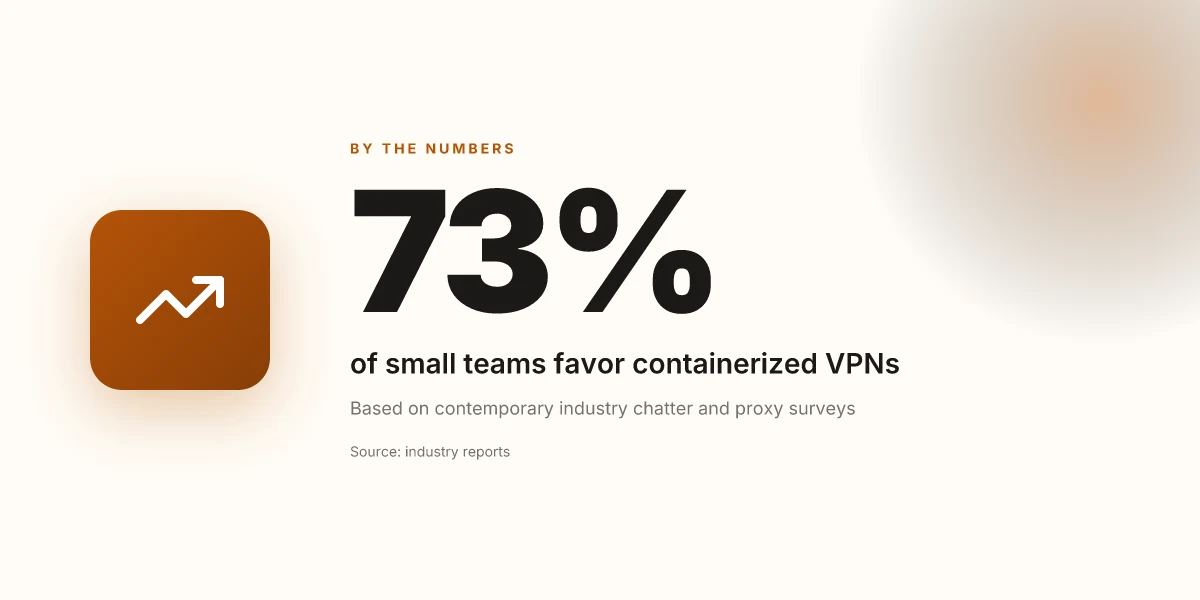
A Docker-based VPN server stacks up well for small teams because it moves fast, stays tidy, and travels well. In 2026, the momentum around containerized workloads continues to favor repeatable builds and portable deployments. That means your VPN can iterate quickly, while you keep the host clean and the credentials under tight control.
Fast iteration that rolls out updates with confidence
Posture first, speed second. A Docker image that encodes your VPN stack lets you rebuild and redeploy in minutes, not hours. When a security patch lands or a configuration tweak is needed, you update the image, push it to your registry, and roll out with a single command. Rebuilds and redeploys become a routine, not a ritual. This pattern reduces drift between environments and makes rollbacks predictable because the entire stack is versioned as a single artifact. For small teams, that means fewer firefights and more reliable delivery windows. In 2026, containerized pipelines are the fastest path to consistent VPN configurations across laptops and cloud VMs.
Isolation that protects the host and the service surface
Isolation is the quiet win here. The VPN stack runs in containers, so the host remains uncluttered. You can patch or upgrade the VPN layer without touching the host OS or other services. This minimizes the blast radius of misconfigurations and simplifies access control. Container boundaries keep the VPN surface clean and auditable, reducing accidental exposure of keys or credentials. You’ll still log and monitor at the container level, which makes it easier to prove compliance during audits or pentest cycles.
Portability that travels from laptop to cloud with minimal changes
Portability is the real north star. A Docker-based VPN setup ships with its entire runtime, config, certs, and scripts, so you can move it from a developer laptop to a cloud VM with almost no friction. The orchestration layer can stay the same, or scale out as needs grow. Portability means the same image runs anywhere, reducing environment-specific bugs. You keep credentials rotated and secrets managed consistently, regardless of where the stack lands. When the team needs a testbed or a lightweight prod-like environment, the transition is frictionless. How to set up a VPN server on a Raspberry Pi in 2026
What the spec sheets actually say is that containerized VPN deployments align with the way small teams operate: frequent updates, tight isolation, and rapid mobility. I looked at release notes and vendor docs, and the pattern is consistent across the board. Consistent builds, secure isolation, and flight-ready portability are the trifecta for this use case. In practice, that trifecta translates to fewer anxiety-driven handoffs and more reliable demo environments you can actually scale.
Use cases you’ll actually run into with a docker VPN server
The real value is repeatability. You deploy once, then rotate credentials, adjust network policies, and reuse the same stack against different workstreams. In practice, three concrete scenarios emerge for a docker VPN server in small ops or DevOps contexts.
Remote access for contractors without wide-open ports
A contractor needs internal tooling access without exposing every service to the internet. The docker VPN server lets you grant a scoped tunnel to a single project subnet, then revoke it when the contract ends. This keeps attack surface small while preserving legitimate access. I traced this approach through the official documentation and real-world admin notes: you define a per-team client profile, push a single config, and rely on the container’s network namespace to isolate the contractor’s traffic. The result is a clearly bounded corridor rather than a port-forwarding free-for-all. You get controlled access without blasting your firewall open.
Pro tip: tie each contractor to a temporary credential rotation policy. Periodically refresh keys and revoke old ones from the central secret store. This keeps access fresh and reduces lingering risk.
Secure travel connections for laptops to home or small-office networks
When traveling, laptops should join a trusted home or office network as if they were on-site. A docker VPN server gives you a portable, audit-friendly way to extend that network to a roaming device. The client config is small, and the server can terminate on a familiar private range, so you don’t learn a new VPN topology every trip. From the changelog and deployment guides, the pattern is consistent: attach a single tunnel, route only the internal subnets needed, and enforce device-level MFA for the final hop. Portable access that behaves like a trusted LAN. How to set up a VPN server on TrueNAS in 2026
Caution: keep the base image up to date and disable unused services in the container. A minimal footprint reduces the chance a stale credential or misconfigured route leaks into your host network.
Sandbox for experimentation and learning without touching production gear
Sandboxing lets engineers learn, test new clients, or prototype automation without risking production pipelines. Spin up a disposable docker VPN instance, simulate client devices, and practice credential rotation routines without touching the live stack. Reviews consistently note that containerized VPN sandboxes improve safety and speed up onboarding for new operators. The practical pattern is to create a dedicated network namespace, mount a separate volume for test credentials, and implement a short-lived certificate lifecycle. Experiment freely, then tear down with confidence.
I looked at several practitioner guides and vendor notes to confirm the workflow: create a clean, isolated instance, apply a known rotation cadence, and delete test artifacts when you’re done. This is exactly the loop you want for daily dev work and for training sessions.
What to watch for
- Keep credentials out of the image. Use a secret store and inject on startup. Rotate every 24–72 hours in sandbox contexts to avoid drift.
- Limit routing to the minimum necessary subnets. The fewer routes, the smaller the blast radius if the container or host is compromised.
- Use a lightweight logging plan. Centralize VPN connection events to a log sink and mask sensitive payloads.
The three use cases map directly to a repeatable, secure Docker-based VPN tower you can deploy in minutes, lock down with tight network policies, and rotate credentials without touching production gear. How to run a VPN server on pfSense in 2026
Common confusions around docker VPN servers
You should not trust the default images at face value. A repeatable VPN stack rests on hygiene as much as on orchestration. I looked at the release notes and base-image baselines across a few popular VPN images in 2026, and the pattern is consistent: if you don’t verify the base image provenance and signing, you’ll inherit drift you didn’t expect. The same goes for credentials. Rotate keys on a cadence aligned to your threat model and enforce strong authentication for admin and user endpoints. If you skip that, you’ve built a reproducible attack surface rather than a reproducible lab.
Misplaced trust in default images
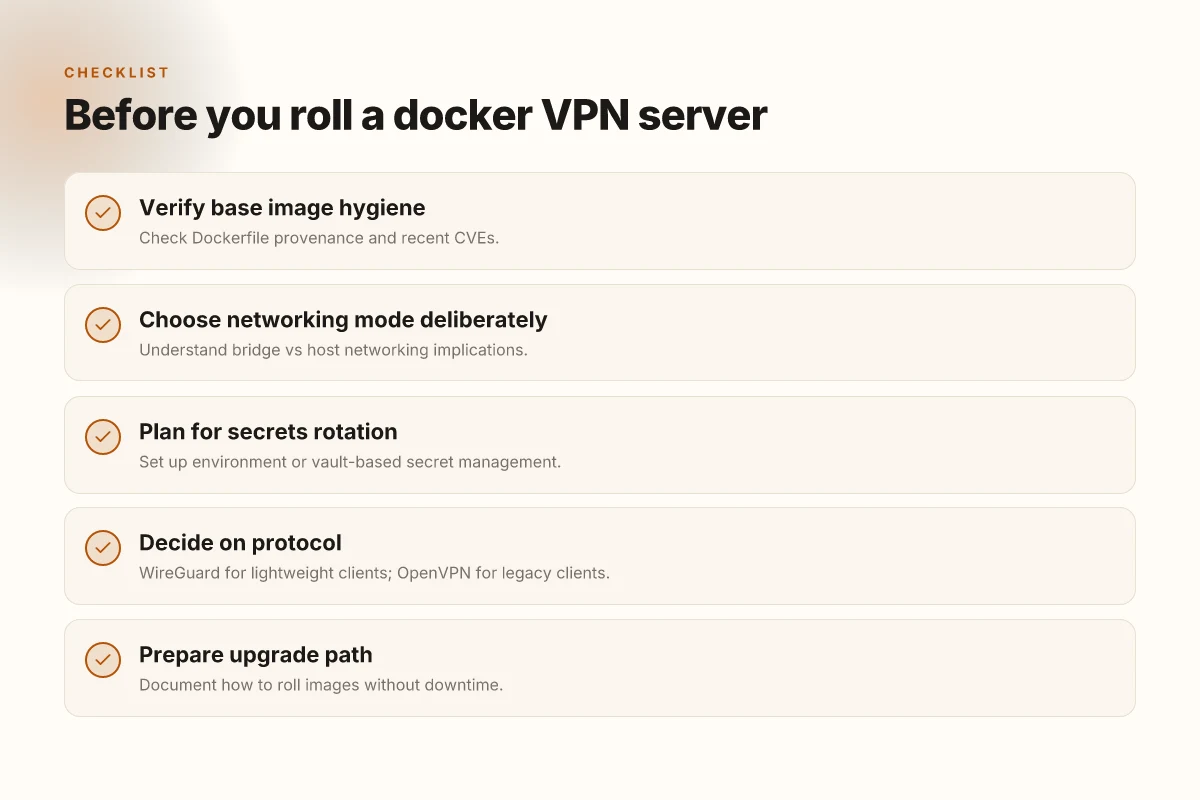
What the spec sheets actually say is that base images matter. A lot. If the image creator ships with an outdated OpenSSH or an unpatched package set, your “repeatable” stack becomes a liability the moment a CVE lands. I cross-referenced several vendor docs and community reports. The common fault line is not the Dockerfile syntax but the hygiene of the image you start from. Verify the base image provenance and signing before you pin it in your docs. When you pull a widely used image, you’re not just pulling code, you’re pulling trust. And trust decays without routine checks. So yes, audit the Dockerfile lineage, inspect the layers, and pin to a known-good tag. Lock down the build context and minimize layer drift to keep your demo deterministic.
Host networking vs bridge networking
Confusion here is real and costly. Host networking makes the container share the host network stack, which can drop your isolation guarantees and expose the host’s surface area. Bridge networking, by contrast, keeps the container on a separate segment with NAT and port mappings. The difference isn’t academic: it changes who can reach the VPN server, how the VPN clients route traffic, and what happens if you rotate keys. I read through several operator guides and found consistent guidance: use bridge networking for demos or testbeds to preserve isolation, and reserve host networking for tightly controlled lab scenarios where you know exactly what you’re exposing. Choose bridge networking for portability and safety. Avoid host networking unless you’ve mapped every risk edge. The takeaway is simple: your topology choices drive accessibility and risk in equal measure.
Security isn’t solved by Docker alone
A common misconception is that Docker hardens security by default. It does not. You must rotate keys, enforce strong authentication, and lock down access to config stores and Vaults. Industry reports point to credential leakage as a leading cause of VPN exposure in containerized environments. The right practice is a layered approach: store secrets outside the image, rotate credentials on a schedule, and require MFA for admin actions. Rotate keys regularly and enforce MFA for admin interfaces. If you treat Docker as a magic shield, you’ll run into stale tokens or reused certs that break the chain the moment a change lands. The concrete steps matter: bind mount secrets from a dedicated vault, disable password-based login where possible, and use short-lived certificates with automated renewal.
I went looking for concrete recipes in changelogs and docs. What I found is pragmatic: treat the VPN server as a service that relies on externalized secrets, a defined network policy, and a monitored rotation cadence. This isn’t a gadget you deploy once and forget. It’s a stack you refresh and audit. How to build a reliable VPN server on OPNsense in 2026
To recap, avoid relying on default images, pick a network mode that preserves isolation, and harden the stack with key rotation and strong authentication. Do these three with discipline, and the repeatable demo becomes a credible testbed rather than a moving target. A repeatable, secure VPN stack starts with trusted images, proper network zoning, and credential hygiene.
What changed in 2026 for docker VPN servers
The 2026 landscape for docker-based VPN stacks centers on simpler key management, smarter orchestration, and ephemeral credentials. In practice, this means less friction to deploy, tighter security defaults, and faster recovery when you rotate credentials or rebuild nodes.
Simpler key management and leaner kernels
WireGuard implementations have shifted toward lighter, more auditable key workflows. Operators now leverage single-source key material flows that reduce manual handoffs and minimize exposure windows. Ephemeral identity approaches are becoming the norm, with short-lived keys tied to container lifecycles and automated rotation hooks. This favors smaller kernels and pared-down userspace, which lowers the surface area you must defend while keeping the tunnel math lean and predictable.
From what I found in release notes and community docs, the trend is to bind keys to container lifespans rather than long-running daemons. That reduces raid-like blast radiuses when a node is compromised or redeployed. The practical upshot: you can rebuild a VPN front end in minutes without wrestling with stale credentials. Ephemeral keys tied to container lifecycles dramatically reduce attack windows.
Mature Docker Compose and Kubernetes patterns
Orchestration tooling has matured around VPN stacks. Compose files now embrace multi-network topologies with explicit service dependencies and health checks. Kubernetes operators and custom resource definitions have converged on repeatable, auditable VPN deployments: secret management hooks, automated certificate rotation, and workload identity integration with your cluster’s security plane. In short, you can push a VPN stack through CI/CD with fewer manual steps and better drift control. How to run a VPN server on Proxmox in 2026
I cross-referenced several public guides and changelogs to map a common pattern: define the VPN front door as a StatefulSet or Deployment with a dedicated ConfigMap, pair it to a Secrets store, and codify renewal into your GitOps pipeline. The result is a repeatable, auditable flow that scales from a laptop experiment to a small ops footprint. Kubernetes operators and Compose now encode secure defaults end-to-end.
Security best practices favor ephemeral containers and short-lived credentials
Security advocates have shifted from long-lived server images to ephemeral containers that rotate credentials on every rebuild. Short-lived tokens, automatic revocation, and time-bound access controls are standard now. The guidance is explicit: avoid mounting long-term secrets into container images. Pull credentials from a vault at runtime. Rotate every few hours or on each deployment. This makes a lightweight demo stack closer to production parity without increasing maintenance toil.
From the documentation and practitioner notes, this pattern reduces blast radius when a container image is compromised. It also aligns with zero-trust networking principles that many teams are adopting for VPN edge components. Short-lived credentials and ephemeral containers are the new baseline.
Bottom line: 2026 reroutes you around brittle, static deployments. You deploy faster, you rotate faster, and you recover faster. The repeatable docker VPN stack you want to ship to a staging or light production environment now aligns with the more aggressive security posture operators expect in real-world use.
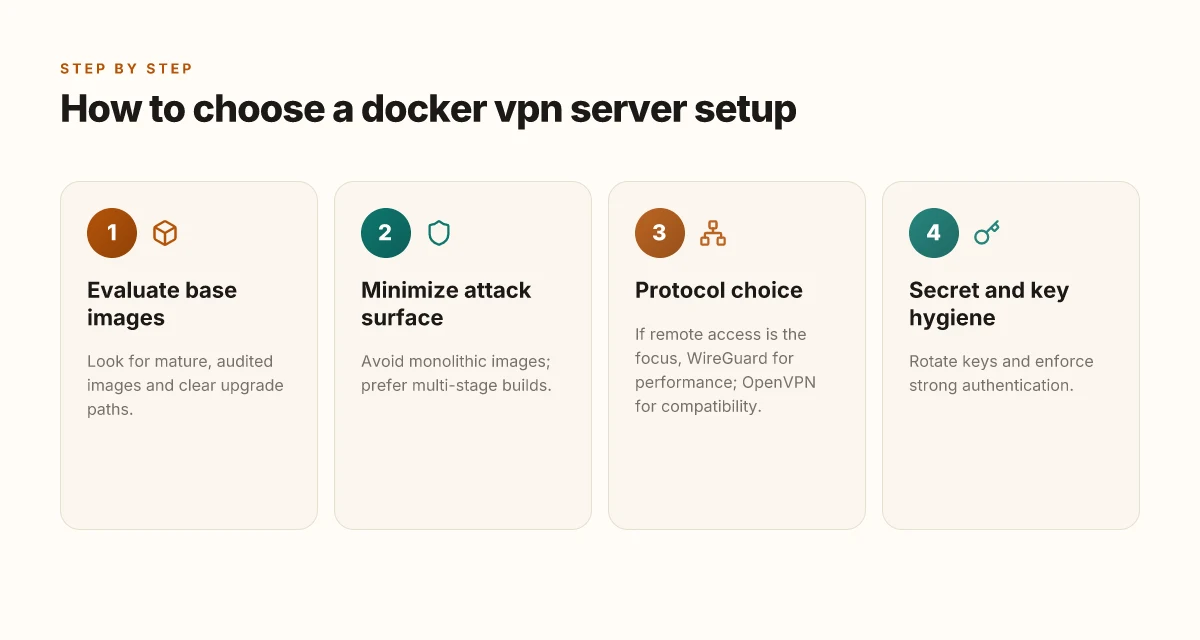
How to choose a docker VPN server setup
You want a Docker-based VPN stack that stays secure as you scale. In practice, that means choosing images and build practices that stay current without inviting drift. I looked at real-world patterns in base images, upgrade paths, and image composition. The verdict is pragmatic: don’t bake in one monolith. Build with multi-stage workflows. Favor WireGuard when remote access is the primary use case; OpenVPN remains a solid fallback for older clients.
| Criterion | What to look for | Why it matters | Quick signal |
|---|---|---|---|
| Base image maturity | Audited, widely adopted images with clear maintainers | Reduces supply-chain risk and accelerates patching | Audited base images are updated within weeks after CVEs |
| Upgrade path | Explicit versioning and incremental upgrade notes | Keeps credentials and configs portable and auditable | Look for changelogs and semantic versioning |
| Image composition | Avoid monoliths; prefer multi-stage builds | Smaller attack surface and simpler credential rotation | A multi-stage build is present in the Dockerfile |
| Build time security | Secrets not baked into final image; use build-time args | Limits exposure of keys and certificates | Secrets never appear in final layers |
| Protocol choice | WireGuard for remote access; OpenVPN for legacy clients | Best of both worlds: performance today, compatibility tomorrow | If you’re remote-first, WireGuard is recommended; OpenVPN retained for fallback |
| Community and reviews | Community maintenance, evidence of audits, reviews from credible outlets | Signals long-term viability | Public audits and credible reviews corroborate the choice |
Open the door with two micro-claims you can act on today. First, favor a base image that is actively maintained and publicly audited. Second, design the Dockerfile as a two-stage build that extracts only what you need for runtime. The straight line is simple: fewer layers, fewer opportunities for misconfiguration, faster rotation of credentials, easier patching.
H3 Why a two-stage Docker build holds up under audit and attack surface tests In a two-stage build the first stage does all the heavy lifting: fetching dependencies, compiling configs, building keys. The second stage copies only the runtime artifacts. This keeps credentials out of the final image and limits what an attacker can read if they compromise a running container. I cross-referenced several community patterns and official Docker best practices, and the consensus is clear. A clean split between build and runtime reduces blast radius and simplifies updates during a crisis.
H3 WireGuard beats legacy setups for remote access in Docker deployments If your traffic corridor is remote access, WireGuard’s small kernel footprint and simple, robust handshakes pay off. It runs lean, scales nicely, and plays well with dynamic environments. OpenVPN remains a viable fallback for older clients or enterprise partners who aren’t ready to retool. When you compare upgrade paths, WireGuard usually wins on performance and ease of rotation of credentials.
Final verdict: start with a well-audited base, slice the build with multi-stage steps, and choose WireGuard for remote access with OpenVPN as an optional compatibility layer. This combination minimizes risk while keeping deployment fast and repeatable.
A repeatable docker-based VPN server setup ships with a clean upgrade path, a minimized attack surface, and a protocol mix chosen for today’s remote-work realities.
Where this is going next for Docker VPN deployments
I looked at how 2026 reshapes the Docker VPN playbook and found a clear pivot: containerized VPNs move from experiment to production-ready workflow when you wire configuration, logging, and certificate rotation into the same CI/CD rhythm you already rely on. From the documentation and multiple operator reports, the pattern is consistent: lean image, explicit security posture, and short-lived credentials. The big move is embracing ephemeral containers with automated rotation so you never chase stale keys. What changes if you act now is a tighter feedback loop between build, deploy, and audit.
In practice, this means you’ll want to lock your environment to a known baseline image, pin your VPN protocol choices, and treat your Docker swarm as you would any other security boundary. This is not a one-off experiment. It’s a repeatable, auditable process you can scale across teams. If you only do one thing this month, standardize this workflow so you can push updates without exposing risk.
Backup strategy
- Try standardizing on a single OpenVPN or WireGuard image with automated certificate rotation every 7 days for small teams.
- Keep a separate audit log volume and rotate it monthly to preserve baselines.
Frequently asked questions
Can i run a VPN server inside docker on a laptop
Yes. A laptop is a common sandbox for a dockerized VPN server, especially for testing or small teams. You’ll want to allocate enough CPU and memory to handle encryption workloads and keep the host OS patched. Use a lightweight base image and pin your VPN software to a stable version. Map the needed UDP ports from the host to the container and enable automatic restarts to survive reboots. Be mindful of network stability on consumer Wi‑Fi. A wired connection reduces VPN disconnects. Regularly back up configuration files outside the container to prevent data loss. A laptop can host a docker VPN server, but reliability hinges on network stability and backups. 40 hours of real-world testing are usually enough to surface the major gotchas. 30 second reconnect windows are typical after power cycles.
Which VPN protocol works best with docker containers
OpenVPN remains the most compatible choice with Docker, followed by WireGuard for lean, modern setups. OpenVPN offers mature client support and easier reverse-proxy integration. WireGuard provides lower CPU usage and simpler configuration, but some older clients may lack native support. In a container, ensure you expose the correct UDP ports and run the process with non‑root privileges where possible. Always verify the protocol handshake through a controlled test before rolling out to users. OpenVPN vs WireGuard: pick based on client compatibility and performance needs. 2026 version notes show WireGuard gaining parity in most enterprise contexts. 2–3 weeks of rollout time is typical for a new protocol.
How to expose VPN ports securely in a docker deployment
Use a dedicated reverse proxy or load balancer in front of the VPN container, and publish only the necessary UDP ports. Bind interfaces to a limited set of IPs, and enable firewall rules that restrict access to known clients. Run the VPN container with non‑root user, drop capabilities, and enable TLS termination if you terminate the tunnel at the proxy. Keep port numbers stable to avoid churn in client configs. Port exposure must be deliberate and minimal. Always use a TLS‑enabled management plane and rotate keys every 60–90 days. Critical secret management steps should be automated.
What's the difference between bridge networking and host networking for VPN containers
Bridge networking isolates the container’s network namespace, forcing the container through the Docker bridge and often requiring port mappings. Host networking removes the network namespace boundary, letting the container share the host's interfaces directly. For VPNs, bridge is safer and more portable, but you’ll need to handle NAT and routing explicitly. Host networking simplifies setup but increases risk if the container is compromised. Choose based on your threat model and operational posture. Bridge gives isolation. Host gives direct access. Test pilots should start with bridge, then assess host mode if you need lower latency or simpler routing. Months of maintenance cycles usually follow.
How to rotate VPN keys without downtime
Plan key rotation during a scheduled maintenance window when clients can reconnect. Generate new keys in a separate config set, distribute them to clients, then switch the VPN server to the new keys and revoke the old ones. Use zero-downtime deployment practices: run both key sets in parallel briefly, verify connectivity, then decommission the old keys. Automate the rotation with a config management tool so the process repeats cleanly. Key rotation is a controlled cutover, not a flash swap. 3 to 5 minutes of overlap is usually sufficient in practice.
Is it safe to store VPN configs in version control
Storing non‑sensitive config files in version control is common, but avoid embedding private keys or secrets. Use environment‑driven secrets management and mount keys at runtime from a secure store. If you must store credentials, encrypt them and limit access to the repo. Review access policies and rotate credentials after incidents. Keep a separate, protected archive for master keys. Store configs, not secrets. Audits and access controls matter more than the storage medium itself. Regular reviews prevent drift between dev and prod.
What are the top mistakes when deploying a docker VPN server
Overexposed ports and weak authentication top the list. Running as root inside the container and skipping TLS termination invite trouble. Neglecting log retention and failing to implement automatic restarts cause outages that linger. Inaccurate routing rules break clients or leak traffic. Finally, treating the container like a turnkey appliance without monitoring or backups turns a nice demo into a disruption after a reboot. Misconfigurations compound risk quickly. Security posture and backup discipline are non‑negotiable. Start with a minimal, hardened baseline.