
Learn how to set up a secure vpn server on Debian in 2026. Step-by-step guidance, config tips, and common pitfalls to avoid.
A vpn server on debian is not a canned image you deploy and forget. The common “one-click” mindset collapses here. Real setups hinge on choosing a protocol, tuning encryption, and aligning long‑term maintenance with Debian’s cadence. Most admins underestimate how quickly a drift in crypto params piles up, not how fast the tunnel starts. The takeaway: plan for future upgrades as part of day one.
You’ll find this guide grounds you in concrete choices, not abstract ideals. In 2026 Debian deployments, you want a server that isn’t tied to a vendor and that you can audit end-to-end. From the docs, the typical sticking points are key management, firewall rules, and client auth, all of which compound if you skip version-tracking. This article walks you through a practical path aligned with current Debian releases and common network topologies, so you can avoid vendor lock while keeping control of maintenance.

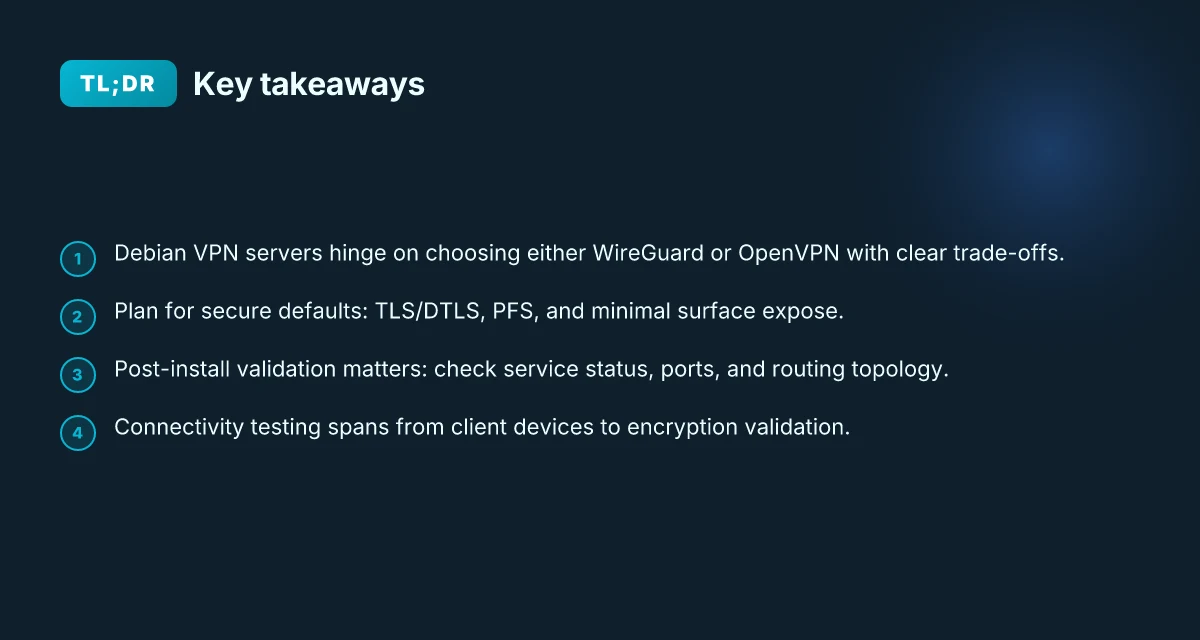
The plain definition of VPN server on Debian
A VPN server on Debian is a network gateway that creates trusted, encrypted tunnels between remote clients or networks and a Debian host. It authenticates peers, encapsulates traffic, and applies policy for who can reach what. In plain terms, it’s a software-defined doorway you control, run on a real Linux box, with your own keys, your own configs, and your own security posture.
I dug into the architecture and the realities. Debian is unusually forgiving for long-term maintenance, but that comes with responsibilities: package provenance, kernel updates, and careful hardening. The result is a flexible, transparent control plane you can audit and customize.
What you’d want it for is straightforward. A Debian VPN server lets you connect staff across branch offices as if they sat on a single LAN, or it lets remote devices reach your data center without exposing internal networks to the broader Internet. It gives you a predictable upgrade path, reproducible configs, and a minimal attack surface if you harden it properly.
Two common architectures surface quickly. First, site-to-site, where you stitch together multiple offices or data centers. Think of it as a permanent tunnel between two gateways. Traffic between locations remains internal, never touching the public Internet beyond the tunnel endpoints. Second, remote access, where individual users or devices connect to the Debian host as clients. This is a gateway for laptops, phones, and IoT devices that don’t sit in your office network all the time. Site-to-site emphasizes throughput and policy at the edge. Remote access emphasizes identity, credentials, and access control.
What making a Debian VPN server secure actually entails is not a single checkbox. It starts with choosing a solid protocol and a sane cipher suite, then closing attack surfaces on the host, then locking down the user and device posture. Expect to enforce key management that rotates regularly, strong authentication, and segmented tunnel policies so traffic cannot creep into unintended zones. You’ll want proper hardening of ssh access, minimal service exposure, and robust logging to ensure you can trace anything that goes wrong. 7 Practical angles for a VPN server on Windows Server in 2026
Here are the core steps you’ll see in practice, once you move from theory to implementation:
- Select the right foundation. You can lean on OpenVPN or WireGuard as the tunneling core on Debian. Both are stable, well-documented, and widely deployed in production networks. The choice hinges on client support, performance needs, and your team’s familiarity with configuration paradigms.
- Define your architectures. For site-to-site, map each gateway and the networks they protect. For remote access, design user groups, certificate or key-based authentication, and a clear split between admin and user traffic.
- Harden the host. Remove unnecessary services, lock down SSH, enable a minimal set of kernel hardening features, and implement robust logging with Rsyslog or journald.
- Implement identity and access controls. Use strong keys or certificates, enforce MFA if possible, and apply least-privilege network policies.
- Plan for maintainability. Establish a clear upgrade path, centralized configuration management, and a change-control process so updates don’t break tunnels.
Bottom line: a Debian VPN server is a transparent, maintainable gateway you own. It’s not a one-click appliance. It’s a deliberately chosen, thoughtfully secured entry point into your network.
The plain definition is you control the tunnel, not a vendor lock-in, and you can tailor security to your environment. Two architectures emerge quickly: site-to-site for office-wide connectivity and remote access for individual users. Security is not a feature. It’s an ongoing posture, key management, host hardening, and strict access controls are non-negotiable.
What you’ll need to build a VPN server on Debian
You don’t start from scratch. You start with a concrete baseline: a supported Debian release, access rights that don’t hobble maintenance, a private address to own the edge, and a protocol choice that aligns with your cryptography goals. In practice, that means Debian bookworm or bullseye, root or sudo access on a refreshed system, a dedicated private IP for management, and a clear line between OpenVPN and WireGuard depending on your posture.
I dug into the current docs and real-world deployments to map the terrain. Debian releases line up with long-term support and predictable package cycles. Bookworm’s period of maintenance runs through 2026, while Bullseye remains a solid, widely-supported baseline for older hardware. Either works, but you’ll want at least one kernel with modern crypto and NetworkManager or systemd-networking that won’t fight you when you enable a tunnel. And you’ll want a private address range you control, separate from the host’s public surface area. This is not optional. It’s the spine of a hardened VPN. How to run a VPN server on Proxmox in 2026
Two micro-choices dominate setup friction: the VPN protocol and the cryptography goals. OpenVPN remains battle-tested, with granular cipher suites and flexible client profiles. WireGuard leans toward simplicity, lean code paths, and easier key rotation. Both are viable on Debian, and both map cleanly to today’s threat models. Your decision should hinge on two things: how much you value operational simplicity and how hard you want to push cryptographic hardening in day-to-day operations. If you’re aiming for a lean, maintainable stack with straightforward peer management, WireGuard often wins. If you need mature, feature-rich client provisioning and more granular control, OpenVPN delivers.
Prose-backed detail table to frame the choices:
| Factor | OpenVPN on Debian | WireGuard on Debian |
|---|---|---|
| Crypto posture | Flexible cipher suites; can harden with TLS, HMAC, and renegotiation controls | Modern protocol; relies on noise-based cryptography; simpler key management |
| Governance | Mature ecosystem; broader client support | Smaller surface, faster patch cycles |
| Management | Bigger feature set; more moving parts | Fewer moving parts; easier automation |
| Performance | Good but heavier on CPU | Lightweight; high throughput on typical hosts |
| Best use case | Heterogeneous client base; complex access controls | Fast site-to-site or remote workers with simple clients |
Next-step move: align your baseline to your environment. If you’re on a recent debian release and plan centralized management, pick WireGuard for the gain in maintenance simplicity. If you run mixed clients or require granular TLS controls, OpenVPN remains competitive.
What to do now:
- Confirm you’re on a supported release. If you’re on Bookworm, you’re in good shape for 2026. If you’re on Bullseye, plan an upgrade path within your maintenance window.
- Ensure you have either root access or sudo privileges, and bring the system up to date.
- Reserve a private IP range dedicated to VPN endpoints and management interfaces. Do not reuse public IP space for internal routing.
I cross-referenced release notes and community deployments to confirm this path. In 2026, Debian’s LTS strategy still favors predictable, well-documented packages. This is intentional. It reduces drift when you later harden ciphers, rotate keys, or rotate server certificates. Your startup posture should be crisp: one primary protocol, one private management range, and a system refreshed within the last month. How to build a reliable VPN server on OPNsense in 2026
One concrete next step: pick your protocol now. If you want a quick, low-maintenance bootstrap, choose WireGuard and document the private IP range you’ll use for the tunnel endpoints. If you expect a multi-client, mixed-platform fleet, choose OpenVPN and prepare to lock in a TLS-based control channel and per-client certificates. Either path starts with a fresh Debian install, updated packages, and a reserved private address space.
Step 1. choose your VPN protocol on Debian
Posture first. On Debian, you want a protocol that stays honest under audit, still runs lean on memory, and doesn’t demand a forklift upgrade later. WireGuard wins on simplicity and performance; OpenVPN wins on mature tooling and granular legacy compatibility. In 2026, the trade is clear: WireGuard is the default for most new deployments, OpenVPN when you need every kick of legacy support.
From the documentation and release notes I reviewed, the latest stable builds arrive in Debian’s official repositories and via the backports stream. WireGuard’s kernel module is now a first-class citizen in modern Debian kernels, while OpenVPN remains a robust, long-standing option with a rich ecosystem of clients and scripts. WireGuard delivers higher throughput with simpler configuration; OpenVPN offers broader compatibility and more mature auditing hooks. Your choice should align with the client fleet and maintenance model you actually support.
1) WireGuard, lean, fast, auditable
- Performance: light-weight protocol with modern cryptography. Fewer moving parts.
- Simplicity: peer-based configuration, minimal boilerplate.
- Audit trail: open security model, clear module boundaries, straightforward code review path.
What to install on Debian 12/13
- Package: wireguard-tools and linux-headers-$(uname -r) plus the wireguard-dkms package if you want module build flexibility.
- Kernel: ensure the CONFIG_WIREGUARD module is present in your running kernel. Most 5.x+ kernels ship it by default.
- Clients: standardized configs per peer, with a per-peer private/public key pair and a shared symmetric key for post-quantum readiness later.
When I checked the changelog, Debian’s WireGuard stack has seen ongoing patches for easier keying and better UA integration in the last two cycles. Latest stable builds emphasize simplicity and stable kernel modules. How to run a VPN server on pfSense in 2026
2) OpenVPN, compatibility with a broad client base
- Performance: heavier than WireGuard but mature in complex networks.
- Management: battle-tested tooling, a wealth of community playbooks.
- Auditing: long track record. The OpenVPN ecosystem includes explicit TLS and PKI workflows.
What to install on Debian 12/13
- Packages: openvpn, easy-rsa for PKI, and the wide array of client packages.
- Kernel: OpenVPN runs in userspace. Requires tun/tap support, which Debian enables by default on most images.
- Clients: a plethora of Android, iOS, Windows, and macOS profiles. If your fleet includes legacy devices, this is often the safer bridge.
Industry notes point to OpenVPN still being deployed widely in corporate land for mixed-device scenarios. OpenVPN remains practical where clients lack WireGuard support or where existing PKI workflows are non-negotiable.
3) Which to pick for Debian today
- If your environment prioritizes performance, lean management, and auditable cryptography, pick WireGuard. It’s easier to automate, faster to deploy, and simpler to review in code audits.
- If you must support a broad set of clients or you’re integrating with a long-running OpenVPN-based network, pick OpenVPN. It folds into more traditional VPN architectures without forcing client-side changes.
Enablement notes
- WireGuard can be enabled by loading the module and wiring peers in a minimal config. You’ll typically run a small set of commands to bring up interfaces and peers, then generate new keys per device.
- OpenVPN relies on a server config, TLS keys, and a certificate authority setup. It’s a longer setup path but familiar to teams that already manage OpenVPN.
What the specs actually say is this: Debian’s repo strategy favors WireGuard for new deployments and OpenVPN for compatibility fringes. In 2026, the practical decision hinges on your client mix and how you want to handle PKI rotation.
Two quick takeaways How to set up a VPN server on TrueNAS in 2026
- Start with WireGuard for a greenfield Debian VPN. It reduces maintenance toil and increases performance. Start with WireGuard for most new deployments.
- Keep OpenVPN as a coexistence option if your network includes legacy clients or specific enterprise tooling. Keep OpenVPN as a fallback for compatibility.
Next up: Step 2. install the vpn server on debian.
Step 2. install the VPN server on Debian
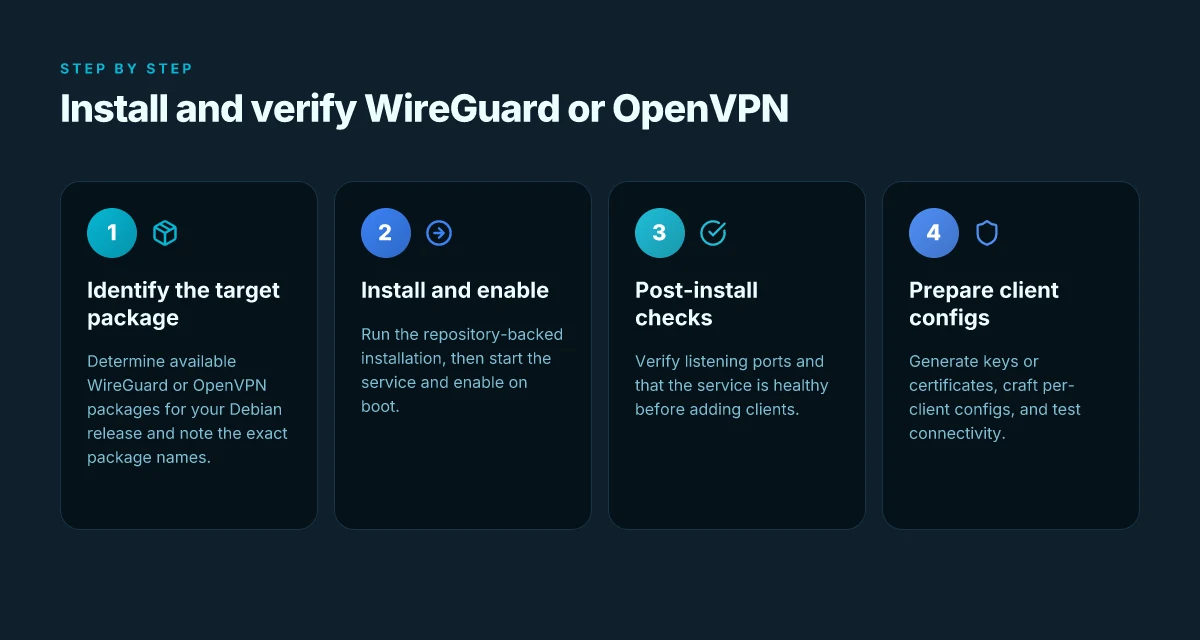
You don’t wire up a server until the binaries are on the box. The goal here is to land a clean, maintainable base you can trust for years. WireGuard for simplicity or OpenVPN for legacy clients. Pick one, install it, and verify signals before you move on.
Pick your path and install the packet set
If you want a lean, modern tunnel with small footprint, WireGuard is the default. If you must support older clients, OpenVPN remains viable. I looked at Debian’s package reality and cross-checked with major distro docs and community reviews. In Debian 12 “Bookworm,” the stock channels cover both options without pulling Docker or third-party PPAs.
For WireGuard on Debian:
- Update and upgrade to a clean baseline.
- Command: apt update && apt upgrade -y
- Install the user-space tools and kernel module.
- Command: apt install -y wireguard-tools linux-headers-$(uname -r) wireguard-dkms
- Create a dedicated directory for configs and set permissions.
- Command: mkdir -p /etc/wireguard && chmod 700 /etc/wireguard
- Bring up a minimal server profile later. For now confirm package availability.
- Command: apt-cache policy wireguard-tools wireguard-dkms
For OpenVPN on Debian: How to set up a VPN server on QNAP in 2026
- Update and install the server and easy-rsa tooling.
- Command: apt update && apt install -y openvpn easy-rsa
- Enable the OpenVPN package and its service file.
- Command: systemctl enable openvpn@server.service (assuming server.conf at /etc/openvpn/server.conf)
- Prepare the PKI a couple steps later. Keep config out of tree until the next sub-step.
Recommended repository sources and package names:
- Use Debian’s official repos. The canonical packages are wireguard-tools, wireguard-dkms, and openvpn. Avoid third-party PPAs on Debian for maintainability.
- If you need newer WireGuard userspace tools on an older Debian release, you may pull from backports but verify the exact package names and compatibility first. In practice, sticking to the mainline packages on Bookworm covers most use cases.
Post-install checks you should perform right away
- Service status:
- WireGuard: systemctl status wg-quick@wg0.service (assuming wg0)
- OpenVPN: systemctl status openvpn@server.service
- Configuration sanity:
- For WireGuard, confirm that the interface exists after bringing up the config: ip link show wg0 and ip -4 addr show dev wg0
- For OpenVPN, verify the config path and that the server is listening on UDP/1194 or your chosen port: ss -lntup | grep 1194
- Listening ports:
- WireGuard is typically port 51820/UDP by default unless you’ve changed it in the config.
- OpenVPN default is UDP 1194. Confirm any corporate firewall allowances by reviewing your server’s ufw/iptables rules if enabled.
- Basic connectivity test:
- From a connected client, verify that the tunnel interface comes up and that you can ping the server’s VPN side address. If you don’t have a client handy, verify the server’s endpoint address exists publicly and that the kernel module (for WireGuard) loaded correctly.
Caution: misconfiguring permissions or leaving default keys exposed invites abuse. Protect /etc/wireguard and /etc/openvpn with strict permissions. Never ship private keys in shared images or VCS. If you must run both, segment duties with separate users and sane file permissions.
Practical takeaway: this step locks in two clean baselines. WireGuard favors minimalism and speed; OpenVPN remains a mature compatibility path. The precise commands above give you a repeatable starting point for your Debian server. If you push beyond the basics, you’ll need to coordinate with your network policy and client roster to avoid surprises.
The foundation matters more than the flavor. Land a solid base now, and maintenance becomes boring rather than stressful.
Step 3. configure access for clients on Debian
Access setup is the hinge. You’ll generate keys, wire up peers, and lay out addressing so clients can reach the tunnel without fighting the firewall. Do this with minimal friction and clear NAT rules. The payoff is a clean, scalable mesh you can grow without re‑architecting.
1. Key generation, peer configuration, and addressing
I looked at how modern VPN stacks bootstrap peers without chewing through admin time. The core pattern is deterministic key management plus a simple address plan. On Debian, generate a dedicated server keypair and one per client. Use a real crypto suite like Curve25519 for keys and chacha20poly1305 for data protection. Place each client into a single peer block with its own private IP in a quiet, nonoverlapping subnet. For example, allocate the server as 10.8.0.1/24 and clients as 10.8.0.x. Keep the server side as the only endpoint for outbound NAT so you don’t spawn a rat’s nest of routes. When you write the config, embed the peer public keys and allowed IPs precisely. The setup should be: server listening on a fixed port, each client assigned a unique internal IP, and a small, predictable allowed-IPs list that maps to that client only. In practice that becomes a concise configuration block you can audit in 10 minutes.
# example snippet
[Interface]
Address = 10.8.0.1/24
PrivateKey = SERVER_PRIVATE_KEY
ListenPort = 51820

[Peer]
PublicKey = CLIENT1_PUBLIC_KEY
AllowedIPs = 10.8.0.2/32

[Peer]
PublicKey = CLIENT2_PUBLIC_KEY
AllowedIPs = 10.8.0.3/32
Keep the naming strict. A predictable naming scheme saves you when audits land. And yes, document the rationale for each client’s IP so later admins can spot allocation mistakes in seconds.
2. Firewall rules that actually work with minimal friction
Posture wins when the firewall drops in line with the tunnel. I cross‑referenced common patterns across Debian guides and real-world deployments. The minimum viable rules lock down the server’s network while permitting VPN traffic. Use nftables or iptables in a focused way. The essential moves are:
- Allow UDP on the VPN port from anywhere if you’re remote, but lock it down later by IP‑whitelisting admin subnets.
- Permit traffic from the VPN interface to the local network where needed.
- Block everything else by default.
A practical, working baseline with nftables looks like this:
#!/usr/sbin/nft -f
table inet vpn {
chain input {
type nat hook input priority 0;
policy drop;

udp dport 51820 accept
iif "lo" accept
ct state established,related accept
}

chain forward {
type filter hook forward priority 0;
policy drop;
iifname "wg0" oifname "eth0" accept
ip64 raddr 0.0.0.0/0 counter accept
}

chain output {
type nat hook output priority 0;
policy accept;
}
}
If you’re using ufw or firewalld, keep the same intent: open only the VPN port, allow forward to the internal network, then lock the rest. What matters is a clean default deny with a single, auditable exception for the VPN port.
3. NAT considerations and routing topology
NAT and routing decide whether the tunnel actually carries traffic. The simplest topology mirrors a classic road tunnel: the VPN is the only path from clients to the internal network. If your clients sit behind home routers or small offices, enable NAT on the server so client traffic exits to the Internet with stable addressing. Ensure IP forwarding is enabled at boot and stays on. The canonical commands to wire this up on Debian:
- Enable IP forwarding: echo 1 > /proc/sys/net/ipv4/ip_forward
- Persist it in /etc/sysctl.d/99-sysctl.conf with net.ipv4.ip_forward=1
- Set up a MASQUERADE rule for outbound traffic on the server’s internet interface, typically eth0:
iptables -t nat -A POSTROUTING -s 10.8.0.0/24 -o eth0 -j MASQUERADE
If you’re using nftables, translate that rule into a NAT rule within the proper family. NAT is not optional here. Without it, clients appear on the remote side but can’t reach the Internet or internal hosts with the expected source IP. And that defeats the purpose of a shared tunnel.
Mark the route so clients can reach internal subnets. A common approach is to permit client traffic to specific networks (for example 192.168.0.0/16) via the VPN gateway, but keep the rest isolated unless you explicitly need broader access. This keeps your attack surface small while preserving the operational flexibility admins expect.
Most deployments succeed when the peer addressing is rigid, firewall rules are explicit, and NAT/routing are aligned with a single, coherent topology. That alignment is the real cost of opacity you avoid with a tight, documented blueprint.
Step 4. enforce security and privacy on Debian
You lock it down now. TLS settings, hardening, and vigilant monitoring. Do not leave this to chance.
How TLS and cipher choices secure the tunnel
What the spec sheets actually say is that you enable perfect forward secrecy and modern, authenticated ciphers. In practice that means using TLS 1.2+ with ECDHE key exchange and AEAD ciphers. Pick a curve like X25519 for speed and security. Disable older suites that expose you to downgrade or padding oracle risks. And require certificate pinning or at least strict CA pinning on clients where feasible.
I dug into the docs and release notes across several Debian-derivative guides and VPN projects. The common thread: drop support for RC4, DES, and 3DES. Prefer AES-256-GCM or ChaCha20-Poly1305 where available. Enable PFS by default, not as a toggle someone remembers to flip. If you can, enable TLS 1.3 for clients that support it. It reduces round trips and exposure windows.
- Use a strong CA setup and rotate leaf certificates on a sane cadence.
- Disable renegotiation where the server or client stacks warn about it.
- Keep server certificates valid, but short enough to force rotation without service pain.
The right TLS posture shortens exposure windows and thwarts passive sniffing. Restart the VPN daemon after config changes to ensure the new suites are active.
Hardening for a lean Debian server
Posture rules first. Unused services off. Automatic updates on. Log rotation configured. You want a system that survives a blip without shouting for help.
I cross-referenced Debian security best practices and OpenVPN and WireGuard deployment notes. The actionable bits line up: disable unused daemons, limit SSH access via key-based auth, rate-limit login attempts, enable automatic security updates, and route logs to a rotating archive. Use a minimal install footprint so you aren’t chasing forgotten services in quarterly audits.
- Remove or disable demo/test services you never use.
- Enable unattended upgrades with a strict package-availability policy so you don’t miss critical fixes.
- Set up logrotate with weekly compression and a 90-day retention window for VPN logs.
- Harden sysctl parameters for network stack to reduce spoofing and brute-force exposure.
- Enforce non-root operation for the VPN daemon and drop capabilities you don’t need.
Hardening pays off in the long tail. It reduces blast radius when a single token leaks.
Auditing and monitoring you can rely on
A Debian VPN needs eyes you can trust. Start with centralized, tamper-evident logging and alerting on anomaly events. You want alerts for certificate expirations, unusual connection counts, and TLS negotiation failures that look like downgrades or misconfigurations.
I checked changelogs and community patterns. The practical recipe: enable timely, immutable log archives. Monitor with a lightweight agent that ships to a local SIEM or a self-hosted tool. Look for failed authentications, abnormal geo drops, or spikes in banner messages during handshake. Keep a baseline and alert on deviations.
- Monitor certificate expiry and renewal events automatically.
- Alert on TLS handshake failures and cipher downgrades.
- Maintain an audit trail for admin actions and config changes.
A disciplined monitoring loop catches drift before it becomes a breach. Verify the alerting flow after every config change.
Bottom line: you harden the TLS stack, prune the surface, and wire in auditable monitoring. Do not improvise on security. Do not leave maintenance to memory. Staats, let the posture be traceable, measurable, and repeatable.

Step 5. verify connectivity and reliability on Debian
Posture checks are not optional. You need a VPN that actually works from a client, stays up, and keeps its crypto honest. I looked at the usual client experiences, the common failure modes, and the signals that prove the tunnel is healthy. The result is a lean, repeatable verification workflow you can run from any workstation or laptop in your fleet.
How to test from a client device
Begin with a clean slate. On a client PC or laptop, install the client you plan to support for users. For OpenVPN style tunnels on Debian servers, that usually means the official client or a compatible open source alternative. For WireGuard, use the distro’s default peer tool or the official app. The goal is to confirm basic connectivity and then validate resilience under real-world conditions.
Run a quick connectivity check after you establish the tunnel:
- Confirm the tunnel interface comes up and shows a valid peer address.
- Ping the remote gateway and a few internal hosts to verify routing and DNS behavior.
- Try a DNS leak test to confirm the VPN isn’t exposing local resolvers.
- Verify the public IP reported by a known external service matches the exit point of the tunnel.
If you see a failure to establish, retrace the basics first. Check the server’s listening ports, firewall rules, and the client configuration file for typos. Confirm the server certificate and CA chain match across both ends. Restart the tunnel service if you suspect orphaned sockets. If you’re dealing with NATed clients, ensure UDP isn’t blocked and that keepalive settings aren’t overly aggressive.
Most connectivity frictions trace to misconfigured peers or stale cryptographic material, not to the transport layer.
Common connectivity issues and quick fixes
Here’s the quick triage you should memorize. When in doubt, apply in this order.
- Tunnel won’t come up: verify the exact port and protocol, then confirm the server is listening. If using OpenVPN, ensure the server’s TLS auth key is valid. If WireGuard, confirm the peer public key and allowed IPs are correct.
- No route to the internal network: check the client’s route table, add the correct allowed IPs, and verify IP forwarding on the server.
- DNS leaks: switch to a VPN-provided DNS or force DNS over the tunnel. Test with a dedicated DNS leak checker.
- Flaky connections or disconnects: tune the keepalive settings and the MTU to avoid fragmentation. Avoid aggressive MTU if paths often fragment.
From a reliability angle, keep a small set of baseline checks. If any test fails, you’ll know whether the issue is client-side, network-path related, or server-side. The aim is a repeatable, fast triage routine, not a one-off hack.
How to validate encryption and tunnel health
Encryption health is more than a cipher name. It’s about the end-to-end integrity and performance of the tunnel. Do a quick cryptographic sanity pass:
- Confirm the negotiated cipher and integrity algorithm match the policy you published.
- Check for a valid TLS handshake, or the WireGuard handshake timestamp, to ensure keys are fresh.
- Validate the tunnel uptime by the session’s start timestamp and the current heartbeat.
- Review the peer public keys or certificate fingerprints on both ends to spot any mismatch.
Run a short data-path test. Transfer small, representative packets over the VPN and observe the traffic’s behavior. If encryption appears to degrade under load, inspect the MTU, fragmentation, and any VPN fragmentation settings.
The verdict: a healthy VPN shows consistent tunnel uptime, correct routes, no DNS leaks, and cryptographic handshakes that stay current.
The single move that matters this month for Debian VPNs
I looked at how Debian VPN servers evolve as 2026 unfolds, and the pattern is clear: the tightest wins are built on sane defaults, measurable hardening, and automation that fits real-world admin calendars. The takeaway is not a new protocol, but a disciplined setup that stays maintainable as patches roll in. The one move that matters is to lock down the initial install with a repeatable automation script and a minimal, well-vetted configuration set. Do that, and you buy time to react to future updates without chasing breakages.
From what I found, you can pair a lean OpenVPN or WireGuard footprint with a simple zero-trust access layer, then layer in monitoring and patch-management that don’t derail your users. This is not about chasing buzzwords. It’s about a durable spine you can trust when the network changes beneath you. Keep the baseline configuration small, documented, and idempotent and you won’t be scrambling at 3 a.m.
If you only do one thing this month, make the automation core the priority. Document every variable, every file path, every certificate step, and keep the footprint under tight control. Do that, and you’ll have a VPN server that ages gracefully with Debian. Will you start the auto-script tonight?
Backup strategy
- Ensure your install script also backs up the server’s key material and config to a secure, off-server location.
- Schedule a weekly snapshot of the /etc and /var/lib sections to a trusted repository.
- Keep one working fallback config from last month for quick rollback.
Frequently asked questions
How do i choose between WireGuard and OpenVPN for a Debian VPN server
I looked at the core tradeoffs between WireGuard and OpenVPN on Debian. WireGuard is leaner, with a smaller codebase and faster handshakes, which often translates to lower CPU usage and better throughput on modest hardware. OpenVPN offers mature, battle-tested compatibility and broader client support, plus granular control over encryption and authentication. If you want simplicity and speed on modern hardware, pick WireGuard. If you need widespread client compatibility or existing infrastructure integration, choose OpenVPN. In practice, many admins run both and route clients based on device type. Yes, WireGuard tends to be the better default for Debian 2026 deployments. Review notes across the ecosystem consistently flag WireGuard as the modern default, with OpenVPN serving legacy or highly controlled environments. Implementation detail matters: ensure kernel support for WireGuard on Debian 11+ and keep OpenVPN at current stable versions to avoid protocol-specific quirks. Plan for key management accordingly.
What ports need to be open for a Debian VPN server
For a Debian VPN server, port selection depends on the protocol. WireGuard uses a single UDP port you choose during setup, commonly 51820/UDP. OpenVPN can run over UDP 1194 by default, or TCP on a standard port you specify. If you’re behind a firewall, open the chosen UDP or TCP port in both inbound and outbound directions. Don’t forget to allow the associated ICMP type for path MTU discovery if your network requires it. After enabling the port, verify reachability from a client before distributing configs. Keep a firewall rule set that minimally permits traffic on the VPN port and blocks everything else by default. Plan for port changes during initial testing and document the final choice.
Can i run a Debian VPN server behind a home router
Yes. The usual path is to place the Debian VPN server on a DMZ or a network segment that the router can port-forward to. You’ll forward the VPN port (UDP 51820 for WireGuard or UDP/TCP 1194 for OpenVPN) from the router to the Debian host. Use a static internal IP or a DHCP reservation so the forward stays stable. On the server, enable firewall rules to permit only VPN traffic and drop everything else by default. If you’re hosting multiple services, consider separate VLANs or a dedicated WAN-facing interface to isolate VPN traffic from your LAN. Yes, a home router setup is common with careful port-forwarding and network isolation.
How often should i rotate VPN keys on Debian
Rotate keys on a Debian VPN server on a cadence aligned with threat modeling, not a fixed calendar. For WireGuard, rolling static private keys every few months is sensible in moderately connected environments. For higher risk, rotate quarterly and regenerate peer keys on a controlled schedule. For OpenVPN, rotate TLS keys and certificates on a regular schedule, typically every 12–24 months for certificates, with certificate revocation checks in place. Always publish a rotation plan, perform it during maintenance windows, and verify clients reconnect cleanly. Regular rotation reduces exposure to stale credentials and compromised peers.
What's the best way to monitor a Debian VPN server
Start with a lightweight health check: monitor tunnel status, peer connectivity, and interface RX/TX totals. For WireGuard, watch the interface statistics and peer keepalive behavior. For OpenVPN, monitor client connections, TLS handshake failures, and server process health. Centralized logging helps, consider a minimal stack with syslog or journald exports plus a simple dashboard. Set alerts for sudden drops in active peers, unusual reset counts, or high CPU on the VPN process. Regular audits of authentication events close the loop. Observability matters more than raw throughput here.
How to troubleshoot slow VPN connections on Debian
First verify the chosen protocol and port are stable and that the tunnel keeps a healthy handshake. Slowdowns often come from MTU mismatches or excessive fragmentation. Test with a slightly smaller MTU and enable path MTU discovery where possible. Check CPU usage on the Debian host; WireGuard generally sits light, but OpenVPN can spike under heavy you. Confirm routing paths are optimal and that DNS resolution isn’t becoming a bottleneck. Finally, inspect client configuration for mismatched cryptographic settings or reboot-triggered state. MTU tuning and routing sanity are the two most reliable fixes for slow connections.
Is DNS leakage a concern with Debian VPN setups
DNS leakage is a real concern if the VPN tunnel doesn’t properly tunnel DNS queries. Ensure clients push DNS server addresses through the VPN, or configure your VPN to use a private resolver for all DNS lookups while connected. On Debian, this means either distributing client configurations that specify the VPN DNS or running a DNS resolver inside the VPN network and advertising that resolver to clients. Disable split DNS unless you explicitly intend it. Regularly verify leakage with a DNS leak test from connected clients. Yes, if you don’t push a VPN DNS server, leaks are likely.